IT Services
Professional information technology services for digital transformation
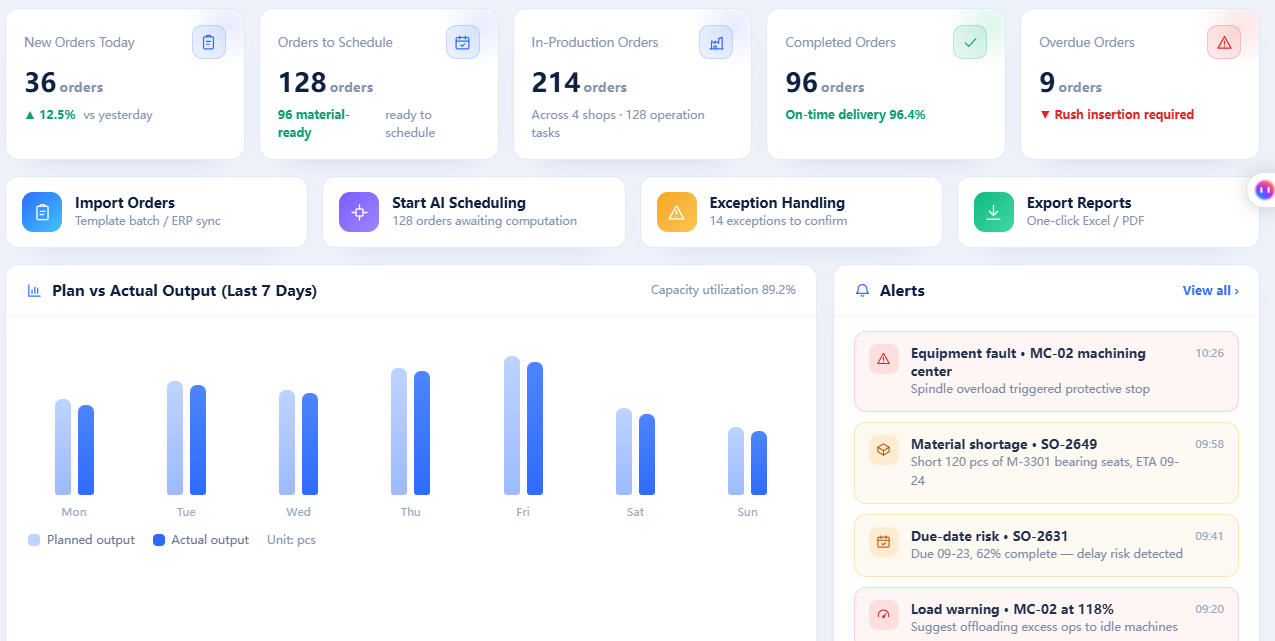
APS Production Scheduling System
1 System Overview 1.1 System Introduction The APS (Advanced Planning and Scheduling) system is a core digital system for the production operations of manufacturing enterprises. Built on the basis of finite capacity, it comprehensively considers multiple constraints such as orders, materials, equipment, personnel, processes, tooling and due dates, and generates scientific, executable production plans and scheduling solutions within minutes or even seconds. The system deeply integrates operations research optimization, artificial intelligence and industrial engineering methods, helping enterprises upgrade “production planning” from manual decision-making that relies on individual experience to data-driven, globally optimal intelligent decision-making. As a result, it significantly improves on-time delivery rates, equipment utilization and overall production efficiency, and serves as the key hub of the planning and management layer in a modern smart factory. The system can be deployed either as an independent advanced scheduling tool or deeply integrated with existing enterprise information systems such as ERP, MES, WMS and SCM, building an integrated closed loop covering sales forecasting, master production scheduling, material requirements, capacity scheduling, shop-floor execution and data feedback, helping enterprises realize lean production and digital transformation. 1.2 System Positioning and Value The system is positioned in the planning-management layer between “planning” and “execution”: upward, it receives sales orders, forecasts and demand plans from ERP; downward, it guides MES in shop-floor dispatching, process execution and on-site control. It is the key hub that connects the “Order–Planning–Execution–Feedback” closed loop. Its core value is reflected mainly in the following aspects: First, improving on-time delivery. Based on finite capacity and material-availability constraints, the system performs scheduling and provides committable due dates (ATP/CTP), avoiding “easy to accept orders but hard to deliver” and significantly reducing delayed deliveries. Second, lowering inventory levels. Through precise material requirements and production timing, it reduces work-in-process (WIP) accumulation and finished/semi-finished inventory occupancy, accelerating capital turnover. Third, improving resource utilization. It globally coordinates the loads of equipment, tooling and personnel, identifies and relieves bottleneck resources, and reduces equipment idleness and load imbalance. Fourth, enhancing responsiveness. Facing abnormalities such as order insertions, urgent orders, equipment failures and material shortages, the system can re-schedule within seconds and provide impact assessment to support rapid decision-making. Fifth, supporting multi-factory and supply chain collaboration. It coordinates capacity and supply rhythm across multiple bases, enabling nearest and optimal order allocation. Sixth, data visualization. It presents the overall production picture in an intuitive manner through Gantt charts, load charts and delivery-delay warnings, supporting transparent management. 1.3 Core Functional Modules 1.3.1 Order Management Supports aggregation, offsetting and merging of multi-source demand including sales orders, forecast orders, safety stock, finished-goods inventory and in-transit items. Combined with historical data and forecasting models, it generates time-phased demand to provide input for subsequent planning, and supports order prioritization, delivery commitment and change management. 1.3.2 Planning Management (MPS) Based on aggregated demand and available inventory, it generates the master production schedule under key resource constraints, determining how many end products to produce at what time, balancing demand and capacity, and providing a stable and feasible production framework for material requirements planning. 1.3.3 Material Management (MRP) Based on the master production schedule, bill of materials (BOM) and inventory/in-transit information, it explodes the required quantities and timing of materials at each level according to lead times, generating purchasing and in-house production plan recommendations to ensure material availability and timely supply. 1.3.4 Capacity Management It performs rough-cut capacity analysis for medium- and long-term plans, identifies capacity gaps and load peaks, supports the addition, reduction and balancing of resources such as equipment, production lines and personnel, and provides a basis for capacity investment and balanced production. 1.3.5 Finite Capacity Scheduling (FCS) Under the premise of finite capacity, it schedules each operation, each machine and each operator precisely down to day, shift or even minute. Taking into account due dates, priorities, changeover time, tooling and fixture constraints, and process constraints, it uses optimization algorithms to obtain a globally near-optimal solution, and serves as the core engine of the system. 1.3.6 Reporting Center It presents scheduling results through visual dashboards such as Gantt charts, load charts, bottleneck analysis charts and delivery-delay warnings, supporting planners in drag-and-drop adjustment, conflict detection, solution comparison and “What-if” simulation to intuitively grasp the overall shop-floor picture. 1.3.7 Production Execution Scheduling results can be issued to MES with one click or printed as dispatch orders. It collects execution data in real time such as completion, work reporting and equipment status, automatically compares the plan with actuals, triggers exception alerts for schedule deviations, material shortages and downtime, and supports exception-driven rapid re-scheduling. 1.3.8 Data Integration (ERP/MES/WMS) It provides standard interfaces and adapters to connect with mainstream ERP, MES, WMS and SCM systems, enabling automatic synchronization of data such as orders, materials, BOM, inventory, capacity and work reporting, ensuring data consistency between planning and execution. 2 APS Industries and Typical Application Scenarios The APS production scheduling system is widely applicable to manufacturing industries with complex scheduling constraints, multiple operations, multiple resources or due-date management requirements, especially suitable for discrete manufacturing, process manufacturing and the hybrid production modes of the two. The following selects typical industries including machinery equipment manufacturing, electronics and semiconductors, automotive and parts, food and beverage, pharmaceuticals and biopharmaceuticals, and printing and packaging. Combined with the production characteristics of each industry, typical application scenarios are introduced to explain how the APS system solves industry pain points and creates real value. 2.1 Machinery Equipment Manufacturing Machinery equipment manufacturing is dominated by discrete processing, with many operations, complex process routes and strong equipment versatility. It generally features high-mix low-volume production, order-driven manufacturing and frequent order insertions, placing high demands on the granularity and responsiveness of scheduling. 2.1.1 Application Scenario 1: High-Mix Low-Volume Discrete Production Scheduling Scenario background: Machinery equipment manufacturing enterprises generally face the production characteristics of “high-mix, low-volume, order-driven”. Order specifications are numerous, batch quantities are small, and process routes vary. The same workshop simultaneously handles multiple operations such as turning, milling, grinding, drilling, welding and assembly, with equipment and operators shared across operations. Manual scheduling that relies on the experience of planners is difficult to coordinate overall capacity comprehensively, easily resulting in an imbalanced situation of “some equipment overloaded in queues while other equipment idles”. When order insertions and urgent orders are frequent, scheduling plans are adjusted repeatedly, production preparation time is heavily occupied, and delivery commitments often diverge significantly from actual delivery. System application process: After the system goes live, the enterprise imports all basic data such as in-process orders, finished and semi-finished inventory, equipment ledgers, personnel skills and process routes into the system, automatically expanding demand through MPS and MRP to form production tasks for each operation. With “finite capacity” as the constraint, the APS scheduling engine comprehensively considers factors such as order due dates, material availability, equipment availability windows, tooling and fixtures, and personnel shifts, uses optimization algorithms to generate a globally near-optimal scheduling solution within minutes, and presents the task arrangement of each machine through visual Gantt charts. When order insertions, urgent orders or equipment failures occur, planners can adjust tasks in the system, which evaluates the impact on due dates and capacity occupancy in real time and automatically provides re-scheduling recommendations. After confirmation, the scheduling results are issued to MES with one click, and the shop floor executes according to system instructions, feeding progress back in real time through work reporting, forming a closed loop of “Plan–Execution–Feedback–Adjustment”, significantly improving machine utilization and on-time delivery rates. 2.1.2 Application Scenario 2: Assembly and Material-Availability Scheduling for Large Equipment Scenario background: The assembly of large equipment (such as machine tools, construction machinery and complete equipment sets) involves complex operations and long cycles, and involves material-availability (kitting) issues for a large number of purchased parts and self-manufactured parts. A shortage or delay of any key material or component can cause the entire assembly line to stop and wait for materials, resulting in serious schedule delays and resource waste. Meanwhile, scarce resources such as assembly sites, lifting equipment and specialized assembly personnel need to be reasonably allocated among multiple orders. How to ensure material kitting and the orderly connection of assembly resources is a common challenge for enterprises. In addition, demands for key resources from different orders often overlap in time, making it difficult for planners to coordinate the overall picture based on experience alone, and easy to attend to one thing while losing sight of another. System application process: The APS system brings the complete BOM and assembly process of large equipment into unified management, backward-schedules the assembly plan based on order due dates, and expands the kitting requirements of components and materials forward in linkage. The system tracks the purchasing in-transit, inventory and in-house production progress of key materials in real time, identifies material-shortage risks in advance through kitting checks, and triggers alerts for purchase expediting or alternative solutions. In terms of assembly resource allocation, the system treats final assembly sites, key workstations, lifting equipment and assembly teams as constrained resources for finite capacity scheduling, reasonably arranging the assembly sequence of multiple large equipment items to avoid resource conflicts and idle time. When a deviation occurs at any stage, the system automatically recalculates the impact on the overall due date and provides adjustment recommendations, helping planners make rapid decisions and ensuring that large equipment is delivered on time. The system also provides kitting warning and delivery-risk dashboards, enabling management to grasp the progress of each project in real time and coordinate purchasing and production resources in a timely manner, forming a complete management closed loop from planning and execution to risk control, fundamentally reducing the risk of delayed delivery of large equipment. 2.1.3 Application Scenario 3: Machine Load Balancing and Bottleneck Scheduling in the Workshop Scenario background: Machining workshops have many equipment types with large differences in processing capability, and often have obvious bottleneck equipment, such as heat-treatment furnaces and large machining centers. Since bottleneck operations determine overall capacity, if a large number of tasks accumulate in front of bottleneck equipment while other equipment idles, overall capacity is wasted and delivery is delayed. Manual scheduling is difficult to accurately identify and optimize bottlenecks, and often can only respond passively. System application process: Through capacity analysis and bottleneck identification, the APS system automatically marks bottleneck resources in the workshop and arranges the production rhythm around the bottlenecks, balancing the task volume of upstream and downstream operations through a “push-pull” approach to avoid task accumulation or material interruption in front of bottleneck equipment. Taking load balancing as one of its objectives, the system reasonably allocates tasks among equipment based on due dates and processing efficiency, making the loads of similar equipment relatively balanced and reducing idleness and overload. When bottleneck equipment fails or capacity fluctuates, the system rapidly re-schedules and provides alternative equipment options and capacity adjustment recommendations, minimizing the impact on overall output. Through continuous load balancing and bottleneck scheduling, enterprises can significantly improve the capacity utilization of the entire workshop and shorten the manufacturing cycle. The load charts and bottleneck analysis reports provided by the system also offer objective data support for equipment investment, capacity planning and staffing, helping enterprises alleviate capacity bottlenecks at the source. At the same time, the system supports periodic output of bottleneck and load analysis results as a decision-making basis for production meetings and continuous improvement, continuously driving the improvement of workshop management. 2.2 Electronics and Semiconductors The electronics and semiconductor industry has many process stages, a fast production rhythm and large equipment investment, with extremely high requirements on capacity utilization, yield and due dates. The granularity of scheduling directly affects the competitiveness of enterprises. 2.2.1 Application Scenario 1: PCB/SMT Line Takt Optimization and Changeover Scheduling Scenario background: PCB (Printed Circuit Board) and SMT (Surface Mount Technology) production lines have expensive equipment and many lines, with frequent product model changeovers. Changeovers, material replacements and stencil changes between different models require long preparation times, directly affecting the effective output of production lines. If changeovers are arranged improperly, a large amount of capacity is wasted; if task allocation is uneven, some lines are queued while others idle. How to reduce changeover times and improve line utilization through reasonable batch merging and sequencing while meeting due dates is a key concern of the industry. System application process: The APS system incorporates equipment and process parameters such as SMT lines, placement machines, printers and reflow soldering machines into the model, and performs intelligent batch splitting and sequencing of orders with “reducing changeovers, balancing loads and meeting due dates” as scheduling objectives. The system automatically identifies orders of the same or similar models and merges them for production, arranging a reasonable changeover sequence to shorten the total material-replacement and setup time; at the same time, it allocates tasks in a balanced manner according to the capability and load of each line to avoid load imbalance among lines. On the visual dashboard of scheduling results, planners can intuitively view the task arrangement and changeover points of each line, make drag-and-drop adjustments and evaluate the impact on due dates. After the scheduling results are issued to MES, the shop floor changes over and produces according to system instructions, and feeds execution progress back through real-time data, achieving efficient line operation and rapid changeover, significantly improving equipment utilization and order delivery capability. Through continuous takt optimization and changeover management, enterprises can substantially reduce production preparation costs, shorten order delivery cycles and enhance market competitiveness. 2.2.2 Application Scenario 2: Capacity-Constrained Scheduling for Semiconductor Packaging and Testing Scenario background: The semiconductor packaging and testing stage involves numerous operations and complex equipment types, including grinding, dicing, die attach, wire bonding, molding, plating and testing, with large differences in process routes and equipment capabilities across products. Packaging and testing equipment is of high value and capacity is highly tight, so the scheduling of key equipment directly affects overall output and due dates. At the same time, the semiconductor industry has strict requirements on yield, batch traceability and clean environment, and scheduling needs to balance process constraints and production specifications, making it extremely complex. System application process: The APS system incorporates the equipment, capacity, process constraints and product batches of the entire packaging and testing process into a unified model, performs finite capacity scheduling around key bottleneck equipment, reasonably allocates the production timing of each product batch on different operations and equipment, and balances overall capacity. The system supports batch merging, error-proofing constraints, cleanroom constraints and equipment PM (Preventive Maintenance) time constraints, ensuring that scheduling complies with process specifications. In response to abnormalities such as urgent order insertions and equipment downtime, the system can rapidly re-schedule, evaluate the impact on due dates and capacity, and provide the optimal adjustment plan. At the same time, the system is linked with MES to obtain equipment status and completion data in real time, achieving two-way collaboration between scheduling and execution, helping packaging and testing enterprises maximize the utilization of expensive capacity and guarantee delivery commitments to key customers. The transparency and automation of scheduling also significantly reduce the workload of planners and improve the scientific rigor and timeliness of planning management. 2.3 Automotive and Parts The automotive and parts industry is characterized by large-scale, assembly-line, takt-based production and high requirements for supply chain collaboration. Both vehicle manufacturers and parts enterprises need to achieve efficient production scheduling under strict due dates and high quality requirements. 2.3.1 Application Scenario 1: Sequencing Optimization for Mixed-Model Production Lines at Vehicle Plants Scenario background: Modern vehicle plants generally adopt mixed-model production lines, producing multiple models and configurations of vehicles on the same assembly line simultaneously. This must satisfy both the personalized needs of customer orders and the stability and efficiency of production takt. The work-hour differences, material supply and workstation loads of different models on the assembly line vary, and improper sequencing can cause problems such as line-side material shortages, workstation bottlenecks and increased model-changeover time, leading to capacity loss and delivery delays. How to meet the due dates and priorities of orders without sacrificing efficiency is the core difficulty of vehicle scheduling. System application process: Based on the vehicle order pool and assembly-line constraints, the APS system performs intelligent optimization of the production sequence. The system integrates factors such as model work-hours, workstation loads, material kitting, color and configuration changeover costs, customer due dates and transportation plans to build a scheduling optimization model, generating the optimal vehicle sequence that both meets order requirements and takes into account the stability of the production line. The system performs kitting checks on line-side materials, warns of material-shortage risks in advance and links pull replenishment; it also balances the loads of key workstations to avoid local congestion. After the sequencing results are issued to MES and the pull system, line-side feeding and assembly proceed in sequence, and the plan is continuously calibrated through real-time feedback. The system can also link the sequencing results with transportation and shipment plans, optimizing the connection between vehicle completion and delivery, further compressing in-transit time and inventory and improving the efficiency of full-chain delivery. The generation and adjustment of sequencing plans are fully documented and traceable, facilitating review and continuous improvement by production management. Through mixed-model sequencing optimization, vehicle plants can maintain high-takt stable production while satisfying personalized needs, improving delivery efficiency and customer satisfaction. 2.3.2 Application Scenario 2: Multi-Operation Multi-Line Collaborative Scheduling for Parts Scenario background: Automotive parts enterprises have many product types, large batch quantities and strict due dates, and often need multiple workshops and production lines to collaborate on completing an order, involving operations such as stamping, machining, surface treatment, assembly and inspection. The loads of different lines affect one another, and imbalanced capacity or uncoordinated scheduling can lead to semi-finished goods accumulation and delivery delays. At the same time, parts enterprises have a wide variety of parts and frequent mold changes and line changeovers. How to coordinate among multiple lines to achieve balanced production and on-time delivery is a key management challenge. Facing increasingly strict delivery requirements and frequent demand fluctuations from OEMs, scheduling based on experience alone is no longer adequate. System application process: The APS system incorporates the equipment capacity and process constraints of all workshops and production lines into a unified model, performs integrated multi-operation multi-line scheduling of orders, and automatically plans the processing timing and quantities of each operation on each line, achieving collaborative linkage across workshops and lines. Through load analysis, the system identifies capacity weaknesses and balances task allocation across lines, reducing WIP accumulation and line idleness; through material kitting checks and mold resource constraints, it avoids stoppages caused by material shortages or untimely mold changes. When an OEM order is adjusted or a line experiences an abnormality, the system rapidly re-schedules and adjusts related operations in linkage, ensuring that the overall plan remains feasible. The load and progress dashboards provided by the system help management grasp the operating status of each line in real time, promptly warn and handle risks, and significantly improve the executability of plans and overall operational efficiency. Through integration with OEM supply chain systems, it achieves collaboration of order and delivery information, helping parts enterprises improve on-time delivery rates and internal operational efficiency. 2.3.3 Application Scenario 3: Pull-Based Replenishment and Kitting Scheduling in the Supply Chain Scenario background: In the automotive and parts supply chain, OEMs often use kanban or rolling demand plans to pull parts supply, with high requirements on arrival timing and kitting. Parts enterprises need to organize production and distribution in a timely manner according to the pull signals of OEMs, avoiding both stock-outs that stop lines and excessive inventory. Facing pull demands from multiple customers, multiple models and multiple products, traditional scheduling is difficult to precisely match the arrival rhythm, easily resulting in the problem of “items that should be supplied are not supplied, while items that should not be supplied accumulate”. System application process: The APS system connects with the demand plans of OEMs, automatically receives pull signals and rolling orders, and converts demand into production tasks and distribution plans for each line. The system schedules with pull logic, organizes production as needed and backward-schedules the production timing of each operation to ensure that finished goods are kitted and completed before the demand point; through safety stock and kitting monitoring, it identifies supply risks in advance and triggers replenishment warnings. The system simultaneously coordinates the priorities and delivery windows of multiple customers, optimizes the production and distribution sequence, and improves vehicle loading and distribution efficiency. Through precise matching of supply and demand rhythm, enterprises can significantly reduce urgent replenishment and stock-out losses, effectively lower inventory while guaranteeing the continuous production of OEMs, enhance the resilience and responsiveness of the supply chain, and improve the overall level of supply chain collaboration. The system also places the supply assurance of key customers under key monitoring, prioritizing important orders when risks arise, balancing delivery performance and customer satisfaction. 2.4 Food and Beverage The food and beverage industry belongs to process manufacturing, characterized by batch production, continuous production, high hygiene requirements and shelf-life sensitivity. Scheduling needs to balance line continuity, cleaning changeovers and freshness constraints. 2.4.1 Application Scenario 1: Continuous-Flow and Batch Production Scheduling Scenario background: The production lines of food and beverage enterprises are mostly continuous-flow or semi-continuous-flow production, with high equipment start-up/shutdown and cleaning costs, and changeovers between different products often require preparation times such as cleaning and disinfection. If scheduling is improper, frequent product changeovers occupy a large amount of production time and reduce capacity utilization; at the same time, the supply and inventory of raw materials and packaging materials need to match the production rhythm. In addition, the shelf life and procurement cycles of raw materials need to be closely linked with the production plan, making scheduling highly complex and difficult to coordinate manually. How to reasonably merge batches of similar products, reduce changeover times and maintain continuous and efficient line operation while meeting order due dates is an important topic for food and beverage enterprise scheduling. System application process: The APS system incorporates line equipment, capacity, cleaning rules and changeover times into the scheduling model, and optimizes the sequence of production batches with “reducing changeovers, balancing loads and meeting due dates” as objectives. The system merges batches of products with the same or similar formulations, reasonably arranges the production order of different products, coordinates the load allocation of each line, and avoids local overload or idling. At the same time, the system links the inventory and supply of raw materials and packaging materials to ensure that the production plan is consistent with material kitting and avoid line stoppages due to material shortages. Scheduling results are presented through a production plan dashboard, supporting planners in drag-and-drop adjustment and delivery-impact evaluation, and are issued for execution after confirmation. The capacity and load dashboards provided by the system help management intuitively grasp line operation and respond to demand fluctuations and plan adjustments in a timely manner. Through continuous-flow and batch-optimized scheduling, enterprises can significantly improve line utilization, reduce cleaning and changeover costs, and ensure on-time order delivery. 2.4.2 Application Scenario 2: Order Scheduling under Shelf-Life Constraints and FIFO Scenario background: Food and beverage products have short shelf lives and high freshness requirements, so production and inventory management must strictly follow the First-In-First-Out (FIFO) principle to avoid losses caused by product expiration. In order scheduling, it is necessary to comprehensively consider raw material freshness, production dates, shelf life, warehouse turnover and customer requirements for freshness, and reasonably arrange the production sequence and quantities so that products are delivered to customers in the best condition. If scheduling does not consider shelf-life constraints, problems such as some product inventory accumulating and expiring, or some orders failing to meet freshness requirements, may occur. System application process: The APS system introduces shelf-life and FIFO constraints into the scheduling model, and intelligently plans the production timing and quantities of each order by integrating raw material batches, production dates, finished-goods shelf life and order requirements. According to the FIFO principle, the system preferentially consumes the earliest batches of raw materials and inventory, and reasonably arranges the production plan so that finished-goods inventory maintains reasonable turnover; at the same time, combined with warehouse capacity and turnover speed, it avoids overproduction causing accumulation. For the shelf-life and freshness requirements of different customers, the system optimizes scheduling on the basis of meeting due dates, prioritizing the early production of freshness-sensitive orders. The system also supports linked warnings for near-expiry inventory and orders, further safeguarding product freshness and sales safety. Through intelligent scheduling under shelf-life constraints, enterprises can effectively reduce expiration losses, ensure product quality and customer satisfaction, and improve inventory turnover efficiency. 2.5 Pharmaceuticals and Biopharmaceuticals The pharmaceutical and biopharmaceutical industry is strictly constrained by GMP regulations, with extremely high requirements on production batches, equipment cleaning, validation and traceability. Scheduling must balance compliance, safety and efficiency. 2.5.1 Application Scenario 1: Batch Production Records and GMP-Compliant Scheduling Scenario background: Pharmaceutical manufacturers must strictly comply with GMP (Good Manufacturing Practice). The production of each batch must follow established batch production instructions and process regulations, and the relevant records must be complete and traceable. Production scheduling must ensure that elements such as batch production instructions, batch records, and equipment and personnel qualifications meet regulatory requirements, avoiding quality risks and inspection deficiencies caused by conflicts between scheduling and compliance requirements. At the same time, pharmaceutical production has long cycles and strict batch management, and the collaborative scheduling of multiple products and batches places high demands on planning capability. Any omission at the planning level may lead to compliance risks and economic losses, so scheduling must be rigorous and reliable. System application process: The APS system embeds GMP compliance constraints in scheduling, incorporating batch production instructions, process regulations, equipment qualifications, personnel qualifications and validation status into scheduling validation conditions, ensuring that only qualified equipment and personnel are scheduled into production tasks. The system organizes batch production plans according to batch-number specifications and generates the planning information required for batch production records in linkage, ensuring complete batch traceability. The system optimizes the production timing of each batch, coordinates the production rhythm and material supply of multiple products, and ensures production by batch and by quantity, avoiding compliance conflicts. When process changes or validation status changes occur, the system promptly prompts and re-validates the feasibility of scheduling. Through the integration of scheduling and compliance management, pharmaceutical enterprises ensure quality and regulatory requirements while improving the scientific rigor and execution efficiency of production planning, effectively supporting compliant and efficient pharmaceutical production. The scheduling and batch information generated by the system can also directly interface with batch record systems, reducing manual transcription errors and improving data consistency. 2.5.2 Application Scenario 2: Equipment Cleaning and Changeover Time-Constrained Scheduling Scenario background: Pharmaceutical and biopharmaceutical production has extremely strict control of cross-contamination. Changeovers between different products and batches usually require strict equipment cleaning, disinfection and even validation, and the cleaning and validation time sometimes approaches or even exceeds production time, making it a key factor affecting capacity. If cleaning is arranged improperly, it can cause equipment idle waste or product quality risks. How to coordinate cleaning, disinfection, validation time and production tasks to maximize capacity utilization is an important difficulty in pharmaceutical scheduling. System application process: The APS system treats equipment cleaning, disinfection and validation time as mandatory scheduling constraints. Based on product compatibility rules, it automatically plans a reasonable production and cleaning sequence to minimize invalid downtime caused by product changeovers. The system prioritizes scheduling for equipment requiring long cleaning cycles, reduces cleaning times through batch merging of similar products, and reasonably arranges the connection between cleaning validation and other production tasks to improve overall equipment utilization. At the same time, the system tracks equipment status in real time and restricts the scheduling of tasks onto equipment when cleaning or validation is not completed, ensuring compliance. Scheduling results are linked with the equipment status dashboard, helping workshops reasonably arrange cleaning and production rhythm. Through intelligent scheduling under cleaning and changeover constraints, pharmaceutical enterprises can significantly improve the utilization and overall capacity of expensive production equipment while strictly meeting GMP requirements. Through the coordinated optimization of cleaning validation time and production tasks, enterprises can effectively release capacity and shorten product delivery cycles. 2.6 Printing and Packaging The printing and packaging industry has many order types, diverse colors and specifications, and frequent plate and color changes. Printing and downstream processes are tightly connected, with high requirements on imposition, color management and delivery control. 2.6.1 Application Scenario 1: Multi-Order Imposition and Color Changeover Optimization Scenario background: Printing and packaging enterprises undertake a large number of orders with various specifications. Press plate changes, color adjustment and ink adjustment require long preparation times, and orders of different color groups and processes change over frequently. If each order is run separately on the machine, a large amount of plate-changing, color-adjustment time and material waste results; if imposition is improper, it affects printing quality and the connection of downstream operations such as die-cutting and lamination. The connection quality of these links directly affects the delivery quality and cost of orders, placing high demands on the experience of planners, and manual scheduling finds it difficult to balance efficiency and quality. How to reduce the number of plate and color changes and increase the output of printing presses through reasonable imposition and production sequencing is the key to improving the efficiency of printing enterprises. System application process: The APS system incorporates resources and process constraints such as printing presses, printing plates, inks and paper into the scheduling model, supports intelligent imposition and merging of orders based on factors such as paper specifications, color similarity and process consistency, and combines orders suitable for same-machine production into the same batch, reducing the number of plate and color changes. The system performs finite capacity scheduling for printing presses, reasonably arranges the order-of-run and load allocation of each order, and coordinates the connection between printing and downstream operations such as die-cutting, lamination and binding to avoid upstream accumulation or downstream waiting for materials. Scheduling results are presented through visual dashboards, where planners can view the task arrangement and plate-change points of printing presses, optimize and adjust, and then issue for execution. The imposition and scheduling dashboards provided by the system help planners intuitively grasp press tasks and plate-change points and make timely optimizations and adjustments. Through imposition and color changeover optimization, printing enterprises can significantly reduce setup and material waste, improve press utilization and delivery efficiency, and enhance market competitiveness. 2.6.2 Application Scenario 2: Load Balancing and Due-Date Scheduling for Offset/Flexographic Lines Scenario background: Printing and packaging enterprises often have multiple types of printing equipment simultaneously, such as offset, flexographic and digital printing. Different equipment is suitable for orders of different materials and processes, and there are load differences among production lines. Order due dates are strict, and urgent orders and order insertions are frequent. If scheduling is imbalanced, some lines may be overloaded while others idle, or urgent orders cannot be inserted in a timely manner, affecting customer delivery and satisfaction. In addition, the cost and quality differences among different printing processes are obvious, and whether orders are properly matched to production lines directly affects the cost control and delivery capability of the enterprise, making it difficult for manual scheduling to coordinate comprehensively. System application process: The APS system intelligently matches orders to the most suitable production lines according to the process capability of each printing device and the characteristics of orders, coordinates the load allocation of multiple lines such as offset, flexographic and digital printing, and achieves overall capacity balance. The system schedules with due dates as the core constraint, prioritizing urgent and important orders and responding rapidly to order insertions: when an urgent order appears, planners evaluate its impact on the existing plan in the system, and the system automatically provides the optimal insertion position and adjustment solution. The system links materials (paper, ink and plate materials) and the capacity of downstream operations to ensure that the production plan is executable. The scheduling dashboards and progress tracking provided by the system help enterprises achieve transparent management of the full process from order acceptance and scheduling to delivery, and promptly identify and handle progress risks. Through line load balancing and due-date scheduling, printing and packaging enterprises can improve overall capacity utilization and order response capability while guaranteeing due dates, enhance market competitiveness, and lay a solid foundation for undertaking more quality orders.

Carbon Emission Management Software
1. Software Overview 1.1 Software Introduction Carbon Emission Management Software is a professional energy and carbon management and control system designed for industrial enterprises, energy plants, and group enterprises. It has been developed in strict compliance with the Guidelines for Accounting Methods and Reporting of Corporate Greenhouse Gas Emissions and the compliance requirements of the national carbon market. The software delivers full-process digital management across automatic collection of enterprise energy consumption and carbon emission data, intelligent accounting, carbon asset management, emission reduction analysis, automated report generation, and compliance delivery. It meets business requirements including carbon verification, carbon market compliance, ESG disclosure, and enterprise energy-saving and carbon-reduction assessments, and is applicable to a wide range of energy and industrial scenarios such as thermal power, photovoltaic, energy storage, coal, chemical, and industrial parks. 1.2 Core Functions The software centers on six core modules: data collection management, greenhouse gas MRV (Measurement, Reporting and Verification) accounting, carbon asset compliance management, emission reduction data analysis, compliance report output, and system permission control. It supports multi-level, hierarchical management across group, subsidiary, plant, and unit, enabling carbon emission data to be monitored, reported, and verified. 1.3 Operating Environment Client side: Windows 10/11, macOS and later; compatible with Chrome, Edge, and 360 Extreme Explorer (latest versions). Server side: supports on-premises deployment and cloud SaaS deployment; compatible with domestic Xinchuang servers and databases. Network requirements: enterprise intranet or public network environment, ensuring connectivity with plant DCS, SCADA, CEMS, energy metering devices, and enterprise ERP and MES systems. 2. Login and Initial Setup 2.1 System Login Open a browser, enter the access address of the software system, and go to the system login page. Enter the account and password assigned by the enterprise, complete the slider verification, and click [Login]. On first login, changing the initial password is mandatory. It is recommended that the password be a combination of letters, numbers, and special symbols to enhance account security. 2.2 Basic Information Initialization (Administrator Operations) Basic configuration must be completed before the system is first used, providing the foundation for subsequent carbon accounting and data statistics: Organizational structure configuration: go to [System Settings] - [Organization Management], enter hierarchical information such as group, subsidiary, plant, and production unit to build the enterprise organizational structure tree. Emission boundary configuration: go to [Carbon Basic Settings] - [Emission Boundary Management], add emission units based on the enterprise operating boundary, and bind production equipment and energy consumption points. Factor library configuration: the system is pre-loaded with official national accounting factors and IPCC factors by default; administrators can customize calorific values and emission factors based on the enterprise's measured data. User permission assignment: go to [User Management] to add regular user, verification user, and administrator accounts, and assign differentiated permissions such as data reporting, accounting review, and report export. 3. Core Functionality Operations Guide 3.1 Data Collection and Reporting Management This module forms the foundation of carbon accounting and is responsible for collecting raw data on enterprise energy consumption, fuel, and carbon emissions, supporting both automatic collection and manual reporting. 3.1.1 Automatic Data Collection The system automatically connects to plant smart electricity meters, gas meters, CEMS flue gas monitoring systems, DCS/SCADA production systems, and ERP fuel storage systems, and automatically captures the following data: purchased electricity/heat consumption, coal/natural gas/fuel oil consumption, real-time flue gas carbon emission data, and production operation data. Collected data is automatically stored in the system with full audit trails and requires no manual intervention. 3.1.2 Manual Data Reporting For scenarios without automatic collection devices, manual reporting of Scope 1/Scope 2/Scope 3 related data is supported: Go to [Data Management] - [Manual Reporting], and select the reporting plant and reporting period (day/month/quarter/year). Enter data such as fuel consumption, vehicle fuel usage, employee business travel, and raw material transport, and upload supporting attachments such as weighbridge tickets, invoices, and test reports. After submission, data awaits administrator review; once approved, the data takes effect and is included in carbon accounting statistics. 3.1.3 Data Validation and Anomaly Handling The system automatically validates collected and reported data, and issues automatic alerts for missing data, abnormal values, and excessive year-on-year or period-over-period fluctuations. Users can enter the [Data Alerts] module to view the anomaly list, verify and correct the data, and record reasons, ensuring the authenticity and compliance of data. 3.2 Greenhouse Gas (GHG) MRV Accounting Management As the core function of the system, this module automatically completes comprehensive carbon emission accounting for the enterprise and meets the MRV compliance requirements of carbon verification. 3.2.1 Accounting Scope Scope 1 (direct emissions): accounts for carbon emissions from combustion by the enterprise's own equipment, production processes, and equipment fugitive emissions. Scope 2 (indirect emissions): accounts for indirect carbon emissions from purchased electricity and heat. Scope 3 (other indirect emissions): optionally accounts for whole-chain carbon emissions including raw material transport, product distribution, employee business travel, and waste treatment. 3.2.2 Automatic Accounting Operations Go to [Carbon Accounting] - [GHG Accounting], and select the accounting entity and accounting period. Click [One-click Accounting], and the system automatically applies official accounting formulas and the factor library to complete the calculation of total carbon emissions and emission intensity. After accounting is completed, detailed data can be viewed, including activity data, factor parameters, calculation processes, and final emission amounts. 3.2.3 Export of Accounting Working Papers After accounting is completed, the system supports one-click export of the complete set of carbon verification working papers, including the fuel ledger, energy consumption ledger, emission calculation sheets, and data traceability records, which can be directly used for third-party carbon verification and data reporting to the Ministry of Ecology and Environment. 3.3 Carbon Asset and Compliance Management (for Emission-Controlled Enterprises) For emission-controlled enterprises included in the national carbon market, the system enables full-process digital management of carbon allowances, CCER (China Certified Emission Reduction), and annual compliance. 3.3.1 Carbon Allowance Ledger Management Go to [Carbon Asset Control] - [Allowance Management] to enter annual free allowances and auctioned allowance data. The system automatically calculates allowance holdings, amounts used, and remaining balances, and displays the enterprise's allowance surplus/deficit status in real time. 3.3.2 CCER Project Management The system supports entering information on emission reduction projects such as photovoltaic, wind power, and forestry carbon sinks, registering CCER emission reduction volumes, validity periods, and offset ratios, and automatically calculating the emission reduction credits available for compliance. 3.3.3 Annual Compliance and Alerts Based on annual carbon emission data, the system automatically calculates the allowances required for compliance and issues pop-up alerts for situations such as allowance deficits and approaching compliance deadlines. Users can simulate compliance plans online, calculate the cost differences between CCER offsetting and allowance procurement, and complete the online compliance process registration. 3.4 Data Analysis and Emission Reduction Simulation 3.4.1 Visual Data Dashboard The system homepage integrates a carbon and energy big data dashboard that displays in real time the enterprise's total carbon emissions, carbon emission intensity per unit of output, emission share by plant/equipment, historical emission trends, and energy-carbon benchmarking data, intuitively presenting the enterprise's current decarbonization status. 3.4.2 Emission Reduction Scenario Simulation In the [Emission Reduction Analysis] module, multiple decarbonization options can be simulated: purchasing green electricity, fuel substitution, equipment energy-saving retrofitting, and CCUS carbon capture retrofits. The system automatically calculates the emission reduction volumes, decarbonization costs, and return on investment for different options, providing data support for the enterprise's decarbonization decisions. 3.4.3 Indicator Assessment Decomposition Administrators can enter the enterprise's annual decarbonization targets. The system automatically decomposes the total carbon emission and intensity indicators to each subsidiary and plant, tracks target completion rates in real time, and supports the export of performance assessment data. 3.5 Compliance Reporting and Disclosure Management The system supports one-click generation of various compliance reports, addressing the cumbersome manual report compilation and data accuracy issues: Annual carbon emission report: adapted to the national carbon market reporting format and directly usable for filing on the Ministry of Ecology and Environment platform. Carbon inventory report: automatically generates a comprehensive annual enterprise carbon inventory report, including accounting boundaries, data sources, accounting results, and emission reduction recommendations. ESG/TCFD disclosure reports: outputs ESG sustainability reports and carbon information disclosure materials adapted for listed companies and group enterprises. Custom reports: supports user-defined filter conditions to export monthly and quarterly energy consumption and carbon emission statistics reports.

AI Computing Power Construction Service
1 System Overview With the rapid iteration of artificial intelligence, big data, and deep learning technologies, AI computing power has become the core infrastructure for digital and intelligent transformation across all industries, and serves as the fundamental support for model training, intelligent inference, data analysis, and intelligent decision-making. We provide one-stop AI computing cluster construction services, building dedicated AI computing foundations for enterprises and research institutions. Our services fully support the deployment of AI businesses such as large-model pre-training, parameter fine-tuning, intelligent inference, and multimodal generation, enabling you to launch AI projects quickly without having to delve into the underlying infrastructure. We will tailor computing solutions based on your business objectives, model parameter scale, dataset size, and data security requirements. For large-model training scenarios, we prioritize high-bandwidth multi-GPU clusters; for business inference scenarios, we optimize node configuration to control latency and energy consumption, finding the optimal balance between performance and cost. From hardware selection and procurement, computer room supporting renovation, and equipment racking and cabling, to high-speed RDMA network deployment and parallel storage setup, the entire process is implemented by our professional technical team. On the software side, we complete the deployment of the operating system, CUDA drivers, and container environments, build Kubernetes clusters and distributed training frameworks, and launch computing scheduling platforms, model repositories, and resource monitoring and alerting systems. After completing full-cluster joint debugging and testing, we deliver an environment that can run AI tasks directly. The service offers two deployment models: local private deployment and co-location managed clusters. With private deployment, data remains within the customer's own environment, meeting classified and high-security business requirements; the managed hosting option can significantly shorten the construction cycle and reduce the early-stage investment in computer room supporting facilities. After project delivery, our company provides 7×24 operation and maintenance support, including hardware inspection, environment and version upgrades, rapid fault handling, and system security hardening, as well as supporting subsequent elastic expansion of computing capacity. We provide a one-stop solution for AI computing infrastructure, saving you the high costs and trial-and-error risks of building an underlying technical team yourself, helping your AI innovation projects land quickly and seize the digital transformation opportunity in your industry. 2 Core Industries Suitable for AI Computing Construction As the core foundation of intelligent transformation, AI computing power is broadly applicable to multiple industries, including industrial manufacturing, financial services, energy and mining, smart security, healthcare, retail and commerce, education and research, and emergency firefighting. By relying on dedicated computing platforms, each industry can achieve large-scale deployment of AI technologies, empowering industries to improve quality and efficiency, reduce costs and risks, and achieve intelligent upgrading. 2.1 Industrial Manufacturing Traditional manufacturing faces challenges such as low production efficiency, large errors in manual quality inspection, frequent equipment failures, chaotic production scheduling, and severe energy waste. Through dedicated AI computing construction services, industrial intelligent computing clusters can be built to support the deployment of AI applications such as machine vision inspection, intelligent scheduling, equipment predictive maintenance, and production energy optimization. This achieves intelligent management and control of the entire production process, helping traditional factories transform into smart factories. 2.1.1 AI Visual Intelligent Quality Inspection for Industrial Products Background: Traditional industrial product quality inspection generally relies on manual visual inspection. For categories such as precision components, electronic products, hardware products, and textile products, there are problems including low inspection efficiency, large errors from human fatigue, high miss rates for subtle defects, and inconsistent inspection standards. Small and medium-sized manufacturing enterprises may inspect tens of thousands of products per day; manual inspection not only requires substantial labor costs but also cannot accurately identify subtle defects such as scratches, dents, color differences, micro-cracks, and dimensional deviations, easily allowing non-conforming products to reach the market and causing after-sales disputes and brand damage. Meanwhile, manual inspection data cannot be accumulated and analyzed, making it difficult to optimize production processes. As manufacturing becomes more precise and standardized, industry requirements for inspection accuracy, efficiency, and stability have risen significantly, and traditional manual inspection can no longer meet production needs. There is an urgent need to rely on AI computing power to support the deployment of machine vision intelligent inspection systems, achieving fully automated, high-precision, and uninterrupted inspection. Equipment application and computing deployment process: Our company builds a dedicated edge + cloud hybrid AI computing platform for manufacturing enterprises. High-definition industrial cameras and image acquisition equipment are deployed at the front end to collect high-definition image data from the production line in real time. Edge computing nodes handle real-time image pre-processing and preliminary defect identification, while cloud computing clusters carry out deep learning model training, precise defect determination, and data aggregation and analysis. First, relying on the high-performance computing cluster, dedicated industrial inspection AI models are trained based on the enterprise's massive historical inspection data and product defect sample data. Through the high-speed iterative capability of computing power, model recognition accuracy is continuously optimized to adapt to the recognition needs of different products and defect types. During production, when products on the line pass through inspection stations, industrial cameras capture all-round product images within milliseconds and transmit them to edge computing devices, which perform real-time denoising, cropping, and feature extraction, quickly compare against the model database, and accurately determine whether a product has defects, locate defect positions, and distinguish defect types. For routine defects, the edge computing layer directly completes determination and issues sorting instructions; for subtle and difficult defects, they are uploaded to the cloud computing cluster for secondary precise analysis and determination, ensuring zero missed detections and zero false detections. At the same time, the computing platform accumulates all inspection data in real time, automatically counts defect types, defect probabilities, and high-frequency defect stations, providing data support for production process optimization. Value: Once this computing solution is deployed, it enables 24-hour uninterrupted intelligent inspection of the production line, with inspection efficiency improved by more than 10 times compared to manual inspection and product defect recognition accuracy reaching 99.8%, thoroughly eliminating missed detections and false detections caused by human fatigue. Through inspection data analysis, production processes can be optimized in reverse, reducing product defect rates and improving product qualification rates and market competitiveness, helping enterprises achieve intelligent upgrading of the production stage. 2.1.2 Predictive Intelligent Maintenance of Industrial Equipment Background: Industrial production lines contain a large number of precision production equipment such as machine tools, conveyor belts, air compressors, and robots. The traditional equipment maintenance model is “scheduled maintenance + breakdown repair”. Scheduled maintenance has problems of over-maintenance and untimely maintenance, wasting labor and resources; breakdown repair is often carried out after equipment shutdown failures, directly causing production line stoppages, capacity loss, and order delays, seriously affecting enterprise production efficiency. Under the traditional model, equipment operating status cannot be monitored in real time and potential failures cannot be predicted; subtle abnormal data such as equipment vibration, temperature, speed, and noise are difficult to capture and analyze accurately, and small hidden problems accumulated over time can easily trigger major equipment failures, increasing maintenance costs and downtime losses. In the current context of smart manufacturing, enterprises urgently need intelligent means to achieve early prediction and precise maintenance of equipment failures and ensure stable production line operation, which requires high-performance AI computing power to support real-time analysis of equipment data and intelligent prediction. Equipment application and computing deployment process: Our company builds a distributed AI computing cluster for the enterprise, adapted to the real-time processing of massive time-series data from industrial equipment and AI model inference requirements. First, IoT sensors for temperature, vibration, speed, current, and noise are deployed on various production equipment to collect all-dimensional equipment operating data around the clock, with data transmitted in real time to the dedicated computing platform. Relying on the high-speed computing capability of the cluster, equipment failure prediction AI models are run to clean, analyze, and extract features from massive real-time data, accurately identify abnormal equipment operating characteristics, compare against historical failure data models, and predict potential equipment failure types, failure occurrence times, and the scope of failure impact. Based on prediction results, the computing platform automatically generates optimal maintenance plans, precisely informing staff of fault locations, maintenance methods, and maintenance cycles, while intelligently assessing equipment operating wear and component aging levels. For minor equipment abnormalities, the platform automatically issues warnings to remind staff to conduct timely investigation; for high-risk potential failures, it directly triggers emergency alerts and links with production line control systems to implement protective measures, avoiding sudden shutdowns. At the same time, the computing platform continuously accumulates equipment operating and maintenance data, iteratively optimizes prediction models, and continuously improves the accuracy of failure prediction. Scenario value: By empowering equipment predictive maintenance with AI computing power, the traditional passive maintenance model is thoroughly transformed, achieving early prediction and precise maintenance of equipment failures, with the sudden equipment shutdown failure rate reduced by more than 90%, greatly reducing production line stoppage losses. Precise maintenance plans avoid resource waste caused by over-maintenance, reduce equipment maintenance costs and component wear, and extend equipment service life. Meanwhile, the computing platform realizes visualized and intelligent management of equipment operation and maintenance data, helping enterprises establish standardized equipment operation and maintenance systems, ensuring efficient, stable, and continuous production line operation, and effectively improving enterprise capacity and production stability. 2.2 Financial Services The financial industry covers sub-fields such as banking, insurance, securities, and internet finance, characterized by large data volumes, high real-time requirements, strict risk control, and strong compliance requirements. Traditional financial businesses face pain points including low credit review efficiency, many risk control loopholes, poor fraud identification accuracy, lagging customer service, and low data analysis efficiency. AI computing construction can support the deployment of AI applications such as intelligent financial risk control, intelligent credit review, intelligent investment advisory, financial data analysis, and intelligent customer service, helping financial institutions achieve business intelligence, refined risk control, and efficient service upgrading. 2.2.1 Intelligent Credit Review and Risk Control for Financial Lending Background: Traditional credit review models of banks, rural credit cooperatives, and small loan institutions are mainly manual. Reviewers must check one by one massive amounts of customer credit information, income proof, asset information, transaction statements, credit reports, and other materials. The review process is cumbersome and time-consuming, with a single credit review taking as long as 1–3 working days, resulting in a poor customer experience. At the same time, manual review relies on staff experience and has relatively large subjective judgment errors, making it difficult to accurately identify hidden credit risks and prone to malicious fraud lending, overdue bad debts, and other problems that cause financial losses for institutions. In addition, the traditional review model cannot perform batch analysis of massive customer data, making it difficult to adapt to the batch credit business needs of inclusive finance, and business expansion efficiency is extremely low. As financial digital transformation accelerates, the industry urgently needs to build intelligent review systems based on AI computing power to achieve automated credit review, precise risk determination, and efficient business processing. Equipment application and computing deployment process: Our company builds a localized dedicated AI computing cluster for financial institutions, balancing computing performance with data security and compliance, avoiding public cloud data leakage risks and high computing cost consumption. The computing platform connects to the financial institution's core business systems, credit systems, and transaction systems, and can capture multidimensional massive data such as customer basic information, credit data, capital flows, consumption behavior, and repayment records in real time. Relying on high-performance computing resources, financial credit risk control large models are run to clean, model, analyze, and rate all customer-dimension data within milliseconds, quickly building customer credit profiles. In the review stage, the computing platform automatically verifies the authenticity of customer materials, identifies problems such as material fraud and abnormal information, accurately determines customer credit ratings, credit limits, and overdue risks, and automatically generates review results and risk control reports. For ordinary small-amount credit business, fully automated review can be achieved with results produced within seconds; for large-amount credit business, intelligent preliminary review is completed, providing precise data support for manual re-review and greatly simplifying the review process. At the same time, the computing platform can iterate risk control models in real time, optimizing algorithms in combination with the latest credit cases, fraud methods, and overdue data, continuously improving risk identification accuracy and avoiding new credit risks. Value: The intelligent credit review system empowered by computing power compresses the traditional multi-day review cycle to 1–2 minutes, improving review efficiency by more than 100 times, greatly optimizing the customer experience and helping financial institutions increase business volume and market competitiveness. Intelligent risk control models raise credit risk identification accuracy from 70% under the traditional approach to more than 95%, greatly reducing fraud lending, overdue, and bad debt risks and reducing capital losses. Localized computing deployment fully meets financial data compliance requirements, safeguarding customer financial data security, while batch processing capability can support inclusive finance batch credit business, helping financial institutions efficiently expand into lower-tier markets and achieve business growth. 2.2.2 Intelligent Risk Control and Anti-Fraud Identification for Financial Transactions Background: At present, online financial transactions, transfers, and payment businesses continue to surge in scale, and financial risks such as telecom fraud, money laundering, false transactions, and abnormal cash-out are emerging one after another, with increasingly concealed and complex fraud methods. Traditional financial risk control systems rely on fixed rule-based determination and can only identify routine abnormal transactions, unable to accurately identify new and concealed fraudulent transactions, leaving numerous risk control loopholes. Meanwhile, financial transactions feature high concurrency and high real-time requirements, with daily transaction data reaching billions of records. Traditional computing equipment cannot achieve real-time monitoring, analysis, and alerting of massive transaction data; abnormal transaction detection lags behind, and problems can often only be traced after capital loss, making it impossible to intercept risks in advance and causing irreversible capital losses for users and financial institutions. There is an urgent need for high-performance AI computing power to support real-time intelligent risk control systems, achieving real-time identification, precise interception, and early warning of transaction risks. Equipment application and computing deployment process: Our company builds a financial-exclusive AI computing cluster with high concurrency and low latency, adapted to millisecond-level real-time processing of financial transactions and supporting synchronized analysis and processing of hundreds of thousands of transaction records per second. The computing platform connects in real time to payment transaction systems and user account systems, dynamically capturing all-dimensional data of each transaction including transaction time, transaction amount, transaction location, device information, transaction frequency, counterparty accounts, and user behavior habits. Relying on the high-speed inference capability of computing power, AI models for financial anti-fraud and abnormal transaction identification are run to compare in real time against user historical transaction behavior and routine transaction habits, accurately identifying risk scenarios such as abnormal cross-region transfers, high-frequency small-amount cash-out, unfamiliar large-amount transactions, abnormal nighttime transactions, and suspected money-laundering diversion transactions. Once a risky transaction is identified, the computing platform immediately triggers alerts, automatically intercepts the transaction and freezes abnormal accounts, and pushes risk information to risk control staff simultaneously. At the same time, the computing cluster continuously learns the latest fraud cases and abnormal transaction patterns, dynamically iterates model algorithms, and adapts to new financial fraud methods, filling the loopholes of traditional rule-based risk control. In addition, the platform can conduct batch post-review analysis of daily transaction data, summarize risk transaction characteristics, and output risk control optimization reports, helping financial institutions improve their risk control systems. Value: This computing solution achieves full-volume, real-time, intelligent risk control of financial transactions, with abnormal transaction identification response speed reaching the millisecond level and a risk interception success rate improved by 98%, effectively curbing various financial risks such as telecom fraud, money laundering, and cash-out, and safeguarding user capital security and financial institution operational security. High-concurrency computing supports the system in smoothly handling transaction peaks and holiday peak traffic without jamming, delay, or crashes, ensuring stable operation of financial businesses. At the same time, intelligent risk control greatly reduces manual risk control workload, lowers risk control labor costs, and improves the refinement and intelligence level of financial institution risk control. 2.3 Energy and Mining The energy and mining industry includes sub-fields such as coal mining, oil and gas, electric power, and new energy. Its operating scenarios are complex, with harsh environments, high safety risks, and difficult operation and maintenance. Traditional operating models face pain points such as low inspection efficiency, untimely hidden danger investigation, high production energy consumption, and high equipment failure rates. AI computing construction can support the deployment of scenarios such as intelligent mine inspection, hidden danger identification, intelligent oil and gas extraction, intelligent grid dispatching, and new energy power forecasting, empowering the energy and mining industry to achieve safe production, cost reduction and efficiency improvement, and intelligent upgrading. 2.3.1 Intelligent Safety Inspection and Hidden Danger Identification in Underground Coal Mines Background: Traditional underground coal mine inspection relies on manual underground operations. Underground environments involve multiple safety hazards such as gas leakage, roof collapse, water accumulation and sludge, foreign objects blocking roadways, and equipment failures. Manual inspection carries extremely high risks, and with complex underground roadways and wide inspection coverage, manual inspection is time-consuming and inefficient, making it difficult to achieve full-area, all-round, no-blind-spot inspection. At the same time, manual inspection suffers from high subjectivity and high miss rates; subtle abnormal gas concentrations, equipment aging, and roadway cracks cannot be detected in time, and accumulated over time can easily trigger major safety accidents, seriously threatening the lives of underground workers and the safety of mine production. In addition, manual inspection data cannot be aggregated and analyzed in real time, making it difficult to achieve early prediction and precise treatment of hidden dangers. There is an urgent need to rely on AI computing power to build an underground intelligent inspection system that replaces manual work for high-risk inspection tasks. Equipment application and computing deployment process: Our company builds a mining-exclusive AI computing cluster for mining enterprises, adapted to data transmission and AI identification needs in complex underground environments while balancing explosion-proof, stability, and low-power characteristics. The project deploys underground explosion-proof cameras, inspection robots, gas sensors, temperature sensors, and other equipment to comprehensively collect data such as underground roadway images, gas concentrations, ambient temperatures, and equipment operating status, transmitted through dedicated mine networks in real time to the surface AI computing platform. The computing cluster is equipped with mine-exclusive intelligent identification large models. Relying on powerful computing capability, it performs real-time analysis and processing of live images and sensor data, accurately identifying more than ten categories of hidden dangers such as coal accumulation, foreign objects on tracks, roof cracks, excessive gas, water and sludge accumulation, equipment abnormalities, and illegal operations. For routine hazards, the platform issues real-time pop-up alerts and voice broadcasts, pushing hazard locations and rectification suggestions; for high-risk hazards such as excessive gas and abnormal roofs, it immediately triggers emergency alerts, links with underground audible and visual alarm devices to remind workers to evacuate urgently, and links with equipment control systems to shut down related operating equipment. At the same time, the computing platform records inspection data continuously 24 hours a day, automatically counts high-incidence hazard areas and types, forms a hazard treatment ledger, provides data support for mine safety management, roadway rectification, and equipment maintenance, and continuously iterates and optimizes identification models to improve the accuracy of hidden danger investigation. Value: The intelligent inspection system empowered by AI computing power thoroughly replaces manual high-risk underground inspection operations, fundamentally reducing underground operation safety risks and eliminating safety accidents caused by manual inspection. 24-hour uninterrupted intelligent inspection achieves full-area, no-blind-spot hidden danger investigation underground, reducing the hidden danger miss rate to zero and improving hidden danger detection and handling efficiency by more than 90%, effectively avoiding major mine safety accidents. At the same time, the intelligent data ledger helps mines achieve standardized, refined, and intelligent safety management, reducing safety management costs and improving mine safety production levels and production efficiency. 2.3.2 Intelligent Inspection and Load Dispatching of Power Grids Background: Traditional power grid operation and maintenance relies on manual inspection and manual dispatching. Power grids include massive facilities such as transmission lines, substations, transformers, and distribution equipment, with wide coverage and scattered regional distribution, making inspection of mountain and field lines extremely difficult. Manual inspection is inefficient and time-consuming, and it is difficult to promptly detect problems such as line damage, insulator failures, equipment aging, and tree-related hazards, which can easily lead to line tripping and power outage accidents. At the same time, traditional grid load dispatching relies on manual experience for prediction and cannot precisely match load changes during power consumption peaks and valleys, resulting in insufficient supply redundancy, uneven load distribution, and energy waste, and making it difficult to adapt to the dynamic dispatching needs of power grids after new energy grid integration. There is an urgent need for AI computing power to support intelligent grid operation, maintenance, and dispatching. Equipment application and computing deployment process: Our company builds a low-latency, high-stability power-exclusive AI computing platform to support real-time analysis of massive grid equipment data and power consumption data and intelligent dispatching. At the front end, drones, high-definition cameras, and power sensing equipment collect all-dimensional data on operating images, temperature, current, and voltage of transmission lines, substations, and distribution equipment, uploaded in real time to the computing cluster. The computing platform runs power grid intelligent inspection AI models to automatically identify fault hazards such as line strand breakage, equipment damage, tree coverage, insulator contamination, and abnormal equipment heating, accurately locate fault points, assess fault levels, and automatically generate inspection reports and rectification plans. In terms of load dispatching, the computing platform aggregates grid-wide power consumption data, meteorological data, new energy power generation data, and historical power consumption peak data, and through big data analysis and AI algorithm modeling, accurately predicts regional power load change trends, dynamically optimizes grid load distribution strategies, and intelligently adjusts transmission, distribution, and supply power to achieve grid load balancing. Given the intermittent power generation characteristics of wind and photovoltaic new energy, the computing platform predicts generation power in real time, optimizes new energy grid integration dispatching plans, improves the new energy consumption rate, and ensures stable, efficient, and energy-saving grid power supply. Value: Computing-empowered intelligent grid operation and maintenance achieves automatic identification and early warning of grid equipment failures, with troubleshooting efficiency improved by more than 80%, greatly reducing the probability of grid fault tripping and power outages and improving power supply reliability. Intelligent load dispatching thoroughly solves the traditional problems of low manual dispatching accuracy and energy waste, greatly improving grid resource utilization and significantly enhancing new energy consumption capacity, effectively reducing grid operation energy consumption and operation and maintenance costs, and helping the new-type power system achieve intelligent and green upgrading. 2.4 Smart Retail The smart retail industry includes scenarios such as offline supermarkets, chain stores, and e-commerce platforms, with core pain points concentrated on lagging customer traffic analysis, chaotic inventory management, low marketing precision, and slow supply chain response. AI computing construction can support the deployment of AI applications such as intelligent customer traffic analysis, intelligent inventory management, precision marketing push, and intelligent supply chain forecasting, achieving intelligent management and control of the entire “people, goods, and places” chain, improving retail operation efficiency and revenue conversion. 2.4.1 Intelligent Customer Traffic Analysis and Precision Marketing for Supermarkets and Stores Background: Marketing and operations of traditional supermarkets and chain stores rely on manual experience and cannot precisely grasp core data such as store customer traffic patterns, customer consumption preferences, and product attention levels. Peak and valley periods of store customer traffic cannot be predicted accurately, leading to unreasonable staff scheduling and wasted service resources; consumption needs of different customer groups cannot be identified, marketing activities are carried out blindly, promotion investment costs are high, and conversion effects are poor; at the same time, data such as customer walking routes and product dwell time cannot be quantitatively analyzed, and store display layout optimization lacks data support, seriously affecting store operating efficiency and revenue conversion. Traditional data statistics can only achieve after-the-fact data aggregation and cannot achieve real-time analysis and dynamic optimization, so there is an urgent need for AI computing power to support real-time customer traffic sensing and intelligent marketing decisions. Equipment application and computing deployment process: Our company builds an edge + cloud collaborative AI computing system for retail enterprises, adapted to the lightweight, multi-node, real-time computing needs of stores. Smart cameras and customer traffic collection equipment are deployed at the front end of each store to collect in real time all-dimensional data such as store customer traffic volume, entry and exit time periods, customer walking routes, product dwell time, customer age and gender, and consumption behavior. Edge computing nodes complete real-time data desensitization, pre-processing, and preliminary analysis, while cloud computing clusters carry out big data aggregation, model training, trend forecasting, and marketing decision functions. Through AI visual analysis algorithms, the computing platform generates store customer traffic heatmaps and customer traffic time-distribution charts in real time, accurately identifies daily customer traffic peak and valley periods, and provides real-time data support for store staff scheduling and service allocation. At the same time, relying on massive customer traffic and consumption data, user profile models are trained to accurately analyze the consumption preferences, popular products, and consumption habits of different customer groups, automatically identifying slow-moving products and best-selling products in stores. Based on analysis results, the computing platform dynamically outputs store display optimization plans, promotional activity plans, and product combination plans, and links with store electronic price tags and intelligent push devices to achieve precise pricing and targeted promotions. In addition, the platform can aggregate data from national chain stores, complete predictions of overall customer traffic and consumption trends, and provide support for the formulation of overall corporate marketing strategies. Value: Computing-empowered real-time quantitative analysis of store customer traffic and consumption data thoroughly escapes the manual-experience operation model, making store staff scheduling and resource allocation more reasonable and significantly improving service efficiency. Precise user profiles and marketing plans greatly improve promotion conversion rates, reduce blind marketing costs, and increase store revenue by more than 15%. Intelligent display optimization and product analysis effectively reduce slow-moving product problems, improve product turnover efficiency, and achieve refined and intelligent operation management of retail stores. 2.4.2 Intelligent Supply Chain Forecasting and Inventory Control in Retail Background: Supply chain and inventory management are the core operational difficulties of the retail industry. Traditional inventory management relies on manual inventory counting and experience-based purchasing volume prediction, leading to problems such as inventory overstock, out-of-stock and stockouts, and severe inventory losses. Sales fluctuate greatly during holidays, seasonal transitions, and promotional periods; manual methods cannot accurately predict market demand, easily leading to missed revenue from out-of-stock best-selling products and capital and storage space occupied by slow-moving overstocked products. At the same time, inventory data of national chain stores and multiple warehouses cannot be synchronized in real time, supply chain replenishment and transfer responses lag, inventory counting efficiency is low with large errors, and inventory control costs remain high, seriously affecting the supply chain operation efficiency and profitability of retail enterprises. There is an urgent need for AI computing power to support intelligent analysis and precise forecasting of massive sales data, inventory data, and market data. Equipment application and computing deployment process: Our company builds a retail-exclusive cloud computing cluster with massive data storage, high-speed computing, and intelligent forecasting capabilities, connecting to enterprise sales systems, inventory systems, and supply chain management systems, aggregating multidimensional massive information such as daily sales data, inventory data, warehousing data, logistics data, market price data, seasonal data, and promotional data of national stores. Relying on the powerful data analysis and model iteration capability of computing power, supply chain sales forecasting AI models are trained to analyze in real time historical sales patterns, market fluctuation trends, seasonal effects, and promotional effects, accurately predict short-term and medium-term sales of products in each store and category, and automatically generate accurate purchase plans, replenishment plans, and transfer plans. In inventory control, the computing platform synchronizes inventory data of stores and warehouses in real time, automatically counts inventory levels, identifies soon-to-expire products, overstocked products, and out-of-stock products, and intelligently pushes inventory alerts, clearance handling, and emergency replenishment reminders. At the same time, for perishable products such as fresh food and fast-moving consumer goods, the platform analyzes product loss patterns through computing power, optimizes inventory storage, turnover, and replenishment strategies, and reduces product loss rates. The platform supports collaborative dispatching of inventory across multiple stores and warehouses, achieving optimized allocation of national inventory resources and improving supply chain response efficiency. Value: AI computing empowers intelligent supply chain and inventory management, raising product sales forecasting accuracy to more than 95%, thoroughly solving out-of-stock and overstock problems, effectively activating enterprise inventory capital, and reducing warehousing and loss costs. Fully automated inventory data analysis, counting, and alerting greatly reduce manual inventory management workload and improve the accuracy and efficiency of inventory control. Intelligent supply chain dispatching achieves precise source matching and rapid replenishment, shortens supply chain response cycles, improves the overall supply chain operation efficiency and market adaptability of enterprises, and helps retail enterprises reduce costs and improve efficiency.
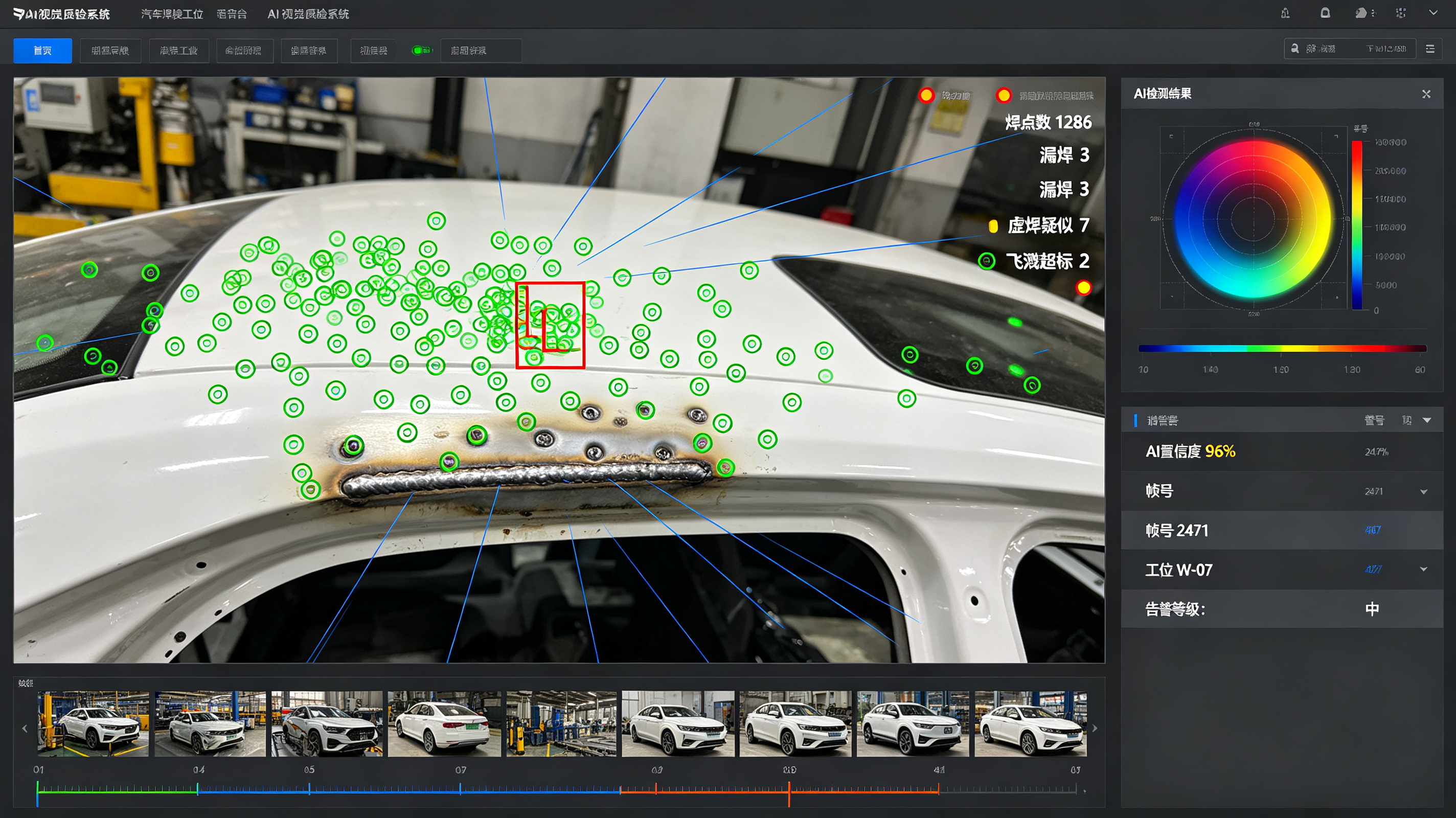
AI Visual Inspection System
1. Preface 1.1 Document Purpose This document is the user manual for the AI Visual Inspection System. It is intended to describe in detail all functional modules of the system, operating specifications, data storage mechanisms, parameter configuration, usage precautions, and fault handling procedures. It is designed to help operators, maintenance personnel, and management staff quickly master the system operation process, standardize inspection work standards, ensure stable equipment operation and secure retention of inspection data, and provide a complete guidance basis for intelligent factory inspection, quality traceability, and production optimization. 1.2 System Overview The AI Visual Inspection System is an intelligent industrial quality inspection platform built on deep learning, machine vision, image algorithms, and real-time data transmission technologies. It can replace manual labor in performing appearance defect detection, dimensional accuracy verification, material compliance inspection, and workstation status monitoring for various industrial products. The system features high precision, high speed, iterability, and traceability, and is adaptable to production lines in multiple industries, including electronics manufacturing, metal processing, plastics production, food packaging, and automotive components. The system supports dual-mode data storage and can flexibly switch between local storage and third-party cloud storage in the country of operation according to factory compliance requirements and data security needs, fully accommodating enterprise localization and cloud deployment requirements. 1.3 Scope of Application This manual applies to all factory operators, equipment maintenance personnel, quality management personnel, and system administrators who use, maintain, or manage the AI Visual Inspection System. It may also serve as a reference for system deployment, commissioning, and upgrade. 2. Overall System Functional Architecture The system is composed of seven core functional modules: the Image Acquisition Module, the AI Intelligent Inspection Module, the Real-Time Monitoring and Early Warning Module, the Data Storage Management Module, the Data Statistics and Analysis Module, the Equipment Operation and Maintenance Management Module, and the System Permission Management Module. The modules work in coordination to achieve fully automated operations across the entire workflow, from image acquisition, intelligent inspection, result output, data retention, and data analysis to equipment control. Among them, the Data Storage Module supports free switching between local storage and third-party cloud storage in the country of operation, a core featured function of the system. 3. System Function Description 3.1 Image Acquisition Module Image acquisition is the foundational module of the system's inspection operations. It is responsible for capturing high-definition images of products on the production line in real time to provide raw data for AI algorithm inspection, and supports multi-device adaptation and customized parameter adjustment for various scenarios. 3.1.1 Multi-Device Adaptive Acquisition The system is compatible with various industrial vision acquisition devices, including industrial high-definition cameras, high-speed frame cameras, infrared cameras, and macro cameras. It supports single-camera single-point acquisition and multi-camera synchronized stitching acquisition, and can accommodate the image acquisition needs of different inspection targets such as flat products, three-dimensional irregular products, and tiny precision components, meeting the requirements of different operation scenarios including high-speed production lines and static inspection workstations. 3.1.2 Customized Acquisition Parameter Configuration Operators can customize image acquisition parameters in the system backend, including resolution, frame rate, exposure, white balance, contrast, focal length, and fill-light mode. For production line scenarios with reflections, low light, strong light, or severe vibration, dedicated acquisition parameter templates can be preset and invoked with one click, ensuring that acquired images are clear, undistorted, and noise-free and safeguarding inspection accuracy at the source. 3.1.3 Automatic Capture and Trigger-Based Acquisition Multiple acquisition trigger modes are supported: automatic triggering by photoelectric sensors on the production line, timed continuous capture, manual button capture, and barcode-scan-linked triggering. Once a product reaches the inspection workstation, the system automatically completes image acquisition without manual intervention, adapting to uninterrupted automated production line operations and eliminating missed or erroneous captures. 3.2 Core AI Intelligent Inspection Module As the core function of the system, this module relies on deep learning algorithm models to perform intelligent analysis of acquired product images, accurately identifying various defects and nonconforming items. It supports custom model training and iterative upgrades. 3.2.1 Full-Category Intelligent Defect Detection The system can accurately identify common and subtle defects in industrial products, covering full-dimensional inspection of appearance, dimensions, assembly, stains, and damage. Appearance defects include scratches, cracks, paint peeling, deformation, bumps and dents, bubbles, and impurities; dimensional defects include length deviations, aperture diameter deviations, spacing beyond tolerance, angular errors, and misaligned edges; assembly defects include missing parts, wrong assembly, omitted installation, loosening, and misalignment; other defects include stains, wear, blurred characters, damaged packaging, and missing markings. Inspection accuracy can reach up to 99.9%. 3.2.2 High-Precision Automatic Dimension Measurement The system supports non-contact visual precision measurement and can automatically detect geometric parameters such as product length, width, height, aperture diameter, center-to-center distance, curvature, and flatness, automatically comparing them against product standard parameter thresholds to determine whether product dimensions are qualified. Measurement data is generated in real time with an accuracy of up to 0.01 mm, far exceeding manual inspection accuracy, and is suitable for precision component inspection scenarios. 3.2.3 Custom Model Training and Iteration The system features a built-in AI model training platform. Management staff can upload sample images for model training based on new products and new defect types at the factory. It supports rapid iteration with small sample sets, customizable defect labeling, and flexible adjustment of inspection thresholds. Trained models can be deployed online with one click without requiring professional algorithm personnel, adapting to the inspection needs of factory product iteration and process updates. The system also supports model version management, allowing model versions to be rolled back or upgraded at any time. 3.2.4 Real-Time Inspection Result Determination After image acquisition, the system completes algorithm analysis within milliseconds and automatically outputs inspection results in three determination states: Qualified, Unqualified, and Pending. For unqualified products, the system automatically marks the defect location, defect type, and defect level; products that cannot be determined due to blurred or occluded images are marked as Pending and flagged for manual re-inspection, avoiding false positives and missed detections. 3.3 Real-Time Monitoring and Early Warning Module This module enables visualized monitoring of the inspection process, real-time abnormal early warning, and linked production line control, ensuring orderly inspection operations and timely interception of defective products. 3.3.1 Visualized Real-Time Monitoring The system main interface supports synchronized display of real-time images from multiple workstations, allowing real-time viewing of inspection images on each production line, product inspection status, and real-time pass rates. It supports image enlargement, screenshots, recording, and full-screen viewing of a single workstation. Management staff can monitor the entire inspection process remotely or on site at any time, keeping abreast of the production line quality status in real time. 3.3.2 Multi-Level Abnormal Early Warning and Notification The system supports customized early warning rules, providing multi-level warnings for issues such as excessive defective products, equipment abnormalities, image acquisition failures, model inspection anomalies, and production line jams. Warning methods include pop-up interface alerts, equipment buzzer alarms, SMS notifications, and backend message pushes. Warning thresholds can be customized; for example, a defect rate exceeding 5% within a single hour automatically triggers a warning, promptly reminding staff to investigate production issues. 3.3.3 Production Line Linked Rejection The system supports integration with production line conveying equipment and sorting equipment. Upon detecting an unqualified product, the system automatically issues commands to stop the production line and have the sorting mechanism automatically reject the defective product, preventing defective products from flowing into the next process and achieving integrated automated inspection and rejection operations. Manual release of the linkage is also supported to accommodate manual re-inspection scenarios. 3.4 Dual-Mode Data Storage Management Module (Core Featured Function) The system supports two storage modes: in-plant local storage and third-party cloud storage in the country where the factory is located. It supports independent use of a single mode and synchronized backup using both modes. Users can freely configure storage according to enterprise data compliance requirements, storage needs, and network environment. All inspection data, image data, equipment logs, and analysis reports can be fully retained. 3.4.1 In-Plant Local Storage Mode This mode is an on-premises (privatized) deployment storage solution. All system data is stored in local storage devices such as in-plant servers, local hard drives, and disk arrays. Data is not transmitted externally and remains fully under the control of the factory intranet, making it suitable for enterprises with high data confidentiality requirements or prohibitions on data leaving the premises. Stored content: includes all system data, such as original inspection images of all products, defect-marked images, inspection parameter data, inspection result records, equipment operation logs, operation logs, statistical reports, model files, and early warning records. Core features: data localization, no external network transmission risk, extremely high security, and immunity to network fluctuations; the system can operate normally and retain data as usual even when disconnected from the network; supports periodic local data backup, manual backup, and automatic overwriting of expired data, with a customizable data retention period (configurable from 7 days to 10 years). Applicable scenarios: production of confidential products, production of high-precision precision components, enterprises with data localization compliance requirements, and production scenarios with unstable factory network conditions. 3.4.2 Third-Party Cloud Storage Mode in the Host Country This mode is a compliant cloud storage solution. The system encrypts and uploads various types of inspection data to compliant third-party cloud servers within the country where the factory is located. Data remains entirely within the host country throughout its lifecycle, strictly complying with local data security regulations and eliminating cross-border data transmission risks. Stored content: identical to local storage, covering full-volume data including image data, inspection results, equipment logs, report data, operation records, and early warning information; supports selective cloud storage, allowing inspection reports and key defect data to be uploaded separately to save cloud storage space. Core features: strong compliance, fully compliant with the host country's data storage and privacy protection regulations; off-site backup of data in the cloud avoids data loss caused by local hardware damage; supports remote data retrieval and cross-terminal data viewing; cloud data is automatically encrypted and stored with periodic snapshot backups, offering higher data security and durability. Applicable scenarios: production scenarios where enterprises require remote operation and maintenance, multi-facility data aggregation management, off-site data backup, or compliance with industry cloud-based traceability requirements. 3.4.3 Storage Mode Switching and Synchronization Configuration Free mode switching: system administrators can switch between local storage and cloud storage with one click on the backend storage settings interface. The operation is simple and requires no shutdown or restart, without affecting normal production line operations. Dual-mode synchronized backup: local and cloud dual storage can be enabled simultaneously, with real-time two-way data retention, balancing local data confidentiality and cloud data backup security. Customizable storage policies: differentiated storage rules can be configured, such as storing high-definition original images locally only while synchronizing inspection reports and statistical data to the cloud, precisely matching enterprise storage costs and data security requirements. Offline resumable upload: in cloud storage mode, if the factory's external network is interrupted, the system automatically stores data locally and automatically synchronizes it to the cloud in batches once the network is restored, with no data loss and no duplicate uploads. 3.4.4 Data Encryption and Security Management Both storage modes support end-to-end data encryption. Local storage uses intranet encryption protocols and hard drive encryption protection to prevent local data theft and tampering; cloud storage uses encryption algorithms compliant with host-country regulations, with full encryption throughout data transmission, storage, and retrieval. The third-party cloud platform provides storage services only and has no right to view or use the data, safeguarding enterprise data privacy and security. In addition, the system automatically records logs of all data retrieval, export, and deletion operations, ensuring full traceability. 3.5 Data Statistics and Analysis Module The system automatically aggregates all inspection data, performs intelligent statistical analysis, and generates visualized reports, providing data support for production optimization, quality control, and process improvement. 3.5.1 Real-Time Data Statistics Real-time statistics are generated for core data such as total production output, number of qualified products, number of unqualified products, number of pending products, real-time pass rate, and defect rate. Data is updated within seconds, allowing real-time viewing of inspection data by workstation, product, and time period. 3.5.2 Defect Data Analysis The system automatically classifies and counts the occurrence frequency, proportion, peak time periods, and peak workstations of various defects, generating defect distribution pie charts, trend line charts, and ranking bar charts. It precisely identifies production process problems, equipment failures, and raw material issues, assisting technical staff in optimizing production processes in a targeted manner. 3.5.3 Custom Report Generation and Export Custom inspection reports can be generated by hour, day, week, month, quarter, and year, containing complete information including production data, defect data, equipment operation data, and early warning records. Reports can be exported in multiple formats such as Excel, PDF, and images, and can be saved locally or archived in the cloud, facilitating quality review, reconciliation and audit, and compliance reporting. 3.5.4 Data Traceability Query Multi-dimensional precise traceability is supported. The original inspection images, inspection results, operating personnel, and equipment operation status of corresponding products can be queried with one click by conditions such as product batch, production time, workstation number, product barcode, and defect type, enabling full-lifecycle quality traceability of products. 3.6 Equipment Operation and Maintenance Management Module The system manages all associated visual inspection equipment in real time, providing equipment status monitoring, fault self-diagnosis, and maintenance record management to ensure long-term stable equipment operation. 3.6.1 Real-Time Equipment Status Monitoring The system monitors the operating status of industrial cameras, light sources, transmission equipment, servers, and storage devices in real time, including parameters such as equipment online status, operating temperature, frame rate, transmission rate, and storage space utilization, with real-time early warning for abnormal conditions. 3.6.2 Automatic Fault Self-Diagnosis and Repair The system features automatic equipment fault detection, capable of identifying issues such as camera offline, light source failure, image transmission anomalies, storage disk failures, and algorithm model anomalies. Some routine faults can be repaired automatically, such as restarting the image acquisition program and resetting transmission channels, reducing manual maintenance costs. 3.6.3 Operation and Maintenance Log Management All maintenance operations, including equipment power-on, power-off, faults, repairs, parameter adjustments, and model upgrades, are automatically recorded to generate complete operation and maintenance logs. Log query, export, and retention are supported, providing a basis for equipment maintenance, fault review, and equipment iteration. Customized equipment maintenance reminders are also supported, periodically reminding staff to complete equipment cleaning, calibration, and maintenance. 3.7 System Permission and Security Management Module Through tiered permission control, the module standardizes system operation processes, prevents misoperation, data tampering, and data leakage, and ensures system and data security. 3.7.1 Multi-Level Account Permission Management The system supports four levels of account permissions: Super Administrator, Operation and Maintenance Administrator, Quality Administrator, and General Operator. Different accounts correspond to different operation permissions: operators can only view real-time images, view inspection results, and manually trigger re-inspection; quality administrators can query data, export reports, and view defect analysis; operation and maintenance administrators can debug equipment, configure parameters, and manage storage modes; the super administrator has all permissions and can create, delete, and modify account permissions. 3.7.2 Full-Process Operation Logging The system automatically records all behaviors of every account, including logins, operations, parameter modifications, data exports, report deletions, and storage mode switching. Logs are tamper-proof and permanently retained, support query and traceability at any time, and help regulate personnel behavior. 3.7.3 System Security Protection The system supports encrypted account password login, IP login restrictions, remote login early warning, and automatic logout upon operation timeout, preventing unauthorized login and malicious operations. Backend parameters, model files, and storage configurations all require administrator permission to unlock, preventing arbitrary modification. 4. Basic System Operation Procedures 4.1 System Startup and Login Turn on the equipment power, start the server and the inspection system, and wait for the system to complete automatic initialization. Log in to the system with the dedicated account and password; the corresponding operation interface is displayed according to account permissions. After login, the system automatically checks the equipment connection status and storage mode status; operations can commence once no abnormalities are confirmed. 4.2 Storage Mode Configuration The super administrator logs in to the backend and enters the [Storage Management] configuration interface. Select the storage mode as needed: check “Local Storage” or “Cloud Storage”; both options can be checked simultaneously to enable dual-mode synchronized storage. Configure storage parameters: set the data retention period, automatic backup frequency, cloud synchronization rules, and expired data cleanup rules. Save the configuration; the system takes effect immediately without requiring a device restart. 4.3 Daily Quality Inspection Operations The operator logs in to the system, turns on the real-time monitoring screen, and confirms that image acquisition is normal. Invoke the inspection model and parameter template corresponding to the product, and start the automatic inspection mode. The system automatically completes the full workflow of acquisition, inspection, determination, data retention, and defective product rejection. For pending products and abnormal warnings, manual intervention is performed for re-inspection and handling, and the handling results are recorded. 4.4 Data Query and Report Export Enter the [Data Center] interface and select the query dimension (time, batch, workstation, or defect type). Filter the required data; the system automatically generates statistical charts and reports. Select the export format; data can be saved locally or synchronized to the cloud for archiving. 5. Data Storage Maintenance Specifications 5.1 Local Storage Maintenance Regularly check the storage space of local servers and disk arrays; promptly clean up expired data or expand hardware when storage space is insufficient. Perform a full data backup manually once a month to prevent data loss caused by hardware failures. Do not arbitrarily plug or unplug storage hardware or modify local storage folder paths, to avoid data corruption and loss. 5.2 Cloud Storage Maintenance Regularly check the stability of the factory's external network to ensure normal data synchronization. Log in to the cloud backend to check storage capacity and expand cloud storage space as needed. Strictly prohibit unauthorized modification of cloud encryption keys and storage permissions to safeguard cloud data security. 6. Common Faults and Troubleshooting Table 1 Common Faults and Troubleshooting Common Fault Symptom Fault Cause Troubleshooting Blurred or noisy image acquisition Abnormal acquisition parameters, lens contamination, light source failure Clean the camera lens, reset the acquisition parameter template, and inspect or replace the light source equipment Cloud data synchronization failure External network interruption, expired cloud permissions, incorrect encryption key Check the network connection and re-verify cloud permissions and the encryption key; data accumulated during the outage will be uploaded automatically Insufficient local storage space Expired data not cleaned up, storage capacity saturated Manually clean up expired redundant data, or expand local storage hardware Rising false-positive and missed-detection rates Aging AI model, unreasonable parameter thresholds Retrain and optimize the AI model, and adjust inspection determination thresholds Equipment offline, black monitoring screen Equipment power loss, loose cables, transmission fault Check the equipment power supply and cable connections, and restart the acquisition equipment and the system

WMS Warehouse Management System
Chapter 1 System Overview 1.1 System Introduction The WMS (Warehouse Management System) is a professional management system oriented toward the warehouse floor execution layer. Unlike ERP, which focuses solely on accounting management, the WMS is dedicated to the physical handling of goods in the warehouse. Through refined location management, batch and expiry control, barcode-scanning operations, and intelligent strategy allocation, it resolves common problems in traditional warehouses—such as mis-shipment, omitted shipment, inaccurate inventory, disorganized materials, and difficult traceability—thereby achieving intelligent, standardized, and digitalized warehouse operations. The system supports integration with software and hardware including ERP, MES, TMS, OA, barcode printers, PDA handheld terminals, electronic label picking systems, automated warehouses, AGVs, and weighbridges. 1.2 Key Functional Highlights Full-process scanning operations: eliminate manual handwriting errors; all inbound, outbound, stocktaking, and transfer operations are verified by barcode scanning. Refined location management: a three-level warehouse–storage area–location architecture, with every material mapped to a precise location. Intelligent outbound strategies: support FIFO (First-In, First-Out), FEFO (First-Expired, First-Out), and specified-batch outbound. Full-chain traceability: material batch, production date, expiry, serial number, operator, and operation time are all recorded throughout the process. Multi-level permission control: distinguishes administrators, supervisors, and frontline operators; high-risk operations require approval and are fully logged. Real-time inventory synchronization: inventory is updated immediately upon completion of each operation, keeping book records and physical stock in real-time sync. Full-dimension reporting: support operations statistics, inventory analysis, slow-moving stock, expiry alerts, and stocktaking analysis. 1.3 Operating Environment and Hardware Requirements 1.3.1 PC Side Supports Windows/macOS systems and is compatible with mainstream browsers such as Chrome and Edge. No client installation is required—users can log in and operate directly via a web page. 1.3.2 Mobile PDA Android handheld scanning terminals support Wi-Fi connectivity, rapid scanning, offline caching, and automatic data synchronization, and are used for on-site receiving, putaway, picking, rechecking, stocktaking, and transfer operations. 1.3.3 Supporting Hardware Wired/wireless barcode scanners, barcode printers, material label paper, location labels, pallet labels, electronic scales (optional), and DPS (Digital Picking System) electronic picking labels (optional). Chapter 2 System Initialization and Master Data Setup Before any warehouse operations can commence, master data initialization must be completed. Errors in base data will result in anomalies across all documents, inventory, and operations. 2.1 Warehouse Profile Setup Function path: System Settings – Master Data – Warehouse Management. Operation instructions: Add all of the enterprise’s warehouses, including the raw material warehouse, finished goods warehouse, semi-finished goods warehouse, returns warehouse, nonconforming goods warehouse, pending-inspection warehouse, outsourced processing warehouse, and others. Required fields: warehouse code, warehouse name, warehouse type, warehouse address, person in charge, contact phone, and warehouse status (enabled/disabled). 2.2 Storage Area Profile Setup Function path: System Settings – Master Data – Storage Area Management. Used to divide a warehouse into zones. Common storage areas: receiving area, pending-inspection area, qualified goods storage area, picking area, packing area, returns area, nonconforming goods area, and slow-moving stock area. Purpose: enables zoned management; different storage areas can be governed by different operation rules to isolate qualified, nonconforming, and pending-inspection materials. 2.3 Location Profile Setup Function path: System Settings – Master Data – Location Management. A location is the smallest storage unit in a warehouse. Recommended coding rule: warehouse code – storage area code – row – level – position, e.g., C01-A01-02-03. Required parameters: location code, owning warehouse, owning storage area, location type (rack position/floor stack position/pallet position), maximum storage quantity, whether mixed storage is prohibited, and location status. The system supports batch import of locations for rapid whole-warehouse initialization. 2.4 Material Profile Setup Function path: System Settings – Master Data – Material Management. The material profile is core master data; all inbound and outbound documents depend on material information. Basic information: material code, material name, specification/model, unit, auxiliary unit, material category, supplier, default location, safety stock, and maximum stock. Control attributes (core switches): Batch management: when enabled, a batch number must be entered on inbound, and outbound is offset against batches. Expiry management: when enabled, the production date and validity period must be entered; the system automatically issues alerts for near-expiry and expired materials. Serial number management: when enabled, each item is assigned a unique code for precise full-chain traceability. Quality inspection required: when enabled, receiving automatically generates an inspection task; materials may only be put away after passing inspection. Mixed storage allowed: controls whether multiple materials may be stored in the same location. 2.5 Business Partner Profiles Includes supplier profiles and customer profiles, maintaining code, name, contact person, phone, address, settlement method, and other information. They are used to link purchase inbound, sales outbound, and return transactions. 2.6 User and Role Permission Setup Function path: System Settings – Permission Management. 1. Role management: preset roles of receiving clerk, picker, recheck clerk, warehouse supervisor, and system administrator; permission templates can be customized. 2. User management: add accounts, set passwords, bind roles, and assign operable warehouses. 3. Fine-grained permissions: support menu permissions, operation permissions (add/modify/delete/approve/print/export), and data permissions (isolating data across different warehouses). 2.7 System Parameter Configuration System operating rules can be customized, including the outbound strategy, near-expiry alert days, whether approval is enabled, whether scanning is mandatory, whether negative inventory is allowed, document coding rules, and label printing templates. Chapter 3 System Login and Home Dashboard 3.1 System Login 1. Enter the system access address to open the login page. 2. Enter the account and password to complete verified login. 3. Certain versions support SMS verification, U-Key login, and IP whitelist restrictions. 4. Each account is dedicated to a specific user; the system automatically records login logs, operation IP, and operation time. 3.2 Home Dashboard The home page is a data-visualization dashboard that displays the warehouse operating status in real time: Pending tasks: tasks awaiting receiving, inspection, putaway, picking, recheck, and stocktaking. Data statistics: today’s inbound quantity, today’s outbound quantity, current total inventory, and total inventory value. Alert information: near-expiry material alerts, below-safety-stock alerts, and slow-moving stock alerts. Quick entries: quickly create documents, print labels, query inventory, and handle tasks. Chapter 4 Inbound Management Module (Full Workflow) Inbound transactions include purchase inbound, finished goods inbound, semi-finished goods inbound, return inbound, gift/promotional item inbound, transfer inbound, and stock-gain inbound. General workflow: scheduled receiving – on-site receiving – quality inspection (optional) – smart putaway – inventory posting. 4.1 Inbound Notification (Scheduled Receiving) Function path: Inbound Management – Inbound Notification Document. Business scenario: register arrival information in advance to help the warehouse prepare stock and reserve locations; supports automatic synchronization of ERP orders. Operation steps: 1. Create a notification document, selecting the supplier, document type, and expected arrival date. 2. Add the material code, name, scheduled quantity, and specification. 3. Save and submit; the document status becomes Pending Receiving. 4. The notification document can be printed for delivery reconciliation. 4.2 On-Site Receiving Operations (Primarily PDA) Function path: PDA – Receiving Task. Operation steps: 1. After logging in to the PDA, pending receiving tasks load automatically. 2. Select the corresponding notification document and scan the material barcode. 3. Enter the actual received quantity, batch number, production date, expiry date, and delivery note number. 4. Separate qualified, damaged, and nonconforming materials; nonconforming materials are flagged and transferred to the pending-inspection/nonconforming area. 5. Submit to complete receiving; the document flows to Pending Inspection or Pending Putaway. Supports partial receiving, over-receiving, and short-difference registration; all differences are automatically logged. 4.3 IQC Incoming Quality Inspection Function path: Inbound Management – Inspection Document. This workflow is triggered only for materials with the inspection attribute enabled. Operation steps: 1. The system automatically generates an inspection task and pushes it to the PDA. 2. The inspector selects sampling inspection or full inspection and records the inspection results. 3. Qualified: automatically flows to the putaway process. 4. Nonconforming: the option is available to return to supplier, accept with concession, or quarantine into the nonconforming goods warehouse. 5. Save the inspection record; it is archived permanently and remains traceable. 4.4 Smart Putaway Operations Function path: PDA – Putaway Task. The system automatically recommends the optimal location based on material strategies (fixed location, nearest same-material location, or available empty location). Operation steps: 1. Receive the putaway task and review the materials awaiting putaway and the recommended locations. 2. Scan the material barcode and the target location barcode. 3. Confirm the putaway quantity and submit to complete. 4. The system automatically increases the inventory of the corresponding location, and the document status updates to Put Away. Supports full-pallet putaway and batch putaway, eliminating misplacement and disorderly location storage. 4.5 Inbound Review and Document Printing The warehouse supervisor reviews completed inbound documents; after approval, the inventory officially takes effect and is synchronized back to the ERP system. The system supports printing of inbound documents, material labels, batch labels, and pallet labels. Chapter 5 Outbound Management Module (Full Workflow) Outbound types: sales outbound, production material issue, outsourced outbound, sample outbound, transfer outbound, and stock-loss outbound. General workflow: outbound order generation – intelligent stock allocation – picking – recheck – packing – shipment confirmation – inventory deduction. 5.1 Outbound Order Generation Two methods: 1. The ERP automatically synchronizes sales orders and production material issue orders to generate outbound tasks. 2. The WMS manually creates an outbound document, selecting the customer/department, materials, and outbound quantities. The system automatically locks the available stock of the corresponding batch and location based on the FIFO/FEFO strategy and generates picking tasks. 5.2 Picking Operations (Core PDA Operation) The system supports two picking modes—order-picking and batch-picking—to suit different business scenarios. Operation steps: 1. The PDA receives the pending picking task and displays the picking location, material, and quantity. 2. Scan the location barcode and the material barcode; the system performs automatic error-prevention verification. 3. Enter the actual picked quantity and confirm submission. 4. Once all picking is complete, the document flows to Pending Recheck. Error-prevention mechanism: mismatched barcodes, over-picking, and insufficient stock automatically trigger pop-up interception to prevent wrong and missed picks. 5.3 Outbound Recheck Operations Function: performs a secondary verification of material, quantity, and batch to eliminate shipment errors. Operation steps: 1. The PDA receives the recheck task and scans the order number. 2. Scan the material barcodes line by line to verify the physical goods against the system document. 3. Recheck passed: flows to packing and shipment. 4. Recheck exception: returns to the picking stage, where the difference is flagged and picking is redone. 5.4 Packing and Weighing Scan the order to bind packaging boxes, enter the package weight and volume, and support splitting one order into multiple packages. Packing lists and logistics waybills are automatically generated, accommodating e-commerce and logistics shipment scenarios. 5.5 Outbound Shipment Confirmation After packing, the administrator confirms shipment; the system automatically deducts inventory, the document status changes to Shipped Out, and the data is synchronized back to the ERP system, completing the full outbound workflow. Chapter 6 In-Warehouse Management Module 6.1 Location Transfer (Move) Business scenarios: rack reorganization, material replenishment, location optimization, and material relocation. Operation flow: create a transfer document – issue a PDA task – confirm move-out – confirm move-in – review and complete. The system automatically deducts inventory from the source location and adds it to the target location, with full trace logging to ensure accurate location-level inventory. 6.2 Inventory Freeze and Unfreeze Scenarios: materials pending inspection, quality anomalies, customer locks, and inventory hold, where outbound allocation must be prohibited. Operation: select the material, location, frozen quantity, and freeze reason; after approval, the inventory is frozen. Unfreezing restores the available inventory. 6.3 Inventory Adjustment For small inventory variances not covered by stocktaking, manual increase or decrease is supported; an adjustment reason must be entered and submitted for approval. All high-risk operations are fully logged to prevent arbitrary ledger changes. 6.4 Batch and Expiry Management 1. Automatically calculate the remaining validity period of materials and issue early alerts for near-expiry and expired materials. 2. Outbound is strictly executed according to the FIFO and FEFO strategies. 3. Supports batch and expiry traceability, allowing queries of material inbound time, operators, and storage locations. 6.5 Real-Time Inventory Query Supports multi-dimensional queries by material, location, batch, expiry, and inventory status; real-time inventory, inventory transactions, and inbound/outbound details can be viewed and exported to Excel. Chapter 7 Stocktaking Management Module The system supports dynamic stocktaking, static full stocktaking, cycle counting, storage-area stocktaking, and single-item stocktaking, accommodating scenarios such as stocktaking without business suspension, end-of-month full stocktaking, and periodic sampling audits. 7.1 Creating a Stocktaking Task Select the stocktaking warehouse, storage area, and material range, and set the stocktaking type. Inventory during the stocktaking period can be locked to prevent inbound/outbound operations from interfering with stocktaking data. 7.2 On-Site Stocktaking via PDA 1. The stocktaker claims the task and scans the location barcode. 2. The system automatically retrieves the book inventory. 3. Enter the physical quantity; the system automatically compares the physical count against the book inventory to identify variances. 4. Submit the task once all stocktaking is complete. 7.3 Variance Review and Re-count The system automatically generates a stocktaking variance report showing stock gain and stock loss details. Warehouse personnel review the variance reasons and submit them to the supervisor for approval. 7.4 Stocktaking Gain/Loss Handling After approval, the system automatically generates stock-gain inbound documents and stock-loss outbound documents, automatically adjusts the book inventory, and produces a formal stocktaking report for archival. Chapter 8 Return Management Module 8.1 Customer Return Inbound Create a return document and link it to the original sales order, registering the returned materials, quantities, and return reasons. After receiving and inspection, qualified goods enter the normal warehouse and nonconforming goods enter the nonconforming goods warehouse; inventory is automatically increased. 8.2 Supplier Return Outbound For nonconforming incoming materials and surplus materials, create a supplier return outbound document; after PDA picking and recheck, the goods are shipped out, inventory is deducted, and a supplier return record is created. Chapter 9 Report Center and Data Statistics All reports support preview, printing, and export to Excel/PDF, and are used for warehouse reconciliation, performance evaluation, inventory analysis, and financial accounting. Core reports include: Inventory ledger report: full-lifecycle opening, inbound/outbound, and closing balance transactions for materials. Inbound/outbound detail and summary reports: aggregated by time, material, personnel, and document. Expiry alert report and near-expiry/expired material report. Slow-moving stock report: statistics of materials with no turnover for an extended period. Stocktaking variance report and stocktaking summary report. Employee operations efficiency report: workload statistics for receiving, picking, and rechecking. System operation log report and inventory transaction report. Chapter 10 PDA Mobile General Operating Standards 1. The PDA remains connected to Wi-Fi throughout operations; operation data is synchronized in real time, supports offline caching, and is automatically uploaded once connectivity is restored. 2. All on-site operations must be performed via barcode scanning; manual arbitrary entry is prohibited. 3. When scanning errors occur, check barcode integrity and device status; skipping verification in violation of procedures is prohibited. 4. Submit tasks promptly after completing operations to avoid task backlog. 5. Log out of the account promptly at the end of the shift to prevent misuse by others. Chapter 11 Common Issues and Exception Handling Barcode cannot be recognized: check for barcode wear, device faults, and network status; the material code can be manually entered as a fallback. Insufficient stock prevents picking: verify real-time inventory, whether inventory is frozen, and whether the batch is locked. Book-physical discrepancy: query inventory transactions to investigate wrong or missing documents and transfer errors, then correct via stocktaking or inventory adjustment. Document cannot be submitted: check the network, required fields, permission status, and whether the document has been approved or voided. Task not displayed: refresh the task list, verify warehouse permissions, and confirm that the upstream document has been issued. Chapter 12 System Security and Operations & Maintenance Standards 1. Accounts are dedicated to specific users; sharing or lending accounts is prohibited. 2. High-risk operations such as inventory adjustment, document voiding, and data deletion must be approved and fully logged. 3. The system automatically backs up data on a regular basis to prevent data loss. 4. Unauthorized modification of system parameters, label templates, or coding rules is prohibited. 5. All operation logs and inventory transactions are permanently retained and support audit tracing. Chapter 13 Document Status Description Draft: saved but not submitted; can be modified or deleted. Pending Processing: task generated, awaiting on-site operations. In Progress: the PDA is currently executing the operation. Pending Approval: operations completed, awaiting supervisor approval. Completed: the full workflow has finished, inventory has taken effect, and the document is archived. Voided: the document has been cancelled and does not affect inventory. Rejected: the document was returned due to an anomaly and must be modified and resubmitted.
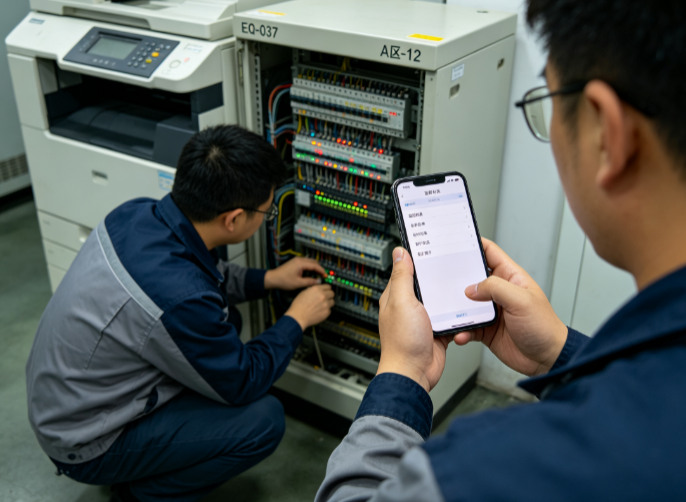
Field Work Order System
1. Introduction 1.1 Document Purpose This document serves as the user manual for the Field Service Work Order System. It is designed to help system administrators, in-office dispatchers, field service personnel, and enterprise managers quickly become familiar with the system functions, master standard operating procedures, and standardize the full-lifecycle management of work orders. The document covers all content including basic system operations, core business functions, permission configuration, data statistics, and exception handling, and can be used as a daily operation manual, training material, and reference for troubleshooting. 1.2 System Overview The Field Service Work Order System is a digital management platform designed for field service scenarios such as outdoor operations, on-site services, field maintenance, inspections and repairs, and installation and commissioning. It enables the fully online management of the entire workflow, including work order dispatch, personnel scheduling, field clock-in, on-site operations, progress reporting, review closure, data statistics, and trajectory tracing. The system connects the data linkage between the in-office backend and the field frontend, addressing common pain points of traditional field service management such as chaotic scheduling, opaque progress, difficult attendance monitoring, lack of data retention, and unclear responsibility attribution. It is applicable to multiple industries, including property operations and maintenance, equipment after-sales service, security inspections, engineering installation, housekeeping services, and operations and maintenance for government and enterprise clients. 1.3 Target Users System Administrator: responsible for system configuration, permission management, account maintenance, and parameter settings. In-office Dispatcher: responsible for work order creation, dispatch, reassignment, suspension, closure, and review. Field Service Personnel: responsible for receiving work orders, on-site clock-in, task execution, material upload, and completion submission. Enterprise Manager: responsible for viewing data reports, supervising operation progress, and analyzing field service efficiency. 1.4 Operating Environment 1.4.1 PC / Web End (Backend Management) Supports the latest mainstream versions of Chrome, Edge, and Firefox browsers, with a resolution of 1920*1080 or higher. Browser pop-up permission must be enabled, and the website must be allowed to access basic network information. 1.4.2 Mobile End (Field Operations) Supports Android and iOS smartphones and tablets. Location, camera, photo album, microphone, and network permissions must be enabled to ensure that real-time positioning, photo evidence capture, voice reporting, and data synchronization functions work properly. 2. Basic System Operation Guide 2.1 Account Login 2.1.1 Web Login Open the designated system backend URL to access the login page of the Field Service Work Order System. Enter the account and password assigned by the enterprise, and complete SMS/verification code verification (if required). Check "Remember Account" (optional), then click [Login] to enter the system backend main interface. First-time login requires a mandatory change of the initial password. The password must contain both letters and numbers and be at least 8 characters in length. 2.1.2 Mobile Login Download and install the official app / follow the system-authorized official account / open the mini-program. Enter your employee ID/mobile number and login password, and complete verification to log in. On first login, permissions for location, camera, and photo album must be granted; otherwise, field operation data cannot be submitted normally. 2.2 Home Page Interface 2.2.1 Backend Home Page (PC) The home page is a data visualization dashboard that prominently displays core data such as pending work orders, in-progress work orders, completed work orders, overdue work orders, the number of field staff on duty today, the operation pass rate, and the number of abnormal work orders. Users can click data cards to quickly jump to the corresponding function pages. The top of the page provides a function navigation bar, and the left side provides first-level and second-level function menus. 2.2.2 Mobile Home Page The mobile home page streamlines the core operation functions and displays lists of work orders pending acceptance, pending processing, pending review, and completed. It includes four core entry points: quick clock-in, work order reporting, message notifications, and personal center, designed to accommodate one-handed operation scenarios for field personnel. 2.3 Account and Security Settings Change Password: Personal Center – Account Security. Enter the old password, new password, and confirmation password, then submit to take effect. Bind Mobile Number: Supports changing the bound mobile number for receiving work order notifications and verification codes. Message Settings: Customize the enabling/disabling of work order push notifications, overdue reminders, review notifications, and system announcements. Log Out: Supports single-device logout and forced logout of accounts logged in on other devices to ensure account security. 3. Core Business Functions 3.1 Work Order Type Configuration (Administrator Function) The system supports the customization of enterprise-specific work order types to suit different business scenarios. Administrators can configure them in advance and directly select them when creating work orders. 3.1.1 Function Entry Backend Management – System Configuration – Work Order Type Management 3.1.2 Configurable Content Add/Edit/Delete work order types, such as equipment repair, on-site installation, routine inspection, fault troubleshooting, after-sales follow-up, and emergency repair. Set work order priority: four levels — urgent, high, medium, and low. The higher the priority, the sooner the order is dispatched for handling. Configure work order fields: customize required/optional fields, such as fault description, equipment number, customer address, contact phone number, operation consumables, and operation duration. Set work order time limits: configure the standard processing duration and overdue warning time for different types of work orders. 3.2 Work Order Creation (Dispatcher/Administrator Function) Supports manual creation and batch import of work orders, applicable to scenarios such as customer repairs, routine dispatch, and scheduled inspections. 3.2.1 Manual Work Order Creation Navigate to Work Order Management – New Work Order. Select the work order type and priority, and fill in basic work order information: work order title, customer name, contact phone number, detailed service address, and service time requirements. Fill in business details: fault symptoms, service requirements, precautions, pre-operation preparations, and required consumables and equipment. Select the responsible department and designate field service personnel (supporting single-person or multi-person collaboration). Set the work order deadline and warning time, and upload attachments (customer repair screenshots, equipment drawings, on-site photos, etc., optional). Click [Submit and Dispatch] to push the work order directly to the corresponding field personnel's mobile device; click [Save as Draft] to edit and dispatch later. 3.2.2 Batch Import of Work Orders Download the system's standard work order import template and fill in the batch work order information according to the template specifications. Upload the completed Excel file; the system will automatically validate the data format. After validation passes, work orders are created in batch and can be dispatched all at once or in batches. 3.3 Work Order Dispatch and Scheduling (Dispatcher Function) For created-but-undispatched or pending-assignment work orders, flexible scheduling and adjustment are supported to ensure the orderly progress of operations. 3.3.1 Manual Dispatch Undispatched work orders can be manually assigned to selected idle field personnel for targeted dispatch. After dispatch, a real-time push notification is sent to the mobile device. 3.3.2 Smart Dispatch The system supports an intelligent scheduling algorithm that automatically matches the optimal field personnel based on their real-time location, current work order volume, service skills, and attendance status, enabling smart dispatch and improving scheduling efficiency. 3.3.3 Work Order Reassignment When field personnel are unable to accept a work order due to leaves of absence, task conflicts, or other reasons, the dispatcher can reassign unfinished work orders to new field personnel. After reassignment, the system automatically updates the work order owner and sends a notification while retaining a reassignment record. 3.3.4 Work Order Suspension/Resumption In special circumstances such as inclement weather, equipment out of stock, or temporary postponement by the customer, a work order can be suspended by specifying the reason for suspension and the estimated resumption time. Once the issue is resolved, the work order can be resumed to continue execution. The system automatically deducts the suspension duration so that it is not counted toward overdue time. 3.4 Field Work Order Acceptance and Execution (Core Function for Field Personnel) 3.4.1 Work Order Acceptance and Viewing After logging into the mobile device, field personnel automatically receive dispatched work orders, and the home page displays the list of pending work orders in real time. Click a work order to view complete information: service address, customer information, service requirements, deadline, precautions, and attachment materials. One-click navigation to the service site is supported, automatically invoking the map to plan the optimal route. 3.4.2 Accepting/Declining Work Orders Accept: After confirming the ability to proceed with the operation, click [Confirm Acceptance] and the work order status is updated to "In Progress". Decline: If the operation cannot be performed due to special circumstances, a decline request can be submitted by specifying the reason, and the work order will wait for dispatcher review. Once the review is approved, the work order is returned to the pending-assignment status. 3.4.3 On-Site Clock-In The system mandates on-site check-in to prevent false operations and supports two clock-in modes: Location Clock-in: Upon arriving at the service address, enable real-time positioning. The system automatically validates the deviation between the clock-in location and the work order address; clock-in succeeds only when the deviation is within the allowed range. Photo Clock-in: Take a real-time photo of the on-site scene (uploading from the photo album is prohibited; only real-time capture is supported) as proof of attendance. A watermark (time, location, and personnel information) is automatically embedded in the photo. 3.4.4 Real-Time Progress Reporting Progress can be reported in stages during the operation, supporting text descriptions and the upload of on-site photos, videos, and voice recordings, which are synchronized to the backend in real time so that dispatchers and managers can keep track of the operation status. Progress statuses include: on site, under construction, partially completed, and awaiting assistance. 3.4.5 Exception Reporting When abnormal situations arise during operations, such as unresolvable faults, changes in customer requirements, equipment damage, or on-site safety hazards, exception reports can be submitted with one click by specifying the exception type, the detailed situation, and whether support is needed. The report is simultaneously pushed to dispatchers/administrators and awaits assistance. 3.5 Work Order Completion Submission (Field Function) Upon full completion of the operation, field personnel must submit completion materials in a standardized manner to close the work order loop. Enter the corresponding work order and click [Submit Completion]. Fill in the operation summary: completion status, fault resolution results, remaining issues, and follow-up suggestions. Upload completion evidence: on-site photos of the completed operation, equipment inspection reports, signed documents, video materials, etc. (required items are set according to the work order type). Fill in consumable usage records, operation duration, and customer satisfaction self-assessment (optional). After confirming that the information is correct, click [Submit Completion]; the work order status is updated to "Pending Review" and awaits review and acceptance by the dispatcher/customer. 3.6 Work Order Review and Acceptance (Dispatcher/Administrator Function) 3.6.1 Backend Review Dispatchers review pending work orders and verify operation materials, on-site evidence, and operation results, with two possible review outcomes: Review Approved: The operation is qualified and the materials are complete; the work order status is updated to "Completed" and the work order is formally closed. Review Rejected: The operation is unqualified, materials are missing, or the operation was not performed as required. The dispatcher fills in the reason for rejection and returns the work order to the field personnel for rectification and resubmission. The system records the number of rejections. 3.6.2 Customer Acceptance (Optional Function) The system supports enabling a customer acceptance mode. After completion, an acceptance SMS/link is automatically sent to the customer, who can rate their satisfaction online, evaluate the service, and confirm completion. Acceptance data is synchronized to the work order archive. 3.7 Full-Process Work Order Query and Traceability 3.7.1 Query by Work Order Status The system classifies work orders into 11 statuses: All, Draft, Pending Dispatch, Pending Acceptance, In Progress, Pending Review, Completed, Rejected, Suspended, Overdue, and Closed, supporting categorized filtering and viewing. 3.7.2 Advanced Filter Query Supports precise filtering by time range, work order type, field personnel, priority, customer name, and work order number to quickly locate target work orders. 3.7.3 Work Order Detail Traceability Each work order generates an independent archive that records the entire process: creation time, dispatch time, acceptance time, clock-in time, progress reporting records, exception records, completion time, review records, reassignment records, and operator logs, enabling full-process traceability and clear responsibility attribution. 3.8 Field Trajectory Monitoring (Administrator/Dispatcher Function) The system supports real-time trajectory tracking and historical trajectory playback of field personnel for comprehensive supervision of the authenticity of field operations. Real-time Positioning: The backend map displays in real time the locations of field personnel on duty, their current work orders, and operation status. Trajectory Playback: The trajectory, stop locations, and stop durations of field personnel during any time period can be queried for accurate verification of attendance and operations. Trajectory Deviation Alert: When field personnel deviate from the service address or fail to arrive on site as required, the system automatically triggers an alert. 3.9 Message Notification Management The system supports multi-channel message push to ensure that no work order information is missed. Push channels include: app push, SMS push, mini-program push, and in-system messages. Core notification scenarios: new work order dispatch, work order reassignment, work order suspension, overdue warning, exception reporting, completion pending review, review result notifications, and system announcement notifications. 4. Backend System Configuration 4.1 Personnel and Permission Management 4.1.1 Department Management Supports creating, editing, and deleting enterprise departments to build the organizational structure. Work orders can be categorized for statistics and dispatch by department. 4.1.2 Employee Account Management Administrators can add employee accounts, reset passwords, enable/disable accounts, bind positions and departments, and batch import employee information. 4.1.3 Role Permission Configuration Custom role permissions distinguish roles such as Administrator, Dispatcher, Field Personnel, and Read-only Administrator, providing precise control over the functional operation permissions of different accounts (e.g., prohibiting field personnel from modifying work orders, or prohibiting ordinary employees from viewing data reports). 4.2 System Parameter Configuration Location Parameter Settings: set the allowable deviation range for clock-in location and the positioning update frequency. Overdue Rule Settings: configure the overdue warning duration and overdue penalty rules for work orders. Approval Process Settings: customize the work order review hierarchy, rejection rules, and reassignment approval rules. Attachment Rule Settings: set image/video size limits and required attachment types. 4.3 Log Management The system automatically records all operation logs, login logs, and work order operation logs, including the operator, operation time, operation content, and IP address. Logs are retained permanently and support query and export for security auditing and troubleshooting. 5. Data Statistics and Report Export 5.1 Core Statistical Reports The system automatically generates visual data reports without the need for manual statistics. Core reports include: Total Work Order Report: statistics on the number of work orders created, completed, overdue, and abnormal by day/week/month/year. Personnel Performance Report: statistics on each field staff member's number of accepted orders, completion rate, pass rate, overdue rate, number of rejections, and operation duration. Work Order Type Report: statistics on the proportion and processing efficiency of different business types of work orders. Customer Satisfaction Report: statistics on customer evaluation data, the positive review rate, and a summary of negative feedback issues. Field Attendance Report: statistics on field clock-in times, attendance duration, and abnormal attendance records. 5.2 Data Export and Printing All work order data, statistical reports, and log records support Excel export, PDF export, and online printing, and can be directly used for enterprise attendance accounting, performance evaluation, work reporting, and archive retention.
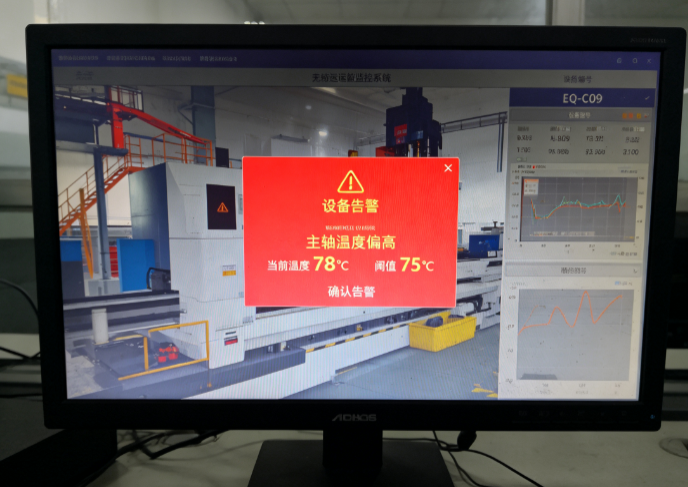
Equipment Operation and Maintenance Monitoring System
Chapter 1 System Overview 1.1 Significance of the System The equipment operation and maintenance (O&M) monitoring system is a key tool for modern enterprises to digitize equipment management and intellectualize O&M. It holds broad application prospects and notable practical value across many industries, including intelligent manufacturing, energy and power, rail transit, healthcare, data centers, chemical and petrochemical, and municipal utilities. Leveraging our professional technical strength, comprehensive after-sales service and long-accumulated industry experience, our company is able to provide customers with integrated solutions covering system planning, solution design, project implementation and O&M support. We are ready to work hand in hand with customers to continuously improve the level of equipment management and safeguard safe production and efficient operation across all industries. Designed for multi-industry, multi-scenario application, this system features high availability, easy scalability and customizability. By converging operating data from equipment of different regions, manufacturers and types on a unified platform, it establishes an enterprise-level panoramic view of equipment assets, providing data support for planned maintenance, predictive maintenance, spare parts management and energy consumption optimization. It is an important tool for ensuring safe production, improving operational efficiency and reducing overall cost. 1.2 System Introduction and Overall Architecture The equipment O&M monitoring system is an integrated management platform that combines hardware and software, and consists of a perception and acquisition layer, a network transmission layer, a data platform layer and an application management layer. The perception and acquisition layer obtains operating parameters such as temperature, vibration, current, voltage, pressure, flow, rotational speed and ambient temperature/humidity through various sensors, acquisition units, intelligent instruments and industrial gateways deployed at equipment sites. The network transmission layer reliably aggregates and uploads acquired data through communication means such as industrial Ethernet, fieldbus, 4G/5G, NB-IoT and Wi-Fi. The data platform layer is responsible for data storage, cleansing, modeling and computation, and is equipped with a real-time data processing engine, a time-series database and an alarm rule engine. The application management layer serves managers, O&M personnel and the decision-making level, and provides multiple functional modules such as equipment registers, real-time monitoring, alarm management, work order management, report statistics and predictive analysis. The system supports multi-level networked deployment. It can run independently in a single plant area or site, or realize multi-level top-down management from headquarters, through regions, down to sites through a platform-based approach. The system adopts open standard interfaces and supports mainstream industrial protocols such as OPC UA, Modbus, MQTT and HTTP, enabling integration with existing business systems such as SCADA, MES, ERP and DCS to achieve data interconnection and avoid information silos. Meanwhile, the system incorporates rigorous permission management and security audit mechanisms to ensure that data remains secure and controllable throughout acquisition, transmission, storage and use. The system's interface design follows the principles of intuitiveness, ease of use and visualization. Through various presentation forms such as map overviews, equipment lists, real-time curves, alarm pop-ups and command-center dashboards, it helps users quickly grasp equipment operating status. Managers can switch freely among mobile terminals, web pages and monitoring screens to view equipment status, handle alarms and assign work orders anytime and anywhere, achieving “one terminal, full-scope control.” 1.3 Core System Functions Equipment register management: A unified equipment archive database is established to record basic equipment information, installation location, technical parameters, maintenance records, spare parts information and responsible persons. It supports full-lifecycle status management covering equipment addition, deactivation and scrapping, forming an enterprise-level equipment asset list. Real-time status monitoring: Equipment operating parameters are acquired and displayed in real time at millisecond level, with support for threshold alarms, limit-crossing interlocks and trend analysis, helping users detect equipment anomalies at the earliest opportunity. Alarm and event management: Multi-level alarm rules and linkage mechanisms such as audible-visual alerts, SMS/APP push and automatic work order generation are provided. Alarms are managed in a closed loop of confirmation, handling and closure, with the complete event handling process recorded. Predictive maintenance: Based on historical data and machine learning models, equipment health status is assessed and failure trends are predicted, with potential failures and recommended maintenance timing prompted in advance, realizing the shift from “repair after failure” to “maintain before failure.” Work order and O&M process management: The system supports the issuance, execution, acceptance and archiving of various O&M tasks such as patrol inspection, maintenance, repair and spot checks, standardizing work procedures and improving O&M efficiency and quality. Energy and energy-efficiency analysis: Statistics and analysis are performed on energy consumption data such as electricity, water and gas consumption of equipment, identifying high-consumption equipment and energy-efficiency anomalies and assisting in energy-saving and consumption-reduction decisions. Reporting and visualization: Diverse reporting tools are provided, such as daily/weekly/monthly operation reports, failure statistical analysis and O&M performance statistics, presented intuitively in charts and dashboards. 1.4 Application Value of the System The deployment of the equipment O&M monitoring system brings practical value to enterprises in multiple aspects. In terms of safety, the system provides early warning and rapid localization of abnormal status of critical equipment, effectively preventing safety production accidents caused by equipment failures. In terms of efficiency, real-time monitoring and automatic alarms replace a large amount of manual inspection, reduce troubleshooting time and improve O&M response speed. In terms of cost, predictive maintenance reduces unscheduled downtime and spare parts waste, while energy analysis supports energy saving and consumption reduction, resulting in a significant drop in overall O&M cost. In terms of management, the data-driven O&M model makes equipment management more standardized, transparent and traceable, providing a reliable basis for management decisions. The system has become an important vehicle for realizing digitized equipment management and intelligent O&M across many industries, with broad application prospects and promotion value. Chapter 2 Industry Application Scenarios The equipment O&M monitoring system is applicable to a variety of industries that impose high requirements on continuous equipment operation, safety and reliability. This chapter selects seven typical industries—intelligent manufacturing, energy and power, rail transit, healthcare, data centers and information and communications, chemical and petrochemical and hazardous chemicals, and municipal utilities and smart cities—and, in view of the equipment characteristics and management pain points of each industry, describes the system's application scenarios in actual production and operation, explaining the scenario background and the system application process. 2.1 Intelligent Manufacturing Intelligent manufacturing is one of the industries where the equipment O&M monitoring system is most widely applied and most urgently needed. In modern smart factories, a large number of production equipment items—including CNC machine tools, industrial robots, automated conveyor lines, injection molding machines, stamping equipment and welding equipment—are densely deployed and operate continuously, and their operating status directly determines capacity, quality and delivery lead time. Three typical application scenarios are described below. 2.1.1 Scenario 1: Predictive Maintenance of Production Equipment Scenario Background: In manufacturing enterprises, production equipment is the core carrier of production capacity. The unexpected downtime of any critical machine can bring the entire production line to a halt, delay order delivery and cause economic losses. Traditional equipment maintenance mostly combines “corrective maintenance after failure” with “periodic preventive maintenance”: corrective maintenance is only carried out as an emergency repair after a failure has already occurred and production has been interrupted, being reactive and costly; periodic maintenance follows a fixed cycle and is prone to waste from premature maintenance or to missed maintenance when equipment has already deteriorated before the scheduled cycle. Equipment failures are usually gradual: from early subtle anomalies to complete failure there is often a window of several hours or even days. Yet relying on manual spot checks and experience makes it difficult to capture these early signals, causing many failures that could have been eliminated in advance to end in unscheduled downtime. System Application Process: To address the above pain points, the system deploys multiple types of sensors for vibration, temperature, current and pressure on critical production equipment, and uploads the acquired data to the system platform in real time through industrial gateways. The platform is built in with health assessment and fault diagnosis algorithms that analyze features such as vibration spectra, temperature trends and current waveforms to automatically establish a normal operating baseline for each machine. When a certain indicator deviates from the baseline or shows characteristic degradation, the system generates a predictive maintenance alarm and provides the likely failure type, failure confidence, remaining usable time and recommended handling measures. Based on the predictive work orders generated by the system, O&M personnel prepare spare parts in advance and arrange maintenance windows, completing targeted maintenance during planned downtime gaps—thereby converting uncontrollable unscheduled downtime into controllable planned maintenance, significantly reducing equipment failure rates, extending equipment service life and cutting maintenance cost. 2.1.2 Scenario 2: Real-Time Monitoring and Alarming of Production-Line Equipment Scenario Background: Large manufacturing enterprises usually have multiple production lines and hundreds or even thousands of equipment items distributed across several workshops and even multiple plant areas, with vastly different operating statuses. Relying on manual inspection is not only labor-intensive and inefficient but also hard to achieve round-the-clock coverage; by the time inspectors reach the site, the equipment has often already been abnormal for some time. Some workshops are dense with equipment, noisy and complex in environment, and manual inspection also entails certain safety risks. Managers need a platform that can grasp the overall equipment operating status of the entire plant in a unified and real-time manner, so as to detect anomalies at the earliest moment and respond quickly. System Application Process: The system deploys data acquisition gateways at the workshop level, integrating the operating status, start/stop information, process parameters and output data of equipment on each production line into the platform, forming a three-level visualization view of workshop, production line and equipment. The monitoring screens and web pages refresh equipment status in real time: normal equipment displays green, while abnormal equipment automatically turns yellow or red and triggers audible-visual alarms. The system supports graded alarm rules, distinguishing general prompts from serious failures, and promptly notifies the responsible personnel via SMS and APP push. When a failure occurs, the system automatically records the failure time, failure code and associated parameters to help maintenance personnel quickly identify the cause; at the same time it automatically generates a repair work order and assigns it to the corresponding team, realizing a full closed loop of alarming, dispatching, repairing and acceptance, greatly shortening the failure response time and ensuring continuous and stable operation of the production line. On the basis of the alarm closed loop, the system also provides managers with multi-dimensional operational analysis views. The platform automatically compiles indicators such as the overall equipment effectiveness, failure frequency and mean time to repair of each production line, forming performance comparisons among teams and equipment, helping managers identify bottleneck equipment and weak links and providing data support for production scheduling and investment decisions. Through mobile terminals, O&M personnel can receive alarms, view equipment details, upload on-site images and handling results, achieving efficient O&M anytime and anywhere and further improving the refined level of workshop equipment management. 2.1.3 Scenario 3: Full-Lifecycle and Energy Consumption Management of Equipment Scenario Background: Equipment management covers not only operation monitoring but also the full lifecycle of equipment from selection and procurement, installation and commissioning, use and maintenance, repair and retrofit, to scrapping and disposal. Many manufacturing enterprises have unclear equipment asset inventories and incomplete registers, with scattered maintenance records, making it difficult to accurately assess the service life, repair cost and performance changes of each machine. Meanwhile, equipment energy consumption is an important component of production cost; high-consumption, low-efficiency equipment operating for long periods causes considerable waste, yet enterprises often lack refined energy consumption data and cannot locate the high-consumption links. System Application Process: This system establishes a unified equipment asset register covering full-lifecycle information such as basic equipment information, technical archives, maintenance records, repair history, spare parts usage and responsible persons, realizing refined “one machine, one file” management. The system automatically records the execution of every maintenance, repair and inspection task, forming a complete O&M track record that helps managers assess equipment health trends and maintenance quality. In energy management, the system acquires and statistically analyzes data on equipment electricity, water and gas consumption in real time, automatically generating energy consumption reports and energy-efficiency comparisons to identify high-consumption equipment and abnormal consumption periods. Managers can accordingly optimize production scheduling, adjust operating strategies and implement energy-saving retrofits, reducing energy cost while ensuring production, and achieving synergistic optimization of equipment management and energy management. 2.2 Energy and Power The energy and power industry is an important basic industry vital to the national economy and people's livelihoods. The various equipment in its power generation, transformation, transmission and distribution segments operates for long periods under high voltage, high temperature and continuous operation, imposing extremely high requirements on equipment safety and reliability. The equipment O&M monitoring system plays an irreplaceable role in power generation and transmission/distribution management. 2.2.1 Scenario 1: Remote Monitoring of Power Generation and Substation Equipment Scenario Background: Power plants and substations are the core sites of power generation and transformation. They house a large number of critical equipment items such as turbo-generator sets, boilers, transformers, switchgear and relay protection devices. These equipment items operate at full or high load year-round in complex environments; once a failure occurs, it may at best reduce the unit's output and at worst cause a large-area blackout. The equipment in plants and stations is numerous and widely distributed, and some stations are located in remote areas with limited on-duty personnel; relying on manual periodic inspection makes it hard to grasp equipment operating status in real time, and in particular key parameters such as transformer oil temperature, winding temperature and switchgear contact temperature are difficult to monitor continuously by hand. System Application Process: The system deploys sensors for temperature, vibration, oil level, pressure and partial discharge on plant and station equipment, and integrates existing monitoring data from unit DCS and substation integrated automation systems into the platform, forming a centralized monitoring view of plant and station equipment. The platform displays the operating parameters of each unit and transformer in real time; when a parameter exceeds limits or symptoms such as partial discharge or abnormal temperature appear, the system automatically raises an alarm and prompts associated protection actions. O&M personnel can view equipment status, retrieve historical curves and conduct trend analysis anytime through remote monitoring screens or mobile terminals, promptly discovering hidden hazards. The system also supports assisted remote inspection of plants and stations, helping on-duty personnel quickly locate abnormal equipment, shortening troubleshooting time and safeguarding power generation and power supply. The system also supports the integration of video surveillance, access control and environmental information of plants and stations, realizing linked analysis of equipment status and environmental conditions. The platform automatically generates unit operation daily reports, equipment reliability statistics and maintenance recommendation reports, assisting plant and station managers in optimizing operating modes and rationally arranging maintenance plans. Through centralized and intelligent equipment management, plants and stations shift from reliance on manual experience to data-driven refined O&M, effectively improving equipment availability, reducing O&M cost and providing solid support for safe and stable operation of the power grid. 2.2.2 Scenario 2: Status Monitoring of Transmission/Distribution Lines and Distribution Areas Scenario Background: Transmission and distribution lines stretch for hundreds of kilometers across mountainous terrain, rivers, cities and other varied topography. Towers, conductors, insulators and distribution transformers are exposed to outdoor environments for long periods and are affected by lightning, strong winds, icing, contamination and external damage, resulting in numerous hidden hazards that are not easily detected in time. Traditional inspection relies on manual patrols along the lines, which is labor-intensive and long-cycle and cannot cover all lines, so many hidden hazards are hard to detect before they develop into failures. Distribution areas have an enormous number of devices spread over many points and a wide area, and supply reliability management likewise faces major challenges. System Application Process: By deploying online monitoring devices for micro-meteorology, inclination, vibration, icing and imaging on towers and lines, the system provides real-time perception of the line operating environment and body status, and transmits the data back to the platform via wireless networks. Combined with line registers and geographic information, the platform forms an overview of line operating status; when abnormalities such as icing exceeding limits, tower inclination, foreign object contact with conductors or partial discharge are detected, the system automatically raises alarms and localizes to the specific tower section, assisting O&M personnel in carrying out targeted maintenance. For distribution areas, the system monitors the operating load, three-phase imbalance, outage events and voltage quality of area transformers, automatically compiling outage and restoration records to help utilities quickly identify faulty areas, assess supply reliability, optimize distribution network operation management and improve customer supply satisfaction. The system supports linkage with geographic information systems, combining line monitoring data and alarm information with map localization to present line operating status intuitively and assist O&M teams in planning patrol routes and rapidly reaching failure sites. The platform automatically aggregates records of line fault trips, lightning strikes and external damage events and conducts statistical analysis of failure causes, providing a basis for line retrofits and differentiated O&M. By combining online monitoring with data analysis, power suppliers can arrange maintenance resources more scientifically and improve line supply reliability. 2.2.3 Scenario 3: O&M Management of New Energy Station Equipment Scenario Background: With the advancement of the “dual carbon” strategy, a large number of wind and solar power stations have been constructed and connected to the grid. Wind farms are distributed in mountainous, desert and offshore areas with harsh environments, with numerous wind turbines located in remote places; solar stations have huge numbers of modules, inverters and combiner boxes, with equipment exposed outdoors for long-term operation. New energy stations generally face prominent problems such as dispersed equipment, difficult inspection, high O&M cost and difficult fault localization; once equipment fails, it directly affects power generation and causes economic losses. System Application Process: Oriented to wind farms and solar stations, the system integrates operating data from the various wind turbine subsystems, PV inverters, combiner boxes and box-type transformers into the platform. The platform monitors parameters such as turbine speed, generator temperature, vibration and generation power in real time, automatically identifying and alarming on abnormal units; it conducts intelligent analysis of PV module generation efficiency, inverter conversion efficiency and abnormally heated modules to quickly locate low-efficiency equipment and faulty branches. Combined with weather forecasts and generation predictions, the system optimizes station O&M plans and reduces unnecessary inspections. Through the platform, O&M personnel can remotely view station operating status and centrally handle alarms and work orders, greatly improving the O&M efficiency of new energy stations, reducing cost and ensuring power generation. The system also interfaces with station centralized monitoring and energy management systems, uniformly displaying core indicators such as total station generation, available hours and equipment availability. The platform automatically generates equipment failure statistics and generation-loss analysis reports, helping O&M teams assess the impact of failures on generation and optimize spare parts and maintenance resource scheduling. Through centralized, intelligent station O&M management, new energy enterprises can significantly reduce on-site staffing, lower O&M cost, improve failure-handling timeliness and ensure safe and efficient station power generation. 2.3 Rail Transit Urban rail transit and railway transportation feature large capacity, high speed, high safety requirements and long operating hours. Their trains, signaling, power supply, environmental control and platform screen doors constitute a highly complex electromechanical system. Once rail transit equipment fails, it directly affects traffic safety and operating order, imposing extremely high requirements on equipment status monitoring. 2.3.1 Scenario 1: Status Monitoring of Metro Trains and Signaling Equipment Scenario Background: Metro trains operate at high frequency and density every day. Vehicles involve numerous subsystems such as traction, braking, doors, air conditioning and signaling; equipment wears quickly and failures have a large impact. The signaling system is the “brain” of metro operation, controlling safe train intervals and routes; a signaling equipment failure can cause train delays or even shutdowns. Metro operation features short nighttime maintenance windows and the inability to shut down for maintenance during the day, so equipment failures often have to be quickly located and handled in operating gaps. Meanwhile, because trains run in sections, the transmission and real-time monitoring of status information between train and ground is a key difficulty in realizing intelligent O&M. System Application Process: Relying on on-board monitoring devices and communication networks, the system acquires in real time the operating status and fault codes of each critical train system and uploads them to the ground O&M platform through train-ground wireless communication, realizing remote real-time monitoring of train operating status. The platform conducts health trend analysis of key vehicle components such as traction, braking and doors; when anomalies or pre-alarms are detected, it automatically generates maintenance prompts to help maintenance personnel carry out targeted checks during the nighttime maintenance window, reducing blind troubleshooting. For signaling equipment, the system integrates the status information of signals, switches, track circuits and on-board ATP/ATO devices, displaying equipment online status and action records in real time and promptly alarming on abnormal switch conversion and signal failures. Through centralized monitoring, operating companies can fully grasp the operating status of trains and signaling equipment, detect hidden hazards in advance and ensure traffic safety and punctual operation. The system supports historical replay and comparative analysis of train operating data, helping maintenance personnel review failure processes and trace abnormal causes. The platform can also interface with operation dispatching and maintenance management systems to achieve coordinated linkage of failure information, maintenance plans and operating arrangements, reducing the impact on normal operation. Through centralized, data-based monitoring of trains and signaling equipment, metro operators can comprehensively improve the foresight and precision of equipment O&M, ensuring safe and punctual metro operation. 2.3.2 Scenario 2: Operation Monitoring of Station Electromechanical Equipment Scenario Background: Metro stations house a large number of electromechanical equipment items such as elevators and escalators, platform screen doors, ventilation and air conditioning, water supply and drainage, low-voltage power distribution and fire protection, which safeguard the safe operation of the station and the comfort of passengers. Station equipment is numerous, varied in type and widely distributed, and all types of inspection and maintenance must be completed after the end of nighttime operation and before the start of early-morning operation, leaving tight and heavy maintenance workloads. Once equipment fails, it may affect passenger travel safety and normal station operation—for example, a screen door failure may prevent a train from departing, and an escalator failure may cause passenger entrapment or injury. System Application Process: The system connects the various electromechanical equipment in stations to a unified integrated monitoring platform, acquiring equipment operating status, energy consumption and environmental parameters in real time. Through station floor plans and equipment lists, the platform intuitively displays the online status of each device, automatically alarming on abnormal devices and localizing them to specific positions. The system conducts statistical analysis of screen door opening/closing counts, escalator running time and air conditioning unit operating status, establishing equipment degradation trend models to pre-warn potential failures. For the nighttime maintenance scenario, the system supports batch issuance of inspection tasks, recording of inspection results and generation of inspection reports, standardizing nighttime maintenance procedures. Through centralized monitoring and intelligent O&M, station equipment management shifts from “dispersed manual inspection” to “centralized automatic monitoring,” effectively improving station equipment O&M efficiency and operational safety. The system supports classified statistics of station energy consumption, identifying high-power, high-consumption equipment and assisting stations in formulating energy-saving operation strategies. The platform records every failure handling and repair process, forming station equipment O&M archives that provide a basis for equipment evaluation and renewal. Through unified dispatching on the integrated monitoring platform, station on-duty personnel can grasp the status of all electromechanical equipment on a single interface, greatly improving inspection efficiency and failure response speed, ensuring safe and orderly station operation and enhancing the passenger travel experience. 2.3.3 Scenario 3: Overhaul and O&M of High-Speed EMUs Scenario Background: High-speed EMUs run at high speed with high running density and extremely high safety standards, and generate a large amount of operating data during operation. The overhaul of EMUs adopts a planned preventive maintenance regime that requires rational maintenance arrangements based on running mileage, running time and equipment status. Because EMUs are numerous, overhaul bases are relatively centralized and overhaul work time is tight, how to efficiently use maintenance windows, precisely grasp the status of each component of each train, and avoid both over-maintenance and missed maintenance is an important issue faced by EMU running depots. System Application Process: The system gathers on-board monitoring data, operational fault records and overhaul histories of EMUs into the overhaul base O&M platform. The platform conducts health assessment of each train subsystem and automatically compiles statistics on the running mileage, failure frequency and repair records of each component, providing data support for planned maintenance and condition-based maintenance. When a train returns to the depot for overhaul, the system automatically aggregates the alarms and abnormal information during the current operation, prompting maintenance personnel to focus on key inspection points and reducing blind checks. The system also supports life prediction of wearing parts and critical components, proactively prompting replacement timing and rationally arranging spare parts inventory. Through data-driven EMU O&M, overhaul units can schedule maintenance plans more precisely, optimize maintenance processes and improve maintenance quality and efficiency, ensuring safe and stable operation of EMUs. The system also supports process management and quality traceability of overhaul work: electronic work orders standardize maintenance procedures, and overhaul progress and results are recorded in real time, making the entire overhaul process queryable and traceable. The platform combines overhaul data with vehicle health models to continuously optimize maintenance cycles and items, driving EMUs from planned maintenance toward condition-based and predictive maintenance. Through digital overhaul management, overhaul units can improve the utilization efficiency of maintenance resources, enhance EMU availability and ensure safe and efficient high-speed railway operation. 2.4 Healthcare Hospitals are important places that safeguard people's life and health. The normal operation of medical equipment is directly related to diagnostic accuracy and patient treatment outcomes. Large medical equipment is expensive, structurally complex and highly demanding on the operating environment, so equipment O&M monitoring has important practical significance in the healthcare industry. 2.4.1 Scenario 1: Operation Monitoring of Large Medical Imaging Equipment Scenario Background: CT, MRI, DR, ultrasound and other large medical imaging equipment are the core equipment for clinical diagnosis in hospitals. Each unit is high in value, high in frequency of use and complex in technology. These devices impose strict requirements on power supply quality, ambient temperature and humidity and cooling systems; once the operating environment is abnormal or equipment components degrade, the result may at best affect image quality and at worst cause equipment shutdown, directly affecting patient examination scheduling and clinical diagnosis progress. During equipment failure downtime, patient examinations accumulate, departmental schedules are disrupted and repair costs may rise. Imaging department equipment is usually centrally managed, but the equipment is numerous and operating parameters are complex, making it difficult for staff to continuously track the operating details of every device. System Application Process: The system deploys monitoring and acquisition devices on large imaging equipment such as CT and MRI, acquiring in real time key information such as supply voltage, current, coil temperature, cooling water temperature, X-ray tube exposure count and equipment operation logs, and uploading it to the hospital equipment management platform via networks. The platform monitors the operating status of each device in real time; when supply anomalies, excessive temperature, cooling system failure or component performance degradation are detected, it automatically triggers alarms and pushes them to equipment engineers and department heads. The system compiles statistics on the cumulative exposure of wearing components such as X-ray tubes and, combined with manufacturer maintenance requirements, predicts replacement timing and arranges maintenance in advance. The system also integrates equipment repair records, warranty information and manufacturer service responses to form complete equipment archives, helping hospitals scientifically manage imaging equipment assets, reduce equipment failure downtime and ensure the continuity of examination services. The system supports associating equipment operating data with repair work orders and manufacturer maintenance information; when an anomaly occurs, it automatically indicates warranty status and recommended handling procedures, assisting equipment engineers in efficiently coordinating handling. The platform can also conduct statistical analysis of the utilization rate, examination volume and failure downtime of all large equipment in the hospital, providing data references for hospital equipment procurement, renewal and departmental operation decisions. Through professional medical equipment monitoring, hospitals can significantly reduce equipment failure downtime, ensure timely imaging examinations and improve the patient experience and the quality of medical services. 2.4.2 Scenario 2: Monitoring of Hospital Purification and Logistics Support Systems Scenario Background: Areas such as operating rooms, ICUs, clean wards and clinical laboratories impose strict requirements on environmental cleanliness, temperature and humidity, and differential pressure. Once anomalies occur in logistics support equipment such as operating room air purification systems, constant temperature and humidity systems, medical gas systems and central air conditioning, they may directly affect surgical safety and patient health. Hospital logistics equipment is distributed across various buildings and floors, is diverse in type and demands rapid failure response. Meanwhile, hospitals must guarantee uninterrupted power supply, so the status management of backup power supplies and UPS equipment is equally important. System Application Process: The system connects purification units, supply and exhaust air systems, differential pressure monitoring and temperature/humidity sensors in operating rooms and clean areas to the platform, monitoring in real time the air purification effect and environmental parameters of each clean area; when differential pressure is abnormal, temperature/humidity exceeds limits or purification units fail, the system immediately raises alarms and prompts handling. The system centrally monitors the hospital-wide logistics support systems of central air conditioning, water supply and drainage, medical gas and power supply, grasping the operating status and energy consumption of each system in real time. For backup power supplies and UPS, the system monitors battery status, charge/discharge conditions and switching reliability, and prompts inspection and maintenance on a regular basis. Through centralized monitoring and alarm linkage of logistics support equipment, hospitals can promptly detect and quickly handle equipment anomalies, ensuring stable clean environments and safe, reliable operation of logistics systems, thereby providing solid logistics support for medical services. 2.5 Data Centers and Information and Communications Data centers are the infrastructure of the digital economy and information and communications. The stable operation of the computer room power, cooling, network and security systems directly determines business continuity. With the rapid development of cloud computing, big data and artificial intelligence, data center scales continue to expand, imposing higher requirements on the O&M management of computer room infrastructure. 2.5.1 Scenario 1: Computer Room Power and Environment Monitoring Scenario Background: The power and environment equipment in data center computer rooms—UPS uninterruptible power supplies, power distribution cabinets, diesel generators, precision air conditioners, fresh air systems and water leak detection—forms the basis for ensuring continuous and stable operation of servers and network equipment. Computer rooms impose extremely high requirements on temperature, humidity and power supply continuity; once a UPS fails, utility power is interrupted, precision air conditioners shut down or a water leak occurs, servers may rapidly overheat and crash, causing business interruption and enormous economic losses. Computer room equipment is numerous and the systems are complex, and 7×24 hour uninterrupted monitoring is required, which manual duty and inspection cannot fully cover, especially at night and during holidays—the weak links of O&M. System Application Process: The system deploys temperature/humidity sensors, water leak detection, smoke detectors, access control and power monitoring instruments in the computer room, integrating the status of power equipment such as UPS, precision air conditioners, distribution cabinets and generators into the power and environment monitoring platform. The platform monitors in real time the computer room temperature/humidity distribution, UPS load and battery status, air conditioner operating status, and the switching between utility power and diesel generators, forming a panoramic view of the computer room environment and power system. When temperature/humidity exceeds limits, a UPS fails, a water leak alarm occurs or power supply is abnormal, the system immediately raises alarms via audible-visual signals, SMS and APP, and links to access control and fire protection systems. The platform automatically records alarms and handling processes and generates operation reports, helping O&M personnel promptly discover hidden hazards and quickly handle them, ensuring safe and stable computer room operation. The system supports refined statistics of computer room energy consumption and tracking analysis of energy-efficiency indicators such as PUE, assisting computer rooms in optimizing cooling and power supply strategies and advancing energy saving and consumption reduction. The platform also supports centralized unified management of multiple computer rooms and sites; managers can grasp the operating status of each computer room on a single dashboard, achieving unified dispatching and remote management. Through the integration of power/environment monitoring and O&M management, data center O&M personnel can discover hidden hazards before failures occur and handle them quickly after failures, significantly improving the reliability of computer room infrastructure and O&M efficiency. 2.5.2 Scenario 2: Health Monitoring of Servers and Network Equipment Scenario Background: The IT equipment in data centers—servers, storage, switches and routers—is numerous and carries various business systems. IT equipment failures, performance bottlenecks or exhausted resources all lead to business lag, crashes or even data loss. As data centers expand, how to quickly discover failures among massive equipment, assess equipment health and optimize resource utilization has become a core challenge of O&M management. Traditional passive reactive O&M tends to troubleshoot only after the business has already been affected, making it difficult to meet high-availability requirements. System Application Process: Through networks and agents, the system collects indicators such as server CPU utilization, memory usage, disk space, network traffic and process status, performing real-time health monitoring of equipment. The platform establishes equipment performance baselines; when an indicator is persistently abnormal or approaches its upper limit, it automatically raises alarms and prompts scaling or optimization suggestions. The system monitors network equipment port status, link traffic, packet loss rate and device load, promptly discovering link congestion and device failures and assisting network O&M in quickly locating problems. The system also supports asset management, automatically inventorying IT equipment lists and recording configuration information and change history to form data center IT asset registers. Through proactive health monitoring and intelligent alarming, O&M teams can intervene before failures affect the business, improving the overall availability of the data center. The system supports alarm aggregation and intelligent noise reduction, converting massive monitoring data into clear alarm events, helping O&M personnel focus on key issues and reducing alarm fatigue. The platform can also conduct correlation analysis of resource consumption of business systems, assisting capacity planning and performance tuning to ensure stable operation during business peaks. Through proactive, intelligent IT infrastructure monitoring, data centers can shift from passive to proactive and intelligent O&M, comprehensively improving the availability and service levels of business systems. 2.6 Chemical, Petrochemical and Hazardous Chemicals The chemical and petrochemical industry features complex production environments involving hazards such as high temperature, high pressure, flammability, explosiveness and toxicity. Safe equipment operation is the bottom line of safe production. Any anomaly in production units and storage and transportation facilities may cause serious safety accidents, so the requirements on equipment status monitoring and safety warning are extremely strict. 2.6.1 Scenario 1: Safety Monitoring of High-Risk Process Units Scenario Background: Chemical production units operate for long periods under high temperature and high pressure, involving complex processes such as reaction, distillation, heat exchange and compression. Reactors, compressors, heat exchangers and heating furnaces are critical to safe production. Once a unit experiences overtemperature, overpressure, leakage or equipment anomaly, it may trigger major accidents such as fire, explosion or poisoning. Chemical enterprises generally implement strict safe production management systems and need to monitor the operating status of critical process parameters and critical equipment in real time, continuously and reliably. However, some units have aging equipment and harsh on-site environments, and hazardous areas cannot be frequently inspected manually, making it difficult to fully grasp equipment safety status through traditional means. System Application Process: The system deploys monitoring instruments for temperature, pressure, liquid level, flow, combustible gas and toxic gas at critical equipment and process nodes of chemical units, integrating data from safety interlock systems such as DCS and SIS into the safety monitoring platform. The platform monitors critical process parameters in real time with trend analysis, sets multi-level alarm thresholds and interlock prompts; when a parameter abnormally approaches a dangerous value, the system automatically pre-warns and links on-site audible-visual alarms. The system monitors the vibration and temperature of critical rotating equipment such as compressors and pumps, identifying early failures such as bearing wear and misalignment through spectrum analysis. The platform also combines inspection robots and online monitoring to conduct remote inspection of equipment in hazardous areas, reducing personnel exposure risk. Through centralized safety monitoring of high-risk units, enterprises can promptly discover and eliminate hidden hazards, ensuring production safety. The system supports statistical analysis of historical operating data and alarm records of units, identifying high-frequency alarm points and weak equipment links to provide a basis for process optimization and equipment retrofit. The platform can also interface with enterprise safety management systems and emergency command systems to quickly retrieve equipment status and alarm information in emergencies, assisting emergency decision-making. Through the integration of process parameters, equipment status and safety monitoring, chemical enterprises can build a safety prevention and control system covering the entire production process, effectively improving the level of intrinsic safety. 2.6.2 Scenario 2: Monitoring of Pumps, Valves, Storage Tanks and Pipeline Facilities Scenario Background: Chemical and oil product storage and transportation facilities include various storage tanks, transfer pumps, valves and long-distance pipelines. These facilities store and transport large quantities of flammable and explosive media and are high-risk links for safety accidents. Tank liquid level overrun, overpressure and corrosion leakage, pump and valve seal failure and leakages, and pipeline corrosion thinning and rupture leakage can all lead to major accidents and environmental pollution. Tank farms and pipeline areas are wide in distribution and many in points with long lines; manual inspection cannot achieve real-time full coverage, and hidden hazards such as combustible gas accumulation in tank farms and tiny pipeline leakages are difficult to detect by hand. System Application Process: The system deploys monitoring devices for liquid level, pressure, temperature, combustible gas and tank-bottom leakage on storage tanks, providing all-around monitoring of the tank farm and grasping storage tank operating status in real time. When liquid level overruns, pressure is abnormal or combustible gas leakage is detected, the system automatically raises alarms and links emergency shutoff and sprinkler systems to prevent the situation from escalating. For pumps and valves, the system monitors their operating status, seal performance and leakage, automatically generating inspection and maintenance prompts to promptly discover leakages. For long-distance pipelines, the system deploys pressure, flow, leak detection and cathodic protection monitoring devices, promptly detecting pipeline leakage through pressure wave and flow balance analysis and localizing the approximate leak section to assist emergency repair. Through comprehensive monitoring of storage and transportation facilities, enterprises can effectively prevent leakage accidents and ensure the safety of the storage and transportation link. 2.7 Municipal Utilities and Smart Cities With the in-depth advancement of smart city construction, urban municipal public facilities such as water supply, power supply, gas, elevators, streetlights and drainage are gradually realizing digital management. Municipal public facilities are many in points and wide in coverage and are closely related to citizens' daily lives; the equipment O&M monitoring system provides strong support for the safe and efficient operation of urban infrastructure. 2.7.1 Scenario 1: Safety Monitoring of Elevators and Special Equipment Scenario Background: Elevators are indispensable vertical transportation tools in modern high-rise buildings and are closely related to residents' daily lives and life safety. Elevators are numerous, varied in brand and model, and extremely high in use frequency; long-term operation is prone to hidden hazards such as traction machine wear, wire rope aging, door lock failure and control system anomalies. Elevator failures may cause safety accidents such as passenger entrapment and falling elevators, attracting social attention. Traditional elevator maintenance mainly relies on periodic manual maintenance and post-failure repair; the actual operating status and maintenance quality of elevators are difficult to supervise effectively, and sudden failures such as passenger entrapment are hard to respond to and handle quickly. System Application Process: The system deploys monitoring devices in elevator cars, machine rooms and control cabinets, acquiring in real time data such as elevator operating status, floor position, door opening/closing status, running speed and fault codes, and uploading them to the elevator O&M monitoring platform via the Internet of Things. The platform monitors each elevator in real time; when an elevator experiences passenger entrapment, failure shutdown or operating anomaly, the system automatically raises an alarm and pushes information to property management, maintenance units and the regulatory platform, supporting one-click rescue linkage to shorten entrapment rescue time. The system automatically compiles elevator operation counts, door opening/closing counts, fault records and maintenance cycles, assesses elevator health status, prompts maintenance priorities and assists in supervising elevator maintenance quality. Through elevator IoT monitoring, urban elevator safety management shifts from “passive repair” to “proactive monitoring and rapid rescue,” safeguarding citizens' elevator safety. The system supports connecting elevator operating data to urban elevator emergency rescue platforms, enabling rapid localization of entrapment events and efficient dispatch of rescue forces. The platform can also evaluate the maintenance quality of elevator maintenance units, forming maintenance quality profiles based on indicators such as operational failure rate and entrapment count to assist regulatory authorities in precise supervision. Through the promotion and application of elevator IoT monitoring, the level of urban elevator safety management continuously improves, effectively safeguarding the life and property safety of the people. 2.7.2 Scenario 2: Operation Monitoring of Municipal Water Utilities and Public Facilities Scenario Background: Urban public facilities such as water supply, drainage, pump stations, sewage treatment and streetlighting are the “lifelines” of urban operation. Insufficient water supply network pressure, pipe bursts and leaks, pump station pump failures, drainage facility blockages and large-scale streetlight failures all affect normal urban operation and residents' quality of life. Municipal facilities are widely distributed, scattered in points and diverse in operating environments; traditional manual inspection is inefficient and costly and cannot grasp the operating status of various facilities in real time, with limited emergency response capability. System Application Process: The system deploys pressure, flow and water quality monitoring equipment at key nodes of the water supply network and pump operating status, liquid level and power monitoring devices at pump stations, grasping the operating status of the water supply system in real time. When network pressure is abnormal, a pipe burst occurs or pump station equipment fails, the system automatically raises alarms and assists in localizing the failure area, supporting remote dispatching and rapid repair. For drainage facilities, the system monitors pump station liquid level, pump operation and pipe network water level, promptly warning of waterlogging risks. The system also centrally monitors the switching status, power consumption and failures of urban streetlights, promptly discovering line faults and lights-out conditions and rapidly arranging repairs. Through centralized monitoring and intelligent dispatching of municipal public facilities, urban managers can grasp infrastructure operating status in real time, respond quickly to various emergencies and improve urban operation support capability and public service levels. The system supports integrating operating data of various municipal facilities such as water supply, drainage and streetlighting into a unified urban operation monitoring platform, achieving cross-department, cross-system data sharing and coordinated linkage. Combined with geographic information systems, the platform intuitively displays the distribution and status of various facilities, supports statistical analysis and trend prediction of historical data, and assists managers in optimizing facility maintenance plans and rationally allocating resources. Through intelligent management of municipal public facilities, urban managers can promptly discover and handle various hidden faults, improve the operating efficiency and emergency response capability of urban infrastructure, and create a safer, more convenient and more livable urban environment for citizens.
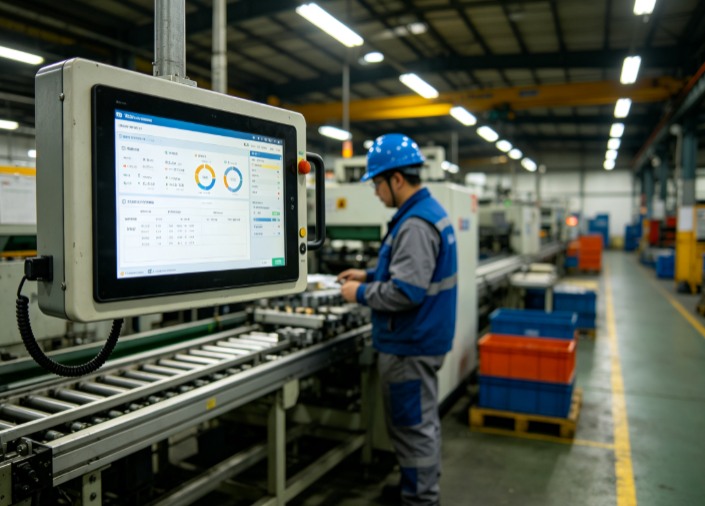
MES Manufacturing Execution System
1. Document Overview 1.1 Document Purpose This document is the standard function user manual of the MES Manufacturing Execution System. It is intended to help enterprise management personnel, workshop operators, equipment administrators, quality inspectors, and operation and maintenance personnel gain a full understanding of the system architecture, core functions, operation procedures, parameter configuration, and exception handling methods. It standardizes the daily operation standards of the system, mitigates the risk of misoperation, and ensures the digitalized, transparent, and standardized implementation of production processes, providing complete operational references for production scheduling, quality control, equipment maintenance, material traceability, and data analysis. 1.2 Scope of Application This manual applies to MES system end users, system administrators, implementation and maintenance personnel, and enterprise production management personnel in the discrete manufacturing and process manufacturing industries (including machining, electronic assembly, automotive parts, hardware, plastics, and food processing). It covers the full range of usage scenarios in daily system operation, parameter configuration, permission management, fault self-check, and data statistics. 1.3 System Overview The MES Manufacturing Execution System is a workshop-level production management system located between the enterprise-level ERP system and the underlying equipment automation control systems (PLC/SCADA). Its core functions include real-time production process control, full material traceability, equipment status monitoring, full-process quality inspection, labor time data collection, production exception early warning, and automatic report statistics. It bridges the data gap between the enterprise planning layer and the execution layer, and realizes full-lifecycle digitalized management of production orders from release, scheduling, production start, processing, inspection, warehousing, to completion and archiving. 2. System Function Operation Flows The MES system consists of twelve core modules: Basic Data Management, Production Order Management, Production Scheduling Management, Workshop Execution Management, Material Management, Quality Management, Equipment Management, Labor Time Management, Exception Management, Kanban Management, Report Statistics, and System Management. The detailed functions and operation steps of each module are described below. 2.1 Basic Data Management Module (System Core Foundation) This module provides basic data support for all business operations of the system. All data must be maintained in advance; otherwise, production business cannot proceed normally. It is a mandatory module for system initialization. 2.1.1 Material Information Management Function Description: Maintains the material master data of all raw materials, semi-finished products, finished products, and auxiliary materials of the enterprise, and realizes unique code-based material control. Operation Steps: [Basic Data] → [Material Management] → [Material Master] → [New] → enter the material code, material name, specification/model, material type, unit of measure, material, safety stock, procurement lead time, production cycle, and remarks → [Save]. Supported Functions: material classification management, batch import and export of materials, material information editing, material deactivation/activation, and material-to-process-recipe association. 2.1.2 Process Routing Management Function Description: Defines the product production and processing flow, and sets the operation sequence, operation parameters, standard labor time, required equipment, operators, and inspection standards. It serves as the core basis for production execution. Operation Steps: [Basic Data] → [Process Management] → [Process Routing] → [New] → select the corresponding product material → add operations in sequence, sort them, and set the standard labor time, equipment, work instructions, and inspection requirements for each operation → [Save & Submit]. Supported Functions: process version management (switching between old and new processes), process duplication, process-to-product binding, customizable operation parameters, and upload and preview of work instructions. 2.1.3 Operation Management Function Description: Maintains the master data of all production operations in the workshop, including parameters such as operation name, operation code, owning workshop, operation type, whether it is an inspection operation, and whether it is a work reporting operation. 2.1.4 Workshop / Workstation / Equipment Management Function Description: Maintains the workshop organizational structure, production workstations, and equipment master data, and binds the correspondence between workstations, equipment, and operations, enabling precise control of production points. 2.1.5 Employee Records Management Function Description: Maintains the records of workshop operators, quality inspectors, and management personnel, and binds employee accounts, positions, permissions, and owning workshops for use in work reporting, labor time statistics, and responsibility traceability. 2.2 Production Order Management Module This module receives production orders from the ERP system and realizes full-process management of order import, review, splitting, change, closure, and archiving. It serves as the source of production execution. 2.2.1 Order Import / Creation 1. Automatic synchronization: the system is integrated with the ERP system and synchronizes released production orders with one click. 2. Manual creation: manually enter the order number, product, production quantity, delivery date, production workshop, priority, and other information. 2.2.2 Order Review Production management personnel review the order information, process, delivery date, and quantity. Orders that pass the review proceed to the scheduling stage; rejected orders can be modified and resubmitted. 2.2.3 Order Change and Termination Supports production quantity adjustment, delivery date change, product specification change, order suspension, and order termination. All changes are automatically logged, and the change records, change personnel, and change time are fully traceable. 2.2.4 Order Completion and Archiving After all production, inspection, and warehousing of an order are completed, the system automatically determines that the order is complete, and administrators can archive it manually. Once archived, the order data is locked and cannot be modified arbitrarily, for subsequent data statistics and traceability. 2.3 Production Scheduling Management Module Based on order delivery dates, equipment capacity, staffing, and material inventory, it realizes intelligent scheduling and manual fine-tuning, addressing the problems of chaotic production scheduling, capacity waste, and delivery delays. 2.3.1 Intelligent Scheduling Based on order priority, delivery dates, equipment load, operation constraints, and material arrival status, the system automatically generates daily/per-shift production schedules and precisely assigns them to the corresponding workshops, equipment, and workstations. 2.3.2 Manual Scheduling Adjustment Supports manual adjustment of schedules by management personnel, including dragging to modify production time periods, swapping the production order of orders, pausing schedules, and adding ad-hoc production tasks. 2.3.3 Schedule Dispatch After the schedule is reviewed and approved, it is dispatched to workshop terminals and electronic kanban boards with one click, so that workshop personnel can view the day's production tasks in real time. 2.3.4 Schedule Tracking Displays in real time the schedule completion rate, delayed tasks, unscheduled orders, and equipment load saturation, assisting management personnel in adjusting production plans. 2.4 Workshop Execution Management Module (Core Execution Module) Covers the entire execution process in the workshop, from production start, work reporting, and operation flow to completion and warehousing. It is the core module for MES system implementation and realizes real-time collection of production process data. 2.4.1 Production Start Workshop operators log in to the workstation terminal and receive the scheduled tasks, verifying the product, quantity, and process requirements. By scanning the code or clicking [Start], the system automatically records the start time, operator, and equipment information, and generates a production flow batch number. 2.4.2 Operation Reporting After each operation is completed, the operator submits work reporting data, filling in the good quantity, defective quantity, scrapped quantity, and operation duration. Quick reporting by code scanning and batch reporting are supported. Work reporting data is uploaded to the system in real time, and the order production progress is updated automatically. Note: the reported quantity must not exceed the planned quantity, and defective products must be bound to defect reasons; otherwise, the submission cannot be completed. 2.4.3 Operation Flow After the previous operation is reported and passes inspection, the work automatically flows to the next operation. The system locks the operation flow records, preventing skipped or omitted operations. 2.4.4 Production Completion After all operations are completed, the operator submits a completion application. Upon review and approval by management personnel, the order status is updated to [Pending Warehousing], and the total production labor time, good product rate, and scrap rate are automatically calculated. 2.5 Material Management Module Realizes production material requisition, return, replenishment, material traceability, and material inventory control, preventing material waste, production stoppages caused by material shortages, and material mixing. 2.5.1 Production Material Requisition Based on the BOM (Bill of Materials) of the production order, the system automatically generates a material requisition list. Workshop personnel submit the requisition application; after review by the warehouse, materials are issued, scanned out of stock, and the inventory is automatically deducted. Requisition by order, batch requisition, and on-demand requisition are supported. 2.5.2 Material Return Surplus production materials can be returned by submitting a return application with the return reason and material status. After review, the materials are returned to the warehouse, and the inventory is automatically replenished. 2.5.3 Material Replenishment When materials become insufficient due to scrappage or loss, a replenishment application can be submitted. Upon approval, the materials are reissued, and the replenishment details are recorded throughout the process. 2.5.4 Material Traceability Through the product batch number and order number, the material batches used, suppliers, requisition time, and operators can be traced forward; conversely, the production orders and finished product flows corresponding to materials can be traced backward, realizing full-chain material traceability. 2.6 Quality Management Module Covers incoming material inspection, in-process inspection, final product inspection, nonconforming product handling, and quality data analysis, realizing full-process quality control of production. 2.6.1 Incoming Quality Control (IQC) After raw materials arrive, quality inspectors carry out inspections in accordance with the inspection standards, and record the inspection data, good quantity, defective quantity, and defect issues, and determine the inspection result (conforming / nonconforming / conditional acceptance). Only conforming materials can be warehoused and put into production. 2.6.2 In-Process Quality Control (IPQC) After key operations are completed, quality inspectors conduct patrol inspection, first-article inspection, and last-article inspection, and record the inspection results. Nonconforming operations are prohibited from flowing to the next operation, forcibly intercepting defective products. 2.6.3 Final Quality Control (FQC) After all operations of a product are completed, a full-item final inspection of the product is carried out. The inspection parameters, appearance, and performance test results are recorded to determine whether the finished product is conforming. Conforming products are permitted to be warehoused, while nonconforming products are transferred to the nonconforming product handling process. 2.6.4 Nonconforming Product Management Records the nonconforming product batch, defect location, defect reason, responsible workstation, and responsible personnel. Supports repair, rework, and scrapping of nonconforming products, tracks the handling progress throughout, and automatically generates statistics on the TOP defect issues by defect rate. 2.7 Equipment Management Module Realizes full-lifecycle management covering equipment records, equipment routine inspection, equipment preventive maintenance, equipment repair, equipment status monitoring, and equipment capacity statistics. 2.7.1 Equipment Records Enter basic information such as equipment number, equipment name, model/specification, purchase date, maintenance cycle, responsible person, and equipment parameters to establish electronic equipment files. 2.7.2 Equipment Routine Inspection The system presets inspection plans (daily / weekly / monthly). Operators submit inspection records on the terminal every day, and abnormal inspection results trigger automatic alerts to remind personnel to handle them. 2.7.3 Equipment Preventive Maintenance The system automatically generates maintenance tasks based on the equipment maintenance cycle, reminds maintenance personnel to complete the maintenance work, and records the maintenance content, time, personnel, and consumables to form a maintenance ledger. 2.7.4 Equipment Repair In the event of equipment failure, operators submit a repair request noting the fault symptoms and fault time. Repair personnel accept the request and carry out the repair, recording the repair process, repair result, and completion time. Statistics on equipment downtime and failure rate are generated. 2.7.5 Equipment Status Monitoring Displays equipment status in real time, including running, standby, faulty, and stopped states, and generates statistics on the equipment startup rate, utilization rate, and effective capacity, providing data support for equipment optimization. 2.8 Labor Time Management Module Accurately collects employee production labor time, operation labor time, standby labor time, and overtime labor time, replacing traditional paper-based attendance and work reporting. It is used for payroll calculation, capacity analysis, and efficiency optimization. 2.8.1 Real-time Labor Time Collection Based on the records of employee production start, completion, standby, and stoppage, the system automatically calculates the effective production labor time without manual statistics. 2.8.2 Labor Time Verification and Adjustment Management personnel can view the labor time details of employees, and verify and fine-tune abnormal labor time to ensure the accuracy of labor time data. 2.8.3 Labor Time Reports Automatically generates reports on individual labor time, team labor time, operation labor time, and order labor time, supporting export and integration with the payroll system. 2.9 Production Exception Management Module Targeting problems during production such as material shortage, equipment failure, personnel absence, process abnormality, quality abnormality, and delivery date abnormality, it realizes exception reporting, dispatching, handling, and closed-loop tracking. 2.9.1 Exception Reporting When workshop personnel identify a production exception, they report it with one click on the terminal, select the exception type, fill in the exception description, and upload image evidence. The system automatically pushes alerts to the corresponding responsible persons. 2.9.2 Exception Handling The responsible person receives the exception ticket, handles it promptly, and records the handling plan and handling result to complete the exception closed loop. 2.9.3 Exception Statistics and Analysis The system automatically compiles statistics on the occurrence frequency of each type of exception, downtime, and impacted capacity, and generates exception analysis reports to help enterprises optimize production management weaknesses. 2.10 Electronic Kanban Management Module Visualizes the real-time production data of the workshop and supports synchronized display on workshop large screens, computers, and mobile phones, achieving production status transparency. Core kanban display content: order production progress, daily output, good product rate, scrap rate, equipment status, exception tickets, employee capacity, delivery date alerts, and team efficiency. Customizable kanban templates, on-demand configuration of displayed data, and automatic data refresh (every 10 seconds) are supported. 2.11 Report Statistics Module The system is equipped with dozens of standard production reports, supports custom report configuration, and automatically generates data without manual compilation. Core reports include: production progress reports, capacity and output reports, quality defect reports, equipment utilization rate reports, labor time statistics reports, material consumption reports, exception statistics reports, order delivery reports, and traceability reports. All reports support filtering, export, printing, and visual display in line charts / bar charts, and support statistics by day / week / month / year. 2.12 System Management Module (Administrator Only) 2.12.1 Account and Permission Management Supports creating, editing, and disabling user accounts, and assigning permissions based on roles (super administrator, production administrator, quality inspector, equipment administrator, and workshop operator), precisely controlling the operational permissions of each role to achieve separation of duties and powers. 2.12.2 Menu Permission Configuration Customizes the system menus that each role can view and operate, and prohibits ordinary operators from viewing the core configuration, data deletion, and system parameter pages. 2.12.3 Data Dictionary Configuration Customizes all dropdown options and parameter types of the system (defect reasons, exception types, equipment status, order status, etc.) to accommodate the personalized management needs of the enterprise. 2.12.4 Operation Log Management Records all user operations throughout the process, including login, creation, editing, deletion, export, and review, and records the operator, operation time, operation content, and IP address, supporting log traceability and abnormal operation investigation. 2.12.5 System Parameter Settings Configures general system rules, such as work reporting precision, inventory alert thresholds, delivery date alert lead days, password rules, and automatic backup cycles. 3. Overall System Business Flow Basic data maintenance → ERP order synchronization / manual order creation → order review → intelligent scheduling + schedule dispatch → the workshop receives tasks and starts production → operation production + real-time work reporting → operation inspection and flow → final product inspection → completion and warehousing → data statistics and analysis → order archiving.
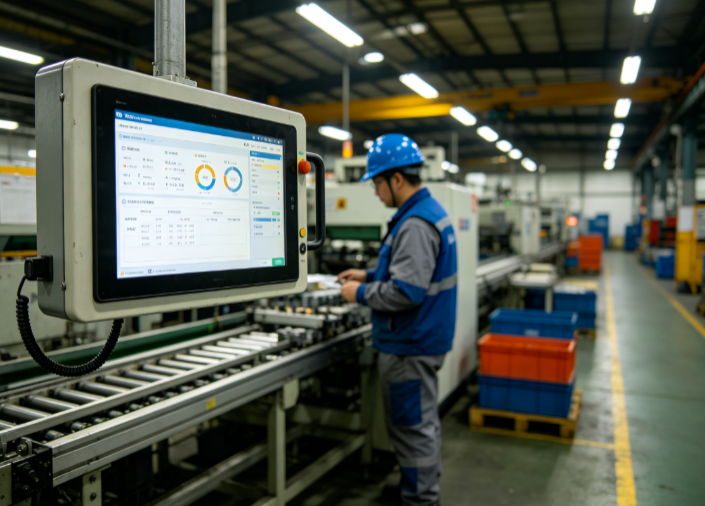
SCM Supply Chain Management
Chapter 1 Overview of Supply Chain Management (SCM) Supply Chain Management (SCM) is a systematic management philosophy and methodology that, centered on core enterprises, plans, organizes, coordinates, controls and optimizes activities along the entire supply chain—from raw material procurement and component supply, through manufacturing, warehousing and distribution, to end-sales and after-sales service. It emphasizes incorporating suppliers, manufacturers, distributors, retailers and even end consumers into a unified collaborative network, and, through the efficient interconnection of information flows, material flows and capital flows, achieves the optimal overall cost, the fastest response and controllable risk across the supply chain. As informatization and digitalization have advanced, SCM has evolved from a single internal enterprise management tool into a modern supply chain management platform delivered through software systems, driven by data and operating across organizational boundaries. A complete SCM system typically comprises core modules including planning management, procurement management, production management, warehouse management (WMS), transportation management (TMS), order management, sales and distribution management, supplier relationship management (SRM), and supply chain collaboration and visualization. These modules do not operate in isolation; instead, they achieve information sharing and linkage through a unified data middle platform and a business process engine. For example, the demand signals output by the sales forecasting module are automatically transmitted to the procurement and production planning modules, which in turn drive the deployment of warehousing and transportation resources and ultimately feed back to the execution layer to form a closed loop. This integrated design enables enterprises to manage the complete value chain from demand to delivery on a single platform. The value that an SCM system brings to an enterprise is multifaceted. First, it significantly enhances supply chain transparency and visibility, enabling managers to grasp inventory, order, in-transit and delivery status in real time. Second, it optimizes inventory levels, reducing capital occupation while ensuring supply and mitigating the risks of obsolescence and stock-outs. Third, it improves responsiveness to market demand, shortening order fulfillment cycles through the coordination of planning and execution. Fourth, it strengthens upstream and downstream collaboration, building closer partnerships with suppliers and customers. Fifth, it enhances supply chain resilience, reducing the impact of supply disruptions and unexpected events through risk early-warning and multi-source coordination. For these reasons, supply chain management has become a key lever for modern enterprises to enhance their core competitiveness. Chapter 2 Industries Requiring Supply Chain Management and Typical Application Scenarios Supply chain management is not an exclusive tool for any single type of enterprise; rather, it is a universal capability from which nearly all industries involved in the production, circulation and sale of physical goods can benefit. Whether in manufacturing and processing, trade and circulation, pharmaceuticals and healthcare, the automotive industry, food and fast-moving consumer goods (FMCG), or professional logistics, business operations inherently rely on complex and dynamic supply chain networks. Faced with increasingly intense market competition, ever-higher customer expectations and a volatile external environment, enterprises in a growing number of industries are adopting SCM systems to restructure business processes, break down information silos, control operating costs and improve service levels. This chapter selects six representative industries—manufacturing; retail and e-commerce; pharmaceutical and medical devices; automotive and components; food and FMCG; and logistics and supply chain services—and elaborates on their respective supply chain management needs, each illustrated with concrete application scenarios that demonstrate how SCM systems are implemented and create value in these contexts. Each scenario starts from the industry background and pain points, and describes the system's application process, key functions and expected outcomes, helping readers understand how SCM is applied in practice across different industries. 2.1 Manufacturing Manufacturing is one of the industries where supply chain management is most widely applied and most urgently needed. The supply chains of modern manufacturing enterprises often span multiple tiers of suppliers and involve thousands of raw materials and components. They must simultaneously accommodate flexible production requirements characterized by multiple product varieties and small batch sizes, while coordinating the tight linkage of multiple processes including procurement, planning, production, warehousing, quality inspection and shipping. Without effective supply chain management, enterprises are prone to problems such as the coexistence of inventory build-up and stock-out-driven production stoppages, frequent production plan changes and lagging information transmission, all of which directly undermine delivery efficiency and profitability. Scenario 1: Plan–Procurement–Production Collaboration in High-Mix, Low-Volume Discrete Manufacturing (1) Scenario Background In industries such as equipment manufacturing, machining and electronic components, orders tend to feature multiple product varieties, small batch sizes and tight delivery deadlines. Each order involves a different bill of materials, customers are highly sensitive to delivery time, and raw material procurement lead times are relatively long. Traditional scheduling based on experience and manual order tracking struggles to strike an optimal balance between complex and volatile order structures on the one hand and limited capacity and material resources on the other. A shortage of even a single material can halt an entire production line, while duplicate procurement of some materials drives up inventory. Manufacturing enterprises urgently need a management mechanism that links sales demand, material planning and production scheduling, fundamentally alleviating the disconnect between planning and execution. (2) System Application Process After introducing an SCM system, the enterprise first imports historical sales data and on-hand orders into the demand planning module, which uses forecasting algorithms to generate a rolling demand plan. Based on the bill of materials, the system automatically expands material requirements planning (MRP) and, by taking into account current inventory, safety stock, in-transit purchases and already-released production orders, calculates precise net requirements, from which it generates procurement suggestions and production suggestions. The production planning module then converts the production suggestions into executable daily scheduling plans based on equipment capacity, shift patterns and workstation constraints, and synchronizes the scheduling results back to the procurement module so that material arrival times precisely match production start times. During execution, the system captures workshop work-reporting, material-issuance and incoming-goods data in real time; whenever an exception occurs (such as supplier delays or equipment failures), the system automatically triggers an early warning and recommends adjustments to scheduling or procurement priorities. Through this collaborative mechanism, the enterprise is able to maintain high material kitting rates and capacity utilization while meeting volatile order demand, significantly shortening order delivery cycles and reducing work-in-process (WIP) inventory. Scenario 2: Multi-Tier Supplier Collaboration for Raw Materials and Components (1) Scenario Background The supply chains of large manufacturing enterprises often comprise first-tier, second-tier and even more tiers of suppliers. Between the core enterprise and its many suppliers there exists both close collaboration and natural information barriers. Without a unified collaboration platform, suppliers are often unable to learn the core enterprise's true demand and plan changes in a timely manner and can only prepare materials based on experience, easily resulting in over-supply or short-supply; conversely, the core enterprise struggles to grasp suppliers' production progress, inventory and capacity constraints, making supply chain risks difficult to anticipate. Particularly during raw material price fluctuations, tight supply or sudden shortages, the collaboration capability among multi-tier suppliers directly determines whether the enterprise can maintain continuous production. (2) System Application Process The supplier relationship management (SRM) and procurement collaboration functions of the SCM system establish a digital collaboration channel between the enterprise and its multi-tier suppliers. The system shares the core enterprise's rolling demand forecasts, purchase orders, delivery plans and quality requirements with suppliers at all tiers in real time through a supplier collaboration portal, on which suppliers confirm capacity online, reply with delivery dates and report delivery plans. The system automatically aggregates commitment data from suppliers at all tiers, matches and validates them against the core enterprise's demand, and promptly flags capacity gaps or delivery risks. Procurement and planning personnel can dynamically adjust procurement strategies based on suppliers' real-time feedback and, where necessary, reallocate orders among multiple qualified suppliers. For critical components, the system also supports vendor-managed inventory (VMI) collaboration, under which suppliers maintain consignment inventory at the core enterprise's site and the core enterprise settles based on actual consumption. Through this deep collaboration, the core enterprise can build a more stable and transparent supply network, improve material assurance and reduce procurement and inventory costs. Scenario 3: Manufacturing Execution and Work-in-Process Inventory Visualization (1) Scenario Background On the production floor, many manufacturing enterprises still rely on paper documents and manual reporting to track production progress and WIP status. Data collection is untimely and inaccurate, leaving management without a clear picture of critical information such as how much WIP is on the line, which processes are being worked on, and which orders are approaching their delivery deadlines. This black-box management not only hampers the flexibility of production scheduling but also tends to cause WIP build-up, stagnant semi-finished goods, and quality issues that are difficult to trace in a timely manner, thereby raising production costs and weakening the enterprise's control over delivery dates. (2) System Application Process By integrating SCM with manufacturing execution system (MES) capabilities, the enterprise is able to achieve end-to-end digital management of the entire process from material release, processing and inspection to warehousing. Through barcodes or RFID, the system establishes unique identifiers for every material batch, work order and workstation; employees scan and report work at key process steps, and the system updates the quantity, location and status of WIP in real time. Through visualization dashboards, production managers can grasp at a glance the real-time progress of each line and work order, the distribution of WIP and bottleneck processes, and dynamically adjust production tempo and resource allocation accordingly. When WIP build-up exceeds a preset threshold, the system automatically issues an early warning and prompts dispatchers to take diversion or rush measures. At the same time, the system automatically links completed-and-warehoused data with finished goods inventory and sales orders to ensure that records match physical stock. The system also compares work-order reporting data against standard working hours to analyze deviations in process efficiency and suggest improvement directions, providing a basis for process optimization and capacity assessment. Through end-to-end visualization, the enterprise not only substantially reduces capital tied up in WIP, but also improves the execution rate of production plans and the speed of exception response, achieving full-chain state transparency from materials and WIP to finished goods. This provides solid data support for continuous optimization of production and cost accounting, and furnishes managers with timely and accurate evidence for operational decision-making. 2.2 Retail and E-commerce The retail and e-commerce industry directly serves end consumers and is characterized by massive order volumes, diverse channels and pronounced demand fluctuations, making it a high-frequency application scenario for supply chain management. With the popularization of omnichannel models that integrate online and offline operations, enterprises must simultaneously manage multiple sales channels including physical stores, e-commerce platforms, livestream commerce and community distribution. Inaccurate inventory or delayed fulfillment at any touchpoint directly affects customer experience and sales conversion. How to achieve unified omnichannel inventory control, intelligent order allocation and timely, efficient fulfillment has become a common supply chain challenge for retail enterprises. Scenario 1: Omnichannel Order Fulfillment and Intelligent Inventory Allocation (1) Scenario Background In the new retail environment, the same product may be sold through multiple channels simultaneously. If inventory at each channel is managed independently, fragmented inventory situations readily arise—such as a product shown as available online while actually out of stock, or stores out of stock while warehouses hold surplus. After a consumer places an order, the enterprise must fulfill it from the most appropriate warehouse or store in the shortest possible time to control logistics costs and enhance the delivery experience. However, if the prioritization of multi-channel orders, the selection of fulfillment warehouses, order splitting and consolidation strategies, and inventory deduction rules all depend entirely on manual processing, the operation is both slow and error-prone, and cannot support the high-concurrency, multi-touchpoint demands of modern retail. (2) System Application Process The order management (OMS) and inventory management modules of the SCM system establish a unified omnichannel shared inventory view. The system aggregates inventory data from all warehouses, stores and channels in real time and, applying an intelligent allocation engine that weighs factors such as channel priority, logistics distance, inventory availability and fulfillment cost, recommends the optimal fulfillment node for each order. Once an order is released, the system automatically performs inventory deduction, wave allocation and picking-instruction issuance, supports multiple fulfillment modes such as cross-warehouse transfers, store shipping and self-pickup, and can automatically split or consolidate orders based on inventory and transport capacity. The system also supports mechanisms such as pre-sales, overselling control and safety stock reservation to prevent out-of-stock caused by overselling. To cope with surge traffic during major promotions, the system relies on high-concurrency processing and queued scheduling to ensure that fulfillment tasks execute in an orderly manner when orders flood in, avoiding system congestion or order backlog. Through unified scheduling, the enterprise achieves online-offline inventory coordination and efficient order fulfillment, effectively reducing logistics costs and shortening delivery times, while eliminating the zero-sum inventory imbalances across channels and improving overall inventory turnover and customer satisfaction. Scenario 2: Multi-Echelon Warehousing and Intelligent Replenishment (1) Scenario Background Retail enterprises' inventory is typically distributed across multiple echelon nodes such as regional warehouses, forward warehouses and stores, each serving a different service radius and replenishment function. If replenishment decisions lack a scientific basis and rely only on experience or sales estimates, the coexistence of stock-outs of fast-moving items and overstock of slow-moving items easily occurs. At the same time, multi-echelon warehousing also involves ordering from suppliers, transfers among warehouses at various levels and allocation to stores—a long chain with many links. If information flow is poor, the bullwhip effect is amplified and deviations between inventory and demand are magnified at each level. Retail enterprises therefore need an intelligent replenishment and inventory-balancing mechanism that links suppliers, central warehouses, regional warehouses and stores. (2) System Application Process The demand forecasting and intelligent replenishment functions of the SCM system forecast demand for each SKU at each warehousing node based on historical sales, promotion plans, seasonal factors and channel characteristics, and accordingly generate tiered replenishment recommendations. The system comprehensively considers current inventory at each warehouse level, safety stock, in-transit orders, supply lead times and logistics costs, and automatically calculates replenishment quantities, replenishment nodes and transfer routes, producing a step-by-step replenishment and transfer plan from suppliers to the central warehouse, from the central warehouse to regional warehouses, and from regional warehouses to stores. For scenarios requiring cross-level direct delivery or direct store shipment, the system also supports flexible configuration. Once generated, replenishment plans are automatically pushed to the procurement and transportation modules, enabling integrated execution of ordering, transfer and delivery. Through intelligent replenishment, the enterprise is able to reduce overall inventory holding costs while ensuring supply to stores and channels, cut down stock-outs and overstock, and improve turnover efficiency and capital utilization across all warehouse levels. Scenario 3: Last-Mile Delivery and Reverse Logistics for Returns and Exchanges (1) Scenario Background The last-mile end of the retail and e-commerce fulfillment chain is the most tangible point of customer experience; delivery timeliness, package status visibility and the convenience of returns and exchanges directly shape customers' overall evaluation of a brand. As order volumes grow, route planning for last-mile delivery, coordination of courier resources and handling of exceptional packages become increasingly complex. At the same time, the volume of reverse logistics arising from returns and exchanges keeps rising. If returns are not processed promptly or return-product information is unclear, the result is inflated inventory, tied-up capital and resource waste. Enterprises need efficient, visible management in both the forward delivery and reverse return directions. (2) System Application Process The transportation management (TMS) and reverse logistics modules of the SCM system bring last-mile delivery and returns/exchanges under unified digital management. In the forward delivery process, the system intelligently plans delivery routes based on order destinations, package weight and dimensions, and delivery time requirements, and matches the optimal courier or transport resources, supporting bidding and scheduling among multiple carriers; after an order leaves the warehouse, the system, through integration with carrier systems, feeds back pick-up, transit and delivery node information in real time, allowing customers to query package tracking at any time. In the reverse logistics process, the system establishes a complete workflow for return orders covering return-to-warehouse, quality inspection, re-shelving or scrapping. Once a returned package is received, a receipt record is generated; goods that pass quality inspection re-enter salable inventory, while defective or damaged goods enter the disposal process, enabling rapid resale of returns and capital recovery. Through unified, visible management of forward and reverse flows, the enterprise significantly improves last-mile delivery timeliness and return-handling efficiency, reduces reverse logistics costs, and enhances the consumer shopping experience. 2.3 Pharmaceutical and Medical Device Industry The pharmaceutical and medical device industry imposes extremely stringent requirements on supply chain compliance, safety and traceability. Every stage of pharmaceutical and medical device flow—from production and distribution to use—is subject to special constraints concerning quality safety, expiry management, cold-chain temperature control and regulatory compliance. Meanwhile, procurement needs differ greatly across downstream customers such as hospitals, pharmacies and distributors, and stock-outs or near-expiry risks are directly related to medication safety. For this reason, the industry's demand for supply chain management lies not only in efficiency but, more fundamentally, in quality control and accountability traceability across the entire chain. Scenario 1: End-to-End Pharmaceutical Quality Traceability (1) Scenario Background Drug safety bears directly on the life and health of the people, and national regulators impose strict traceability requirements on drug distribution, requiring full end-to-end traceability from production through distribution to use. However, the pharmaceutical supply chain involves many stages and complex participating entities—including manufacturers, wholesalers, distributors, hospitals and pharmacies. Traditional manual ledgers and segmented records are unable to form a complete traceability chain. When a quality incident occurs or an urgent recall is required, the enterprise often cannot locate the specific batch, flow direction and inventory position in a short time, resulting in low handling efficiency and enormous risk. Building a traceability system covering the entire pharmaceutical chain has become a foundational capability that pharmaceutical enterprises must establish. (2) System Application Process By establishing a batch management system built around drug traceability codes (or electronic supervision codes), the SCM system achieves quality traceability across the full lifecycle of pharmaceuticals. At the procurement and warehousing stage, the system collects and registers traceability information for each batch of drugs, linking production batch numbers, inspection reports and supplier qualifications; throughout sales outbound, transfer and distribution, the system automatically records the flow nodes, handling entities and receipt status of each package of drugs, forming a complete traceability map from supplier to end user. Managers can quickly query the whereabouts and on-hand status of any drug from multiple dimensions such as batch, flow direction and time. When a quality warning occurs or regulators require action, the system can generate an accurate recall list within a short time, lock down all flow directions and remaining inventory of the affected batches, and drive the closed-loop issuance and execution of recall instructions. Through full-chain traceability, the enterprise not only satisfies regulatory compliance requirements, but also enhances quality safety control and its ability to respond quickly to unexpected events. Scenario 2: Temperature-Controlled Cold Chain and Expiry Management (1) Scenario Background Many drugs (such as vaccines, biological products and blood products) have strict requirements for storage and transport temperature and must be kept refrigerated or frozen throughout the specified temperature range; any temperature deviation at any stage may affect the efficacy and safety of the drug. At the same time, drugs generally have explicit expiry dates. Drugs approaching expiry need priority outbound and timely warning to prevent expired drugs from entering the market and causing safety risks. If cold-chain warehousing, in-transit temperature data recording and expiry management rely on manual inspection and paper records, they are not only time-consuming and labor-intensive but also difficult to ensure data completeness and real-time accuracy, posing significant quality hazards. (2) System Application Process The SCM system provides dedicated digital capabilities for pharmaceutical cold chain and expiry management. In warehousing, the system interfaces with cold-room temperature monitoring equipment to collect and record temperature data at each cold room and storage location in real time, and automatically raises alarms and triggers handling procedures when temperatures exceed the preset range; in transportation, the system interfaces with cold-chain vehicles and temperature recorder devices to monitor in-transit temperature profiles in real time, ensuring that temperature control is traceable throughout. For expiry management, the system sets expiry attributes for each drug batch, automatically calculates remaining shelf life, follows the "first-in, first-out; near-expiry-first-out" rule at outbound, and issues early warnings for drugs approaching expiry, prompting business personnel to handle or return/exchange them in a timely manner. The system also links expiry information with procurement and sales planning to avoid excess purchasing that leads to accumulation and expiration. Through digital cold-chain and expiry management, the enterprise effectively safeguards drug quality and safety, reduces the risk of quality incidents and expiration losses, and retains complete compliance records of temperature control and shelf life. Scenario 3: In-Hospital Materials and Consumables Management (1) Scenario Background Hospitals are a major terminal user of drugs and medical devices. Their in-hospital materials are numerous in variety and highly volatile in usage, covering drugs, consumables, reagents and other categories. Hospitals must both ensure uninterrupted material supply to clinical departments and control inventory capital occupation and prevent waste. Moreover, high-value consumables and implantable devices often need to be associated with patient and surgical information and subject to strict admission, requisition and traceability management. Traditional manual requisition, inbound/outbound and stocktaking methods suffer from data lag, discrepancies between records and physical stock, and consumable loss, and are inadequate for the requirements of refined management and compliant traceability. (2) System Application Process The in-hospital supply chain management function of the SCM system establishes a full-process digital management system for hospitals covering procurement planning, acceptance and warehousing, departmental requisition, and clinical consumption. Based on departmental historical consumption and clinical schedules, the system generates reasonable procurement and stock-preparation plans and, through integration with supplier systems, enables automatic ordering and arrival tracking; at warehousing, barcodes enable rapid registration of item name, batch number, expiry date and quantity to ensure records match physical stock. Departments submit online requisitions, which the system automatically reviews and releases according to permissions and budgets while updating inventory in real time. For high-value consumables, the system implements "one-item-one-code" management, binding consumables to patient and surgical information to form a closed loop of use and traceability. The system also supports integration with hospital information systems (HIS), linking supply chain data with clinical business data so that managers can reverse-derive procurement and inventory strategies from clinical demand and more accurately grasp the material consumption patterns of different departments and procedures. The system provides multi-dimensional reports on inventory turnover, consumption analysis and expiry warning to help hospitals optimize inventory structure. Through refined, digital management of in-hospital materials, hospitals effectively control inventory costs while ensuring clinical supply, and improve the compliance and transparency of consumable use. 2.4 Automotive and Components Industry The automotive industry is a typical sector where discrete manufacturing coexists with highly coordinated operations. Its supply chain is characterized by a wide variety of components, a large supplier system, rigorous planning cadence and stringent quality requirements. Original equipment manufacturers (OEMs) and component suppliers generally adopt finely tuned collaboration models such as just-in-time (JIT) and just-in-sequence (JIS) supply, imposing extremely high demands on planning accuracy, response speed and execution discipline in the supply chain. At the same time, with the expansion of multi-site layouts and the aftermarket, automotive enterprises must also coordinate production supply and spare-parts networks on a larger scale. Supply chain management has therefore become a core pillar of automotive enterprise operations. Scenario 1: JIT/JIS Synchronized Supply Pull at OEM Plants (1) Scenario Background In vehicle assembly, to minimize inventory and ensure assembly cadence, OEMs widely adopt just-in-time supply: components must arrive at the exact time they are needed at the assembly workstation—neither arriving early and causing build-up, nor arriving late and halting the line. JIS synchronized supply goes further, requiring components to be matched one-to-one to specific workstations according to the vehicle assembly sequence. This model imposes extremely stringent requirements on the speed of information transmission, the precision of planning and the execution capability of suppliers. If production plans and supply instructions are not communicated in a timely manner, suppliers cannot prepare materials in synchronization, or delivery sequence is disordered—both directly disrupt normal operation of the vehicle assembly line and cause serious losses. (2) System Application Process The SCM system is deeply integrated with the OEM's production planning system to build a lean supply system centered on pull. The system shares the vehicle production sequence and vehicle configuration information with the relevant component suppliers in real time, and generates JIT supply requirements and JIS sequence supply instructions according to the assembly sequence, specifying the type, quantity and sequencing requirements of components for each workstation and time point. After receiving instructions through the collaboration portal, suppliers prepare materials in sequence and arrange on-time delivery; the system tracks the in-transit position and estimated arrival time of delivery vehicles in real time, precisely matching the assembly cadence of the production line. The system automatically calculates and warns on key indicators such as delivery punctuality rate and sequence conformance rate; whenever a deviation occurs, it immediately prompts both parties to coordinate and resolve. At the same time, the system feeds back receiving, line-feeding and consumption data in real time to dynamically adjust subsequent supply plans. Through this pull-based collaboration, the OEM effectively controls line-side inventory and reduces line-stop risk, while suppliers achieve more precise production organization, jointly improving the operational efficiency of the entire supply chain. Scenario 2: Multi-Site, Multi-Plant Coordination and Vendor-Managed Inventory (1) Scenario Background Large automotive groups often deploy vehicle and component plants across multiple regions. Each site differs in product structure, capacity and procurement systems, and suppliers must serve multiple plants simultaneously. If each site is managed independently and information is not shared, problems easily arise such as imbalanced capacity allocation by the same supplier across different plants, zero-sum fluctuations in component inventory, and a lack of overall coordination in purchase prices and quotas. At the same time, many critical components adopt a vendor-managed inventory (VMI) model, under which suppliers maintain consignment inventory at or near the OEM's plant. The replenishment cadence, consumption settlement and division of responsibilities for this inventory all require clear coordination and are highly complex to manage. (2) System Application Process The SCM system provides automotive groups with an integrated multi-site supply chain collaboration platform. The system centrally manages production plans, procurement requirements and inventory information across all sites, and coordinates suppliers' capacity allocation and supply quotas among multiple plants to avoid duplicate procurement and resource waste. For the VMI model, the system establishes a consignment inventory management mechanism: suppliers maintain a set safety stock at designated warehouses or line-side locations according to the agreement, and the system updates consignment inventory quantities in real time based on the OEM's actual consumption and generates replenishment requirements, on which suppliers arrange replenishment; consumption data is settled with suppliers on agreed cycles, enabling clear management of inventory ownership and consumption. The system also supports cross-site material transfers: when one site faces a material shortage while another holds surplus inventory, transfer recommendations are automatically generated. Through multi-site and VMI coordination, the automotive group achieves optimized allocation of supply chain resources, ensuring continuous production at each plant while reducing overall inventory levels and supply chain coordination costs. Scenario 3: After-Sales Spare Parts Network and After-Sales Supply Chain (1) Scenario Background After a vehicle is sold, the supply of after-sales spare parts directly affects the customer's driving experience and the brand's reputation. Automotive spare parts number in the tens of thousands of varieties, with dispersed demand and volatile sales. Enterprises must both ensure timely supply of fast-moving parts and control the accumulation of slow-moving spare-parts inventory—a difficult supply chain management challenge. Meanwhile, in the multi-echelon spare-parts network comprising the OEM, central spare-parts warehouses, regional sub-warehouses and dealers, the transfer, replenishment and emergency order handling of spare parts, if lacking efficient coordination, easily lead to stock-outs of fast-moving parts and overstock of slow-moving parts, lengthening customer wait times and tying up substantial capital. (2) System Application Process The SCM system establishes a multi-echelon distribution spare-parts supply chain management system for automotive after-sales. Based on historical repair data, vehicle parc and seasonal factors, the system forecasts demand for each spare part and accordingly develops step-by-step replenishment plans for central warehouses, regional warehouses and dealers, rationally setting safety stock at each level. For emergency orders, the system provides rush supply and cross-regional transfer mechanisms, prioritizing the allocation of spare parts from the nearest node with sufficient inventory, and tracks the in-transit status of spare parts in real time, providing dealers and customers with predictable arrival times. The system continuously monitors the age, dormancy and turnover of spare parts, and proposes handling recommendations for parts that have not moved for a long time to avoid capital stagnation. At the same time, the system supports integration with the OEM's parts catalog and electronic service records to improve the accuracy and efficiency of parts identification. Through digital management of the multi-echelon spare-parts network, automotive enterprises significantly improve after-sales spare parts supply, shorten customer wait times, optimize spare-parts inventory structure, and reduce the overall cost of the after-sales supply chain. 2.5 Food and FMCG Industry The food and FMCG industry is characterized by numerous product categories, extensive sales channels, thin per-unit profit margins and volatile consumer demand, placing high demands on supply chain cost control, response speed and quality safety. At the same time, products such as food, beverages and daily chemicals generally have shelf-life requirements, and batch management and expiry control directly affect product safety and loss. With the diversified development of modern channels, e-commerce and community retail, FMCG enterprises need more accurate demand forecasting, more efficient replenishment collaboration, and more rigorous traceability and expiry management to maintain an advantage amid intense competition. Scenario 1: Batch Traceability and Food Safety Recall (1) Scenario Background The food industry has rigid requirements for product safety and batch traceability. When a quality problem occurs, the enterprise must quickly locate the specific batch, raw material source, production shift and sales flow so as to rapidly contain the risk and implement a recall. However, the food supply chain involves numerous stages—from raw material procurement, production and processing, and warehousing and distribution to multi-echelon distribution—and information is scattered across different stages and systems, leaving the traceability chain incomplete. Without a unified batch traceability capability, quality incidents often require extensive manual investigation, making it impossible to promptly and precisely lock down the problematic batch. This both expands the scope of risk and may cause unnecessary losses, or even damage brand reputation. (2) System Application Process The SCM system establishes a batch traceability system for food enterprises that spans from raw materials to end terminals. At raw material procurement and warehousing, the system registers raw material batch, supplier and inspection information; during production, it links raw material batches with product batches, production dates and line shifts, realizing a traceability logic of "forward inquiry and reverse tracing." After products leave the factory, the system continuously records the flow direction and inventory location of batches at each warehousing, distribution and multi-level distribution stage, forming a complete batch flow map. When a quality warning occurs or regulators intervene, the system can rapidly identify the affected batches' raw material sources, production ranges, all flow channels and current inventory distribution, automatically generate recall scope and handling recommendations, and drive the issuance of recall notifications and progress tracking. Through full-chain batch traceability, food enterprises effectively safeguard product safety, significantly improve the response and handling efficiency of quality incidents, reduce recall costs and brand risk, and retain complete traceability records required for compliance. Scenario 2: Sales Forecasting and Channel Replenishment Collaboration (1) Scenario Background Consumer demand for FMCG products is frequently volatile, influenced by promotions, seasons, channel structure and other factors. At the same time, products need to cover multiple routes—modern channels (supermarkets and hypermarkets), traditional channels (distributors and wholesalers), e-commerce and emerging channels—each with different replenishment rhythms and inventory management methods. If replenishment decisions lack data support, fast-moving products easily go out of stock and miss sales opportunities, or slow-moving products accumulate, occupying capital and warehouse space. Faced with a vast number of SKUs and a complex channel network, enterprises need a scientific forecasting and replenishment collaboration mechanism to balance supply and demand and improve the health of channel inventory. (2) System Application Process The demand forecasting and replenishment collaboration functions of the SCM system integrate historical sales, real-time inventory and promotion plan data from all channels, and use statistical models to forecast demand for each SKU at each channel level. The system comprehensively considers channel characteristics, promotion calendars, seasonality and lifecycle factors to generate rolling demand plans, and accordingly outputs differentiated replenishment recommendations for distributors, modern channels and e-commerce platforms. Through integration with distributor and retailer systems, the enterprise achieves online collaboration of replenishment recommendations, orders and reconciliation, reducing manual communication errors. The system continuously monitors channel inventory turnover, stock-out rates and overstock conditions, helping business personnel identify anomalies in a timely manner and adjust strategies. Through scientific forecasting and channel replenishment collaboration, FMCG enterprises significantly improve the health of channel inventory, reduce stock-outs and overstock, raise distribution coverage and end-market fill rates, and provide production and procurement with more accurate demand baselines, overall lowering supply chain operating costs. Scenario 3: Freshness and Expiry Control (1) Scenario Background For FMCG products with strong time sensitivity such as fresh produce, dairy and bakery products, freshness and shelf life directly determine the product's salable value and quality safety. These products have short shelf lives; if inventory turnover is slow or outbound order is improper, large quantities of near-expiry or even expired loss can easily occur, causing economic loss and food safety risks. At the same time, short-shelf-life products impose extremely high demands on supply chain response speed: every stage from production, distribution to terminal sales must be efficiently linked so that products reach consumers within their optimal freshness window. Traditional manual expiry management is difficult to perform at a refined level and urgently requires digital support. (2) System Application Process The SCM system establishes a freshness-priority supply chain management mechanism for short-shelf-life products. The system sets strict expiry attributes for each batch of products, and outbound follows the "first-in, first-out; near-expiry-first-out" principle to ensure that earlier-produced products are prioritized for delivery and sale. The system monitors the expiry distribution of inventory at each level in real time; when a batch approaches the near-expiry threshold, it automatically issues an early warning, prompting business personnel to prioritize promotion or handling and avoid expiration losses. In demand forecasting and production planning, the system fully considers the freshness window of short-shelf-life products and, combined with channel sell-through speed and cold-chain capability, optimizes production and replenishment cadence to avoid excess production causing accumulation. For fresh cold-chain products, the system combines expiry management with temperature traceability to ensure products flow within appropriate temperature zones and shelf-life windows, and completely records temperature and batch information for inspection. The system also provides terminal stores with promotion and transfer recommendations for near-expiry goods, helping stores digest inventory within the freshness window. Through refined freshness and expiry management, FMCG enterprises effectively reduce near-expiry and expired losses, enhance product freshness and terminal competitiveness, and safeguard consumers' food safety and shopping experience. 2.6 Logistics and Supply Chain Service Industry The logistics and supply chain service industry takes the undertaking and operation of supply chain stages as its core business; its service capability is directly reflected in the operational efficiency and customer service levels of warehousing, transportation, distribution and other stages. Faced with massive parcel volumes, multi-warehouse networks and complex transport resources, logistics enterprises must control operating costs while ensuring timeliness and service quality. At the same time, as service providers of the supply chain, logistics enterprises also bear the responsibility of providing customers with in-transit visibility, data integration and collaboration services. The application of supply chain management systems is the key to enhancing their core competitiveness and customer stickiness. Scenario 1: Multi-Warehouse Network Layout and Warehouse Operation Path Optimization (1) Scenario Background As business scale expands, logistics enterprises often deploy central warehouses, regional warehouses and forward warehouses across multiple cities or regions, forming a large multi-warehouse network. How to optimize inventory distribution, order allocation and in-warehouse operation paths across warehouses while meeting timeliness requirements directly determines logistics costs and service quality. If the allocation of goods volume among warehouses is unreasonable, some warehouses become congested while others sit idle, and orders may be assigned to distant warehouses, reducing timeliness and raising transportation costs; unreasonable in-warehouse picking paths slow down operational efficiency. Multi-warehouse coordination and in-warehouse optimization have become important breakthrough points for logistics enterprises to reduce costs and improve efficiency. (2) System Application Process The SCM/WMS system provides logistics enterprises with multi-warehouse integration and intelligent in-warehouse optimization capabilities. The system aggregates inventory, order and capacity data from all warehouses and, based on customer distribution, timeliness commitments and logistics costs, intelligently decides which warehouse should fulfill each order, supporting cross-warehouse transfers to balance load and inventory structure across warehouses. At the in-warehouse operation level, the system applies wave strategies and path optimization algorithms to consolidate orders with the same or similar destinations into operation waves and plans optimal picking routes for pickers or automated equipment, reducing ineffective walking and duplicate handling and improving picking and recheck efficiency. The system monitors and analyzes each warehouse's inbound/outbound efficiency, storage utilization and operational bottlenecks in real time, helping managers optimize warehouse network layout and operation processes. Through multi-warehouse coordination and in-warehouse optimization, logistics enterprises significantly improve warehouse resource utilization, shorten order processing and outbound times, reduce unit logistics costs, and provide customers with more stable and efficient warehousing services. Scenario 2: In-Transit Visibility and Transport Capacity Dispatching (1) Scenario Background Transportation is the stage of logistics services with the highest cost share, the most stages and the most uncontrollable factors. Logistics enterprises often manage both self-operated vehicles and external carrier resources simultaneously, with diverse transport routes and uncertain factors such as traffic, weather and timeliness. If the transport process lacks transparency, managers cannot grasp each shipment's in-transit position, estimated arrival time and abnormal conditions, and customers cannot obtain timely and accurate logistics information; if transport capacity dispatching is unreasonable, it results in low vehicle utilization, high empty-running rates and rising transportation costs. Enhancing transport visibility and intelligent transport capacity dispatching is an inevitable requirement for logistics enterprises to improve service levels. (2) System Application Process The transportation management (TMS) module of the SCM system establishes a closed-loop management system for logistics enterprises covering order carriage, transport dispatching and in-transit tracking. Based on the origin and destination of orders, timeliness requirements and cargo attributes, the system intelligently matches transport routes and optimal carrier resources, supports bidding and unified dispatching among multiple carriers, and conducts end-to-end tracking of in-transit vehicles. Through integration with onboard terminals and driver apps, the system obtains vehicle positions, driving trajectories and abnormal-stop information in real time, and presents an in-transit visualization dashboard and estimated arrival times to both managers and customers; when route deviation, delay or abnormality occurs, the system automatically issues an early warning and triggers a handling process. The system performs statistical analysis on indicators such as transport capacity utilization, punctuality rate and unit transport cost, assisting managers in optimizing route planning and capacity configuration and reducing empty running and waiting. Through end-to-end transport visualization and intelligent dispatching, logistics enterprises effectively improve transport timeliness and reliability, reduce transportation costs, and provide customers with transparent and trustworthy logistics service experiences. Scenario 3: Customer Logistics Data Collaboration and Value-Added Services (1) Scenario Background As service providers of the supply chain, logistics enterprises not only execute transportation and warehousing but also need to establish close data collaboration with upstream cargo-owner customers. Customers often want to grasp the status, inventory and logistics data of their goods in the supply chain in real time and incorporate them into their own production and sales planning; logistics enterprises also hope to enhance customer stickiness and develop value-added business by providing data services. However, if the two parties' systems are mutually independent and data formats are inconsistent, information must be transferred manually and repeatedly confirmed, resulting in low collaboration efficiency and difficulty supporting in-depth supply chain services. Opening the data channel with customers has become the key for logistics enterprises to enhance service value. (2) System Application Process Through open interfaces and a collaboration portal, the SCM system builds a data collaboration platform between logistics enterprises and their cargo-owner customers. The system supports standard-interface integration with customers' ERP, OMS and other systems, enabling automatic exchange and real-time synchronization of order, inventory, shipment and in-transit data, reducing manual entry and repeated reconciliation. Logistics enterprises open a collaboration portal or data dashboard to customers, who can self-service query goods inventory, inbound/outbound records, in-transit trajectories and delivery receipt information, and can initiate ordering, inquiry and settlement online. Based on accumulated logistics and supply chain data, the system can also provide customers with value-added data services such as inventory analysis, timeliness analysis and damage-rate analysis, helping customers optimize their own supply chain decisions. Through data collaboration and value-added services, logistics enterprises significantly improve collaboration efficiency and information transparency with customers, enhance customer stickiness, and expand into higher-value supply chain data service capabilities beyond traditional transportation and warehousing services.

Automobile Component Production Process Intelligent Generation System
1. System Overview 1.1 System Introduction The Intelligent Auto Parts Manufacturing Process Generation System is a professional process digitalization tool designed for auto parts manufacturers. It integrates a large repository of proven process cases from the industry, national and industry production standards, an equipment parameter library, and a material property library. Based on basic information such as the three-dimensional (3D) model of the part, material parameters, production equipment, capacity requirements, and quality standards, the system automatically matches the optimal manufacturing process flow, intelligently calculates process parameters, and generates a complete set of standardized process documents, replacing the traditional manual process planning approach. It effectively improves process planning efficiency, reduces process error rates, and unifies production process standards. The system covers process design for all categories of auto parts, including engine parts, chassis parts, body parts, interior and exterior trim parts, and precision electronic accessories, and is adaptable to a variety of production modes such as small-to-medium batch, large batch, and customized production. 1.2 Core Functions Intelligent entry of basic information: Supports part drawing import, 3D model parsing, manual/automatic entry of material parameters, binding of production equipment information, and quality standard matching, and automatically identifies the part category and manufacturing process type. Intelligent generation of process schemes: Automatically builds a complete manufacturing process flow based on AI algorithms, including process step division, sequencing of process steps, definition of operation content, labor-hour calculation, and equipment and tooling selection. Intelligent optimization of process parameters: Automatically optimizes core process parameters such as machining temperature, pressure, rotation speed, feed rate, and welding current based on material properties, equipment performance, and the production environment, thereby avoiding process defects. Output of standardized process documents: Generates, with one click, a complete set of editable and printable process documents, including process cards, work procedure cards, standard operating procedures (SOPs), process flow charts, and quality inspection standards. Process data management: Enables storage, retrieval, reuse, and iterative optimization of historical process schemes, and supports process version control and modification history traceability. Data statistics and analysis: Compiles statistics on process planning efficiency, process defect frequency, and the utilization rate of optimal process schemes, providing data support for process optimization and production cost reduction. System permission management: Distinguishes multiple permission levels such as administrator, process engineer, and browsing user to safeguard process data security and standardize operational procedures. 1.3 Scope of Application Applicable enterprises: Auto parts manufacturers of all types, supporting process departments of vehicle (OEM) plants, and part process R&D institutions. Applicable process scenarios: Stamping, bending, welding, machining (turning, milling, drilling, grinding), injection molding, die casting, heat treatment, surface treatment, and final assembly. Applicable personnel: Process planning engineers, production technology managers, process reviewers, and system operations & maintenance personnel. 2. Operating Environment Requirements 2.1 Hardware Environment Equipment Type Minimum Configuration Recommended Configuration Processor Intel i5 quad-core or higher Intel i7 / i9 eight-core or higher Memory 8 GB 16 GB or higher Hard Disk More than 50 GB of free space Solid-state drive (SSD) of 256 GB or higher Graphics Card Integrated graphics, supporting image parsing Dedicated graphics card of 4 GB or higher (adapted for 3D model parsing) Network Stable intranet/extranet Stable network of 100 Mbps or higher 3. System Installation and Initial Configuration 3.1 Installation Steps 1. Close the computer's antivirus software and firewall, extract the system installation package, and double-click to run the Setup.exe installation program. 2. Read the end-user license agreement; after confirming it is acceptable, click “I Agree to the Agreement” and then click Next. 3. Select the system installation path (the default path is recommended; do not install to a partition where the system drive is full), and click Next. 4. Check “Create desktop shortcut,” click “Install,” and wait for the program to deploy automatically (approximately 3–5 minutes). 5. After installation completes, click “Finish and Launch System” to end the installation process. 3.2 Initial Configuration 1. Account activation: On the first launch of the system, enter the enterprise authorization code and the administrator account password to complete system activation. In the unactivated state, only trial functions are supported. 2. Basic database configuration: Log in with the administrator account, navigate to [System Configuration] – [Database Configuration], and complete the initialization and import of the equipment library, material library, and process standard library. You may select the system’s default industry library or the enterprise’s proprietary process library. 3. Permission configuration: Navigate to [User Management] to add user accounts and assign corresponding permissions such as administrator, process engineer, and ordinary viewer. 4. Parameter presets: Based on the enterprise’s production standards, preset general labor hours, inspection standards, and equipment parameter thresholds to improve the accuracy of subsequent process generation. 4. Detailed System Operation Workflow 4.1 System Login 1. Double-click the system desktop shortcut to enter the system login interface. 2. Enter the assigned account and password, and click “Log In.” 3. After successful login, the system main interface is displayed. The main interface comprises six modules: Home, Process Generation, Process Management, Data Center, System Configuration, and Help Center. 4.2 Core Workflow for Intelligent Generation of Component Manufacturing Processes 4.2.1 Basic Information Entry Navigate to the [Process Generation] module and select “New Process Scheme” to enter basic part information. Two entry methods are supported: Model import entry (recommended): Upload the part’s CAD drawings and STP/IGS 3D models; the system automatically parses information such as the part’s dimensions, structure, material, and machining difficulties, and automatically fills in the basic parameters. Manual entry: Manually fill in core information such as the part name, part number, material, specification and dimensions, production batch, applicable vehicle model, quality grade, and production workshop. After information entry is completed, click “Information Validation”; the system automatically screens the information for completeness, and only after validation passes can the user proceed to the next step. 4.2.2 Production Condition Configuration Configure production conditions according to the actual production scenario. The core configuration items are as follows: Select the manufacturing process type: machining, stamping, welding, injection molding, die casting, assembly, etc.; Bind production equipment: select existing production equipment and tooling/fixtures in the workshop; Set production requirements: daily production capacity, yield rate requirements, production cycle, surface treatment requirements, and inspection standards; Select process reference standards: national standards, industry standards, and enterprise internal standards. 4.2.3 AI-Based Process Scheme Generation Click the “Intelligently Generate Process” button; based on built-in AI algorithms and the process database, the system automatically completes the following tasks: Rationally divides the production operations and sequences them to avoid conflicts between operations; Defines the operation content, operating specifications, and operation labor hours for each process step; Matches the optimal process parameters, equipment operating parameters, and consumable specifications; Generates process flow charts, operation sequencing plans, and quality control checkpoints. The generation process takes 10 seconds to 3 minutes depending on the complexity of the part. Upon completion, the system automatically jumps to the process preview interface. 4.2.4 Process Scheme Editing and Review The process scheme generated by the system supports custom editing. Users can adjust the operation sequence, process parameters, operation content, labor hours, and inspection items according to the enterprise’s actual production conditions. After editing is completed, the scheme can be submitted for process review. Reviewers can review, annotate, approve, or reject modifications online, and the entire process is recorded and traceable. 4.2.5 Process Document Export and Application After the process review is approved, a complete set of standardized documents can be exported with one click in Word, PDF, and Excel formats, which can be printed directly and distributed for use in the workshop. The exportable documents include: Overall manufacturing process scheme for the part and standard operating procedures (SOPs) for each operation Process flow charts and work procedure cards Quality inspection process standards Labor-hour calculation tables and equipment and tooling usage lists 4.3 Process Data Management 1. Process archiving: All generated and approved process schemes are automatically stored in the system database for permanent retention. 2. Process retrieval and reuse: Historical process schemes can be retrieved using keywords such as part number, part name, production time, and process type. One-click reuse and rapid iterative modification are supported, greatly improving the process planning efficiency for parts of the same type. 3. Version management: Multiple revisions of the process scheme for the same part automatically generate version records. Historical versions can be viewed at any time, version differences can be compared, and historical versions can be restored. 4.4 Data Statistics and Analysis Navigate to the [Data Center] module. The system automatically compiles statistics on the number of process schemes generated, planning time consumed, process modification frequency, utilization rates of various process schemes, and optimization solutions corresponding to process defects. It generates visual reports and supports report export, providing data support for enterprise process optimization and production efficiency improvement. 4.5 User and Permission Management Administrator accounts can add, delete, and disable users in [System Configuration] – [User Management], assign operating permissions, and support operation log queries. All users’ login, operation, modification, and export records are logged to ensure data security and traceability. 5. System Maintenance and Daily Operation Specifications 5.1 Daily Operation Specifications Users must log in to the system using their own personal accounts. Sharing or lending accounts is prohibited to eliminate the risk of data leakage. The part information and production parameters entered must be true and accurate to avoid process scheme errors caused by information inaccuracies. Process schemes for precision and safety-critical auto parts (braking, steering, and core engine components) must be manually reviewed and rechecked before use. After daily operations, users should log out promptly and regularly save important process documents to avoid data loss. 5.2 System Maintenance Specifications Data backup: The system automatically backs up the database daily by default. Operations & maintenance personnel should manually back up core process data weekly, and backup files should be stored separately. Database updates: Regularly update the system’s process standard library, equipment parameter library, and industry case library to ensure the timeliness and compliance of process generation. System upgrades: After receiving an official upgrade notification, perform the system upgrade during non-production hours, and ensure that data backup is completed before the upgrade. Equipment maintenance: Keep the operating equipment’s network stable and the system clean, and regularly clear the computer cache to avoid lag and unexpected shutdown issues.